1
System Overview
Changing Basic Configuration Information
MP.11 5054 (MP.11a) Installation and Management
NOTE: Non-US installers should not add an antenna system until the Country is selected, the unit is rebooted, and the
proper power level is configured. The output power level of the final channel selected by DFS scan can be found
in the Event Log.
The Dynamic Frequency Selection (DFS) feature is enabled automatically when you choose a country and band that
require it. The Transmit Power Control (TPC) feature is always available.
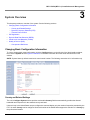
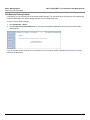
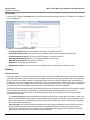
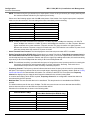
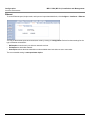
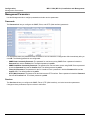
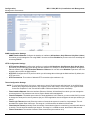
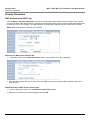
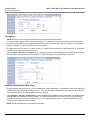
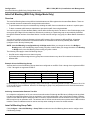
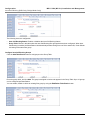
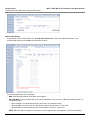
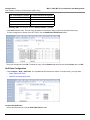
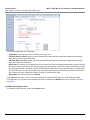
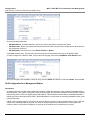
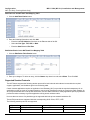
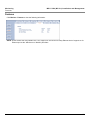
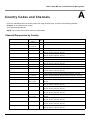
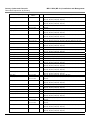
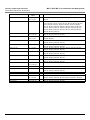
Click Configure > System; then select the appropriate country and band for your regulatory domain from the Country
drop-down box.
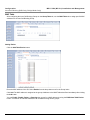
Continue configuring settings as desired; then click Commands > Reboot to save and activate the settings. Alternatively,
if you want to save the configuration settings to the flash memory but not activate the settings, use the save config CLI
command.
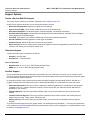
Dynamic Frequency Selection (DFS)
The Tsunami MP.11 5054 supports Dynamic Frequency Selection (DFS) for FCC, IC, and ETSI regulatory domains per
FCC Part 15 Rules for U-NII devices, IC RSS-210, and ETSI EN 301-893 and 302-502 regulations, respectively. These
rules and regulations require that 802.11a devices use DFS to prevent interference with radar systems and other devices
that already occupy the 5 GHz band.
During boot-up, the unit scans the available frequency and selects the best channel. If the unit subsequently detects
interference on its channel, it rescans to find a better channel. Upon finding a new channel, the unit is required to wait 60
seconds to ensure that the channel is not busy or occupied by radar, and then commences normal operation. (In Canada,
if the channel was previously blacklisted, the unit scans for 600 seconds before commencing normal operation if the
selected channel frequency is in the 5600 - 5650 MHz range).
If you are using the unit in a country and band that require DFS, keep in mind the following:
•
DFS is not a configurable parameter; it is always enabled and cannot be disabled.
•
You cannot manually select the device’s operating channel; you must let the unit select the channel. You may make
channels unavailable by manually “blacklisting” them and preventing those channels being selected, in accordance
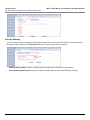
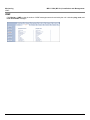
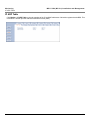
with local regulations or interference. You can also display the Channel Blacklist Table to view the channels that have
been blacklisted.
•
In compliance with FCC regulations, the unit uses ATPC (Automatic Transmit Power Control) to automatically adapt
transmit power when the quality of the link is more than sufficient to maintain a good communication with reduced
transmit power. See Transmit Power Control for more information.
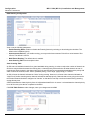
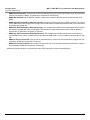
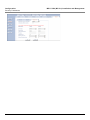
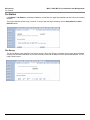
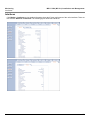
Dynamic Frequency Selection (DFS) is enabled automatically based upon the country and band you select. You can tell
DFS is in use because the Frequency Channel field on the Interfaces page displays only the DFS-selected frequency.
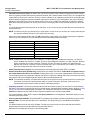
DFS scans all available frequencies, starting with the DFS preferred channel (when configured) and skipping blacklisted
channels, to select the operating frequency automatically.
A country/band selection with DFS enabled causes the Base Station to come up in scan mode. It scans the available
frequencies and channels to avoid radar and selects a channel with the least interference.
NOTE: Scanning is performed only on the frequencies allowed in the regulatory domain of the country and band selected
when it is required for radar detection and avoidance.
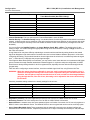
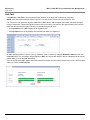
The SU also comes up in scan mode to scan all available frequencies to find a BSU with which it can register. Scanning
may take several minutes. After establishing a wireless link, the wireless LED stops flashing and continues to shine
green.
NOTE: Because DFS may need to scan for radar on multiple channels, you must allow a sufficient amount of time for the
units to start up. This is considerably longer than when the unit is not using DFS. This is expected behavior.
Startup time is within four minutes if no radar is detected, but up to one minute is added for every selected
channel that results in radar detection.
DFS is required for three purposes:
36