1
Manual Ver1.0
2. Installation
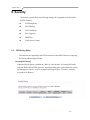
In addition to this document, your M505N should arrive with the following:
•
•
•
•
•
One power adapter
One Ethernet cable with RJ-45 connector
One Telephone cable with RJ-11 connector
Product Installation CD
Installation Guide
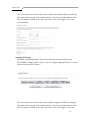
Front Panel
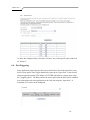
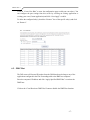
The Front panel LED light indicates the status of the unit. (Left to Right)
M505N
Label
Power
Color
Green
Function
On – Solid Green
Off – The Modem is Off
Red – Power on self test/ Device Malfunction (not
bootable) and device malfunction
Malfunction is any state which would prevent
syncing or passing of data
DSL
Green
Green – DSL Good Sync
Off
- Powered off
Flashing Green - DSL Attempting sync
Internet
Green
Solid Green – IP connected – no traffic passing
Device has a public IP via either static/ DHCP/
or IPCP
If PPP is used it has been authenticated
If IP or PPPOE session is idle and dropped,
light to remain green as long as ADSL is still
present. Light to turn red if upon attempting
new session it fails.
Off – Modem Power Off.
LED Should remain off if modem is in bridged
mode
Ethernet 1-4
Green
Off - Power Off – or – No Device Detected on any LAN
port
Solid Green – Device connected including wake on LAN
on any LAN port
Flashing Green – LAN activity present
Wireless
Green
Green – Wireless is activated on modem
Flashing Green – Wireless activity is present
WPS
Green
Off - Modem off or no radio signal detected
Off - WPS function not active
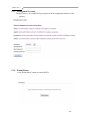
Solid Green – Device
-5-