1
Manual Ver1.0
3. Configuration
3.1 - Setup
Connect your M505N and PC with an RJ-45 Ethernet cable.
Turn on the M505N.
The default IP address of M505N is 192.168.1.254.
192.168.1.1
3.2 - Establish the Connection
Enter the IP address (default: 192.168.1.254)
192.168.1.1 of M505N in the address line of your
web browser.
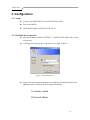
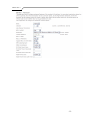
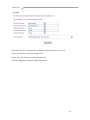
A Dialogue Box will pop up to request the user to login. (Figure 1)
Figure 1. Login dialogue box
Please enter the management username/password into the fields then click on the
OK button (Please contact your ISP for login information).
Username: admin
Password: admin
-8-