1
Farbprofil: Generic CMYK printer profile - None
Komposit Standardbildschirm
O
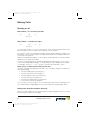
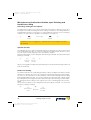
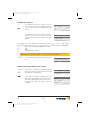
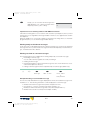
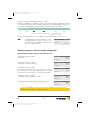
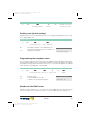
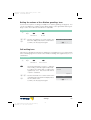
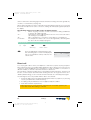
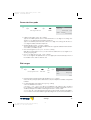
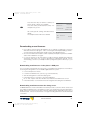
Confirm your entry by pressing OK.
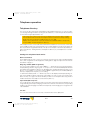
Call rerouting has been registered. The three
dots at the right lower corner flash alternately.
ˆ
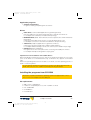
Call forwarding
direct
ˆMSN-1}0123456789 ...
¬¬¬¬¬¬¬¬¬¬¬¬¬¬¬¬¬¬¬¬¬¬
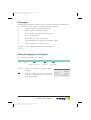
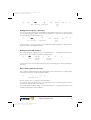
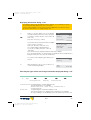
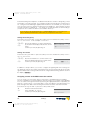
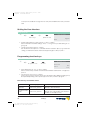
Viewing current call forwarding
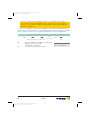
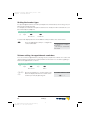
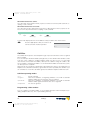
When the telephone is idle, a »U« on the second line indicates that call forwarding has been
activated. Press the »Info« softkey if you wish to have more information displayed for the
programmed call rerouting.
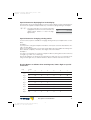
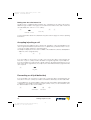
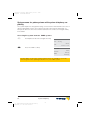
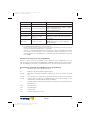
Deactivating call rerouting
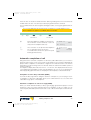
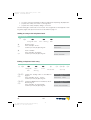
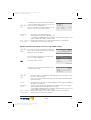
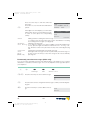
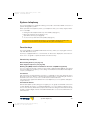
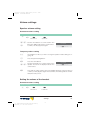
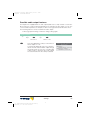
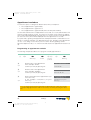
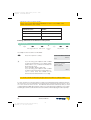
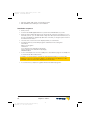
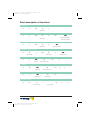
The following example describes how to deactivate a permanent call rerouting for MSN 1.
a
M
s
s
s
s
s
Setting
Call rerout.
Off
Fixed
MSN-1
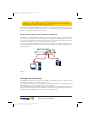
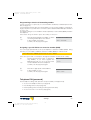
Special features for the Swiss version
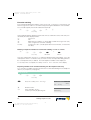
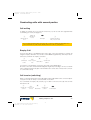
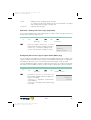
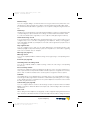
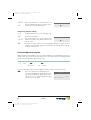
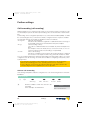
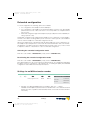
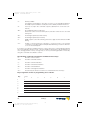
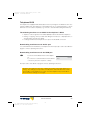
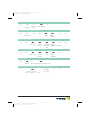
In its initial state, the telephone is configured for use at an internal ISDN connection with an elmeg PABX. If you wish to use your telephone at the network termination unit or at a third-party pabx, you will have to change the call rerouting protocol (»Keypad« or »ETSI«) as described below.
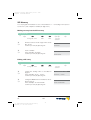
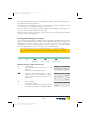
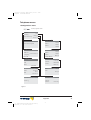
Use at a point-to-point connection (network termination unit)
a
M
s
s
Configu- Service
ration
t
O >
s
s
Call rerout. Keypad
Telephone
PIN
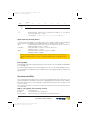
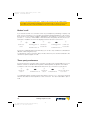
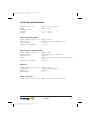
Use with an elmeg PABX
a
M
s
s
Configu- Service
ration
t
O >
Telephone
PIN
s
s
Call rerout.
ETSI
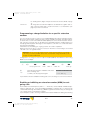
Call waiting feature
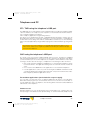
If, during an ongoing call, a second call comes in for you, the second call is signaled when
»Call waiting on« is set. A caller will hear the busy signal, when you have set your telephone to
»Call waiting off«.
A waiting call is indicated by a brief acoustic signal in the speaker and also displayed. You can
Settings
73
G:\_elmeg\CS410\V1\uk\mn\uk-410-mn-10x1.vp
Mittwoch, 11. Juni 2003 15:06:43
67