1
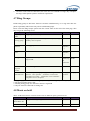
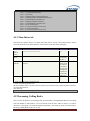
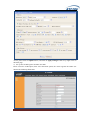
When making outgoing calls the following rules are used to
determine which CallerID will be used, if they exist:
The first CallerID used is a CallerID set for the user making the
call defined in the 'Users' tab.
The second CallerID is the one that is set in the 'VoIP Trunks'
configuration, if applicable
The last CallerID used for outgoing calls is the Global CID
defined in the 'Options' tab.
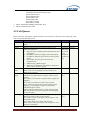
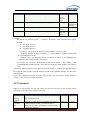
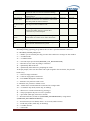
Operator
Extension
Ring Timeout
Call Record Dir
Call Record
Format
Extension
preferences
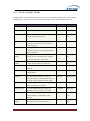
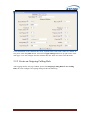
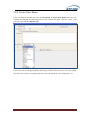
The Operator Extension is the extension which will be dialed
when a caller presses '0' to exit Voicemail. It is also available as
a Voice Menu option
Number of seconds to ring a device before sending to the user's
Voicemail Box
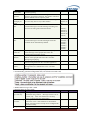
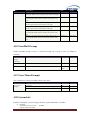
Call Record Dir
Call Record Format
Chioce
Time
20
Str*
Choice
/tmp
gsm
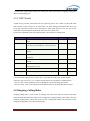
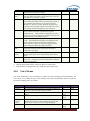
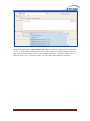
User Extensions
Int
Conference Extensions
Int
VoiceMenu Extensions
Int
RingGroup Extensions
Int
Queue Extensions
Int
VoiceMail Group Extensions
Int
6001-629
9
6300-639
9
7001-710
0
6400-649
9
6500-659
9
6600-669
9
Resert to default
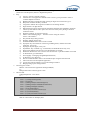
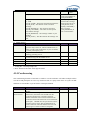
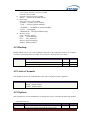
Languages
Name
Languages
Description
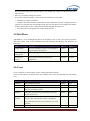
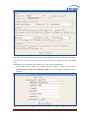
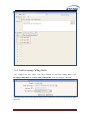
The Language setting allows the user to specify the default
prompts language for phone to phone, inbound, and outbound
calls. If a soundpack selection is made but not already
installed, then the pack will be downloaded from Digium
Type
Chioce
default
English
Type
Str*
Str*
default
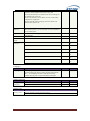
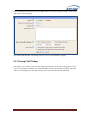
Change Password
Name
Change
Password
Description
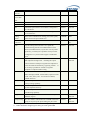
Enter New Password
Retype New Password
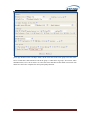
Factory reset
Name
Description
Factory reset
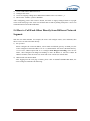
Reset to defaults include network settings
Reset to defaults but keep network settings
www.atcom.cn
30