1
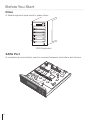
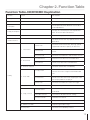
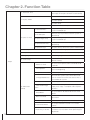
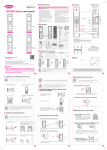
Display LCD
OK
Backward
Chapter
3. Quick
ESCOperation Guide
1. Installation
Forward
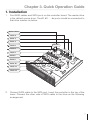
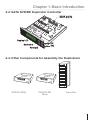
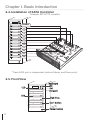
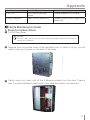
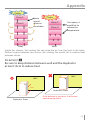
1. Find SATA cables and SATA ports on the controller board. The reader drive
is the default source drive. The #2, #3 …..#n ports should be connected to
that drive number as below.
Source Drive
Drive 2
Drive 3
Drive 4
Reader
Drive 5
Drive 6
2
5
Drive 7
Drive 8
Drive 9
Drive 10
6
8
3
4
7
9
10
11
12
Drive 11
Drive 12
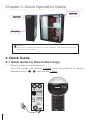
2. Connect SATA cable to the SATA port. Insert the controller to the top of the
tower. Connect the other side of SATA cable to the drive as the following
arrangement.
7