1
Encoder Polarity
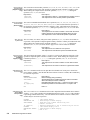
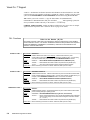
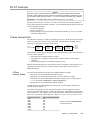
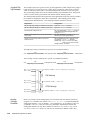
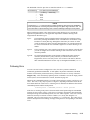
If the encoder input is counting in the wrong direction, you may reverse the polarity with the
ENCPOL command. This allows you to reverse the counting direction without having to change
the actual wiring to the encoder input. For example, if the encoder on axis 2 counted in the
wrong direction, you could issue the ENCPOLx1 command to correct the polarity.
Immediately after issuing the ENCPOL command, the encoder will start counting in the
opposite direction (including all encoder position registers). The polarity is immediately
changed whether or not encoder step mode is enabled (ENC1).
NOTES
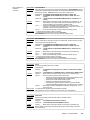
• Changing the feedback polarity effectively invalidates any existing offset position (PSET)
setting; therefore, you will have to re-establish the PSET position.
• The ENCPOL command is automatically saved in non-volatile RAM (stand-alone products).
• If you wish to reverse the commanded direction of motion, first make sure there is a direct
correlation between commanded direction and encoder direction, then issue the
appropriate CMDDIR command to reverse both the commanded direction and the encoder
direction (see CMDDIR command description for full details).
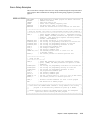
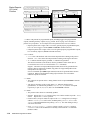
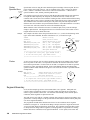
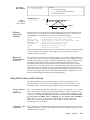
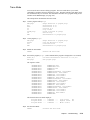
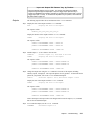
Programming
Scenario (as seen in
a terminal emulator)
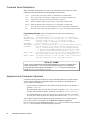
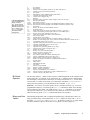
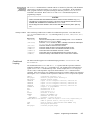
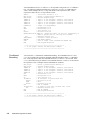
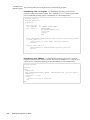
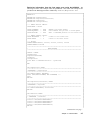
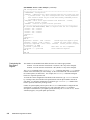
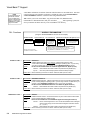
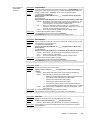
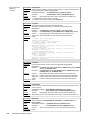
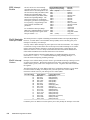
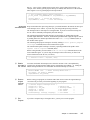
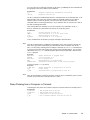
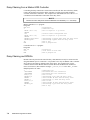
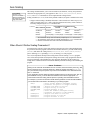
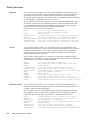
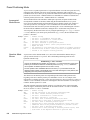
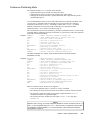
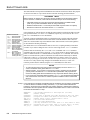
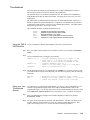
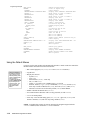
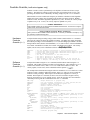
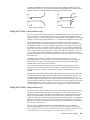
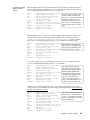
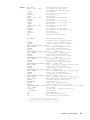
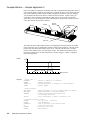
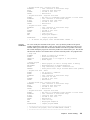
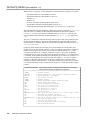
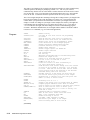
This programming scenario assumes the encoder polarity is reversed from the commanded
direction (e.g., commanding a move of +10 units, yields and encoder position of -10 units).
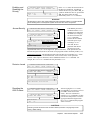
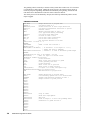
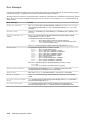
> PSET0
> 1TPE
*1TPE+0
; Define current position of axis 1 as position zero
; Check the position of encoder #1
(response indicates encoder #1 is at position zero)
> MA0
> D+8000
> GO1
> 1TPE
*1TPE-8000
; Select incremental positioning mode
; Set distance to 8,000 units in the positive direction
; Move axis 1 a distance of 8,000 units
; Check the position of encoder #1
(response shows that encoder #1 is at position -8000,
the minus sign indicates that the encoder is counting in the wrong direction)
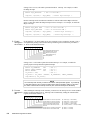
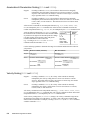
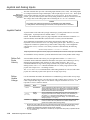
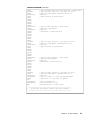
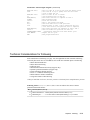
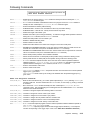
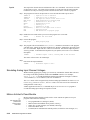
> DRIVE0
> ENCPOL1
> PSET0
> DRIVE1
> D+8000
> GO1
> 1TPE
*1TPE+8000
; Disable the drive (disabled before changing polarity)
; Reverse encoder polarity on axis 1
; Define current position of axis 1 as position zero
; Enable the drive
; Set distance to 8,000 units in the positive direction
; Move axis 1
; Check the position of encoder #1
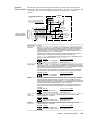
(response shows encoder #1 has moved 8,000 units in the positive direction,
indicating that the encoder is now counting in the correct direction)
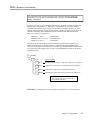
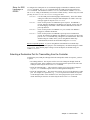
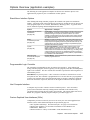
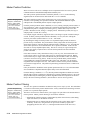
Commanded Direction Polarity
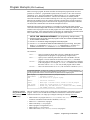
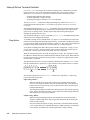
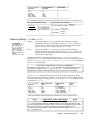
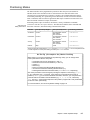
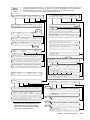
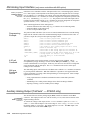
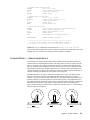
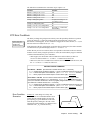
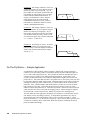
The CMDDIR command allows you to reverse the direction that the controller considers to be
the “positive” direction; this also reverses the polarity of the counts from the encoder. Thus,
using the CMDDIR command, you can reverse the referenced direction of motion without the
need to (a) change the connections to the drive and the encoder, or (b) change the sign of all the
motion-related commands in your program.
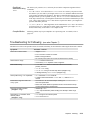
NOTES
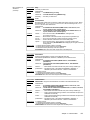
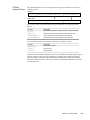
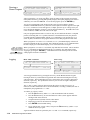
• The CMDDIR command cannot be executed while motion is in progress or
while the drive is enabled. For example, you could wait for motion to be complete
(indicated when TAS and AS bit #1 is a zero) and then use the DRIVE command to disable
the appropriate axis before executing the CMDDIR command.
• Before changing the commanded direction polarity, make sure there is a direct correlation
between the commanded direction and the direction of the encoder counts (i.e., a positive
commanded direction from the controller must result in positive counts from the encoder).
• Once you change the commanded direction polarity, you should swap the end-of-travel
limit connections to maintain a positive correlation with the commanded direction.
• The CMDDIR setting is automatically saved in non-volatile memory (stand-alone products).
Chapter 3. Basic Operation Setup
97