1
3.8.2
ASUS O.C. Profile
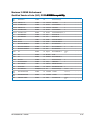
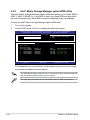
This item allows you to store or load multiple BIOS settings.
BIOS SETUP UTILITY
Tools
O.C. PROFILE Configuration
O.C.
O.C.
O.C.
O.C.
O.C.
O.C.
O.C.
O.C.
Profile
Profile
Profile
Profile
Profile
Profile
Profile
Profile
1
2
3
4
5
6
7
8
Status
Status
Status
Status
Status
Status
Status
Status
:
:
:
:
:
:
:
:
Not
Not
Not
Not
Not
Not
Not
Not
Add Your CMOS Profile.
Name:
Save To:
Load CMOS Profiles.
Load From:
Typing your profile
name, [0-9][a-z][A-Z]
are acceptable.
Installed
Installed
Installed
Installed
Installed
Installed
Installed
Installed
[Default-Profile]
[Uninstalled]
[Blank]
Start O.C. Profile
←→ Select Screen
↑↓ Select Item
F1 General Help
F10 Save and Exit
ESC Exit
v02.61 (C)Copyright 1985-2009, American Megatrends, Inc.
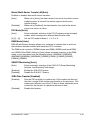
Add Your CMOS Profile
Allows you to save the current BIOS file to the BIOS Flash. In the Name sub-item,
type your profile name and press <Enter>, and then choose a profile number to
save your CMOS settings in the Save to sub-item.
Load CMOS Profiles
Allows you to load the previous BIOS settings saved in the BIOS Flash. Press
<Enter>, and choose a profile to load.
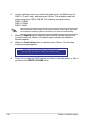
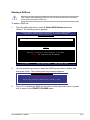
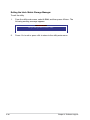
Start O.C. Profile
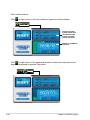
Allows you to run the utility to save and load CMOS. Press <Enter> to run the utility.
ASUSTek O.C. Profile Utility V1.34
Current CMOS
BOARD: Maximus-II-GENE
VER: 0218
DATE: 03/19/2009
PATH: A:\
Restore CMOS
BOARD: Unknown
VER: Unknown
DATE: Unknown
A:
Note
[Enter] Select or Load [Tab] Switch [V] Drive Info
[Up/Down/Home/End] Move [B] Backup [Esc] Exit
3-42
Chapter 3: BIOS setup