1
Cancelling alarms
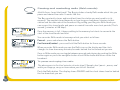
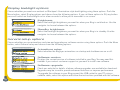
Alarm snoozed
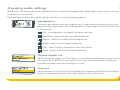
Alarm going off - options
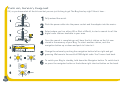
When an alarm goes off you have four options - turn over and ignore it or one of the
following more sensible options:
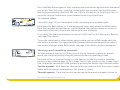
Snooze
Push the Snooze button and you will snooze the alarm for the period set
(the default is 8 minutes). The radio or tone will go quiet and you see
‘Snoozed’ on the screen if the backlight is on. The alarm will repeat when
the snooze period has elapsed. You can repeat the snooze as many times as
you want up to 60 minutes after alarm time. The alarm will automatically
turn off after 60 minutes.
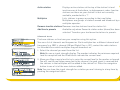
Cancel
Press the shortcut button indicated to cancel the alarm and return the radio
to its previous state.
Radio
Press the shortcut button to cancel the alarm and switch the radio on.
Using the sleep function
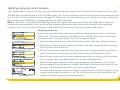
Want to drift off to the gentle murmour of late night talk shows? Set a sleep time after
which the Bug will automatically switch itself into standby mode.
1. Press the Menu button, select the Alarm/timer option and choose Sleep time.
2. Select one of the sleep times from 15 to 90 minutes or choose 0 to set no sleep time.
22