1
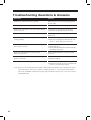
Troubleshooting Questions & Answers
Questions
Answers
What do I do if the clock does not operate?
Ensure the power cord is properly plugged into
the AC outlet.
What do I do if the clock does not print?
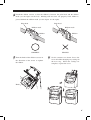
Ensure the ribbon is installed properly.
What do I do if the time is exact to the minute but the
hour is incorrect?
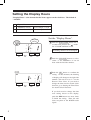
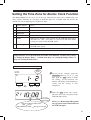
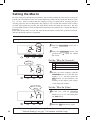
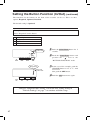
1. Ensure the correct time zone is selected.
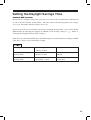
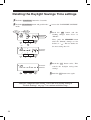
2. Check the Daylight Savings Time setting.
What do I do when the cards are sticking in clock?
Remove paper clips or "sticky notes" from
inside clock.
What do I do when the clock rejects the cards
without printing?
1. Make sure bar code on cards are not smudged.
2. Removing anything that is blocking bar code
sensor i.e. Sticky pads, from time cards.
What do I do if clock makes a strange noise and
doesn’t print correctly?
1. Replace or reinstall ribbon.
2. Check print head.
3. Send to SimplexGrinnell or authorized dealer
for cleaning and service.
What to do if print head is not moving at all?
Will not accept cards.
Send to SimplexGrinnell or authorized dealer
for service.
What to do if print head is moving but it prints very
lightly or not at all?
1. Make sure ribbon is installed properly.
2. Install new ribbon.
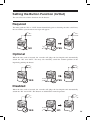
What do I do if no WWVB signal has been received?
1. Wait for the early morning hours to pass.
2. Re-locate in area that is away from metal studs
or close to western facing window.
Note: There are some environments and weather conditions that may influence the reception of the atomic
clock radio signal. Since it also operates as a highly-accurate (+/- 15 seconds per month) quartz
time clock, the EP800 will function properly while outside the reception area or if it can not receive
the WWVB signal.
43
42
4