1
Connecting to the Network
ISDN and 2-Wire Switched 56 kbps Network
Interface
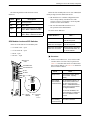
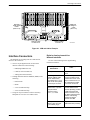
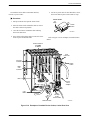
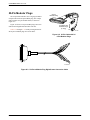
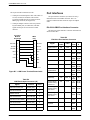
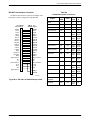
An optional 2-wire switched 56 kbps NIM, which has a
50-pin connector on the back of the carrier, provides the
switched 56 kbps digital permissive NIM for ISDN,
2-wire switched 56 kbps, and analog service. See
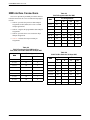
Appendix A for pin assignments.
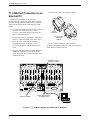
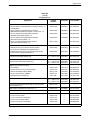
Depending upon your configuration, use one of the
following interconnection schemes available for a 2-wire
switched 56 kbps network interface:
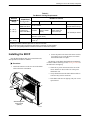
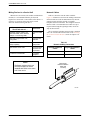
If a 50-pin cable from
a RJ21X NIM is . . .
Then . . .
Attached to a 66A
punchdown block
Hardwire the circuits to the
block.*
Connected to a feature
3600-F2-505 adapter
cable
Install only ISDN and 2-wire
switched 56 kbps devices in
that half.
* The connection type is defined by the NIM installed in
that half of the carrier.
4-Wire Switched 56 kbps Network Interface
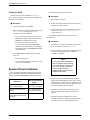
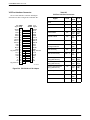
An optional 4-wire switched 56 kbps NIM, which has
an SJA57-type connector on the back of the carrier,
provides the 4-wire switched 56 kbps digital network
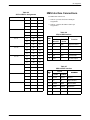
interface. Appendix A provides pin assignments.
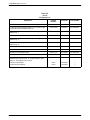
Depending upon your configuration, use one of the
following interconnection schemes available for a 4-wire
switched 56 kbps network interface:
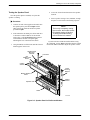
If a 50-pin cable
is . . .
Then . . .
Attached to a 66A
punchdown block
Hardwire the circuits to the
block.*
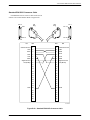
Plugged into a feature
3600-F2-503 adapter
cable, which provides
8 keyed modular
connectors using Pins
1, 2, 7, and 8
Connect the DSU to a standard
DDS network interface and
provide the 4-wire switched
56 kbps digital connection for
the DSU and 4-wire switched
56 kbps DBM.
* The connection type is defined by the NIM installed in
that half of the carrier.
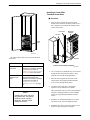
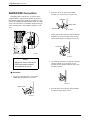
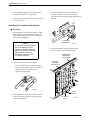
NOTE
Do not insert a 2-wire switched
56 kbps plug into an RJ11C jack,
which is intended for analog
PSTN devices. Plugging into an
RJ11C jack may cause
equipment damage and harm to
the telephone network.
3000-A2-GA31-F0
March 2001
4-5