1
COMSPHERE 6800 Series Network Management System
Preinstallation Steps for the ANALYSIS NMS Package
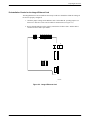
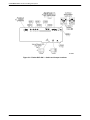
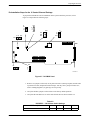
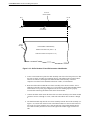
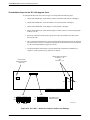
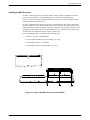
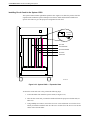
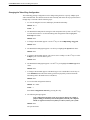
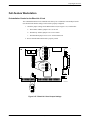
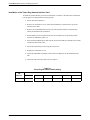
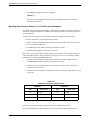
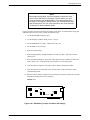
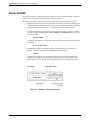
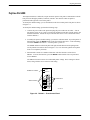
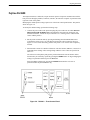
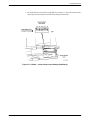
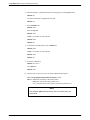
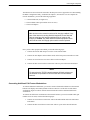
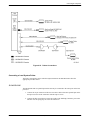
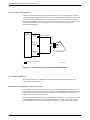
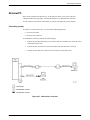
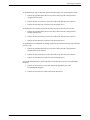
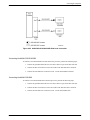
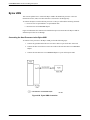
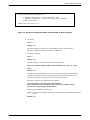
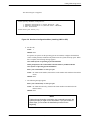
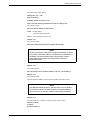
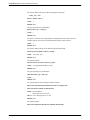
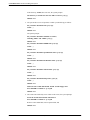
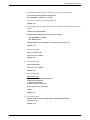
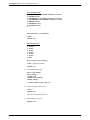
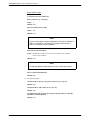
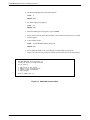
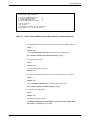
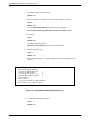
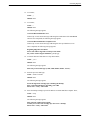
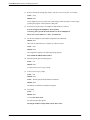
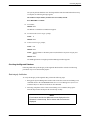
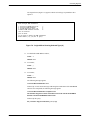
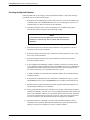
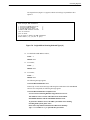
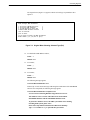
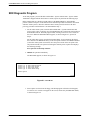
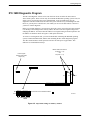
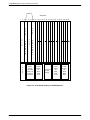
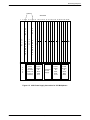
To configure the IPC-900, refer to Figure 2-5 and follow the instructions below.
1. Set the DIP switch labeled SW1 to the I/O address 2B0.
2. Set the DIP switch labeled SW2 to the memory address D2000.
3. Set the IRQ jumper to IRQ 5.
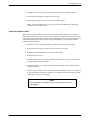
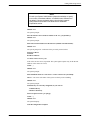
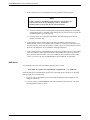
4. Follow the instructions under Optional Host Upgrade Procedures to install the IPC-900
card in Slot 2.
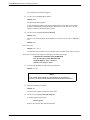
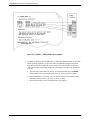
5. When you have installed all cards in the processor, you must run the EISA Configuration
Utility (ECU) to configure the System 5000’s resources to match all circuit cards in the
system. For instructions on how to run the ECU, refer to the section, EISA Configuration
Utility.
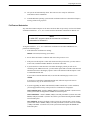
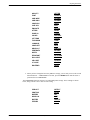
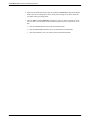
6. You must load the ANALYSIS Gateway software as described in Chapter 5, Loading and
Restoring Software.
IRQ
5
14
SW1
Input/Output
Starting Address
Switch (SW1)
Controller Memory
Starting Address
Switch (SW2)
1 2 3 4 5 6 7 8
ON
OFF
7
SW2
Interrupt Request (IRQ)
Level Jumper
Set to 5
1 2 3 4 5 6 7 8
ON
OFF
2B0
D2000
491-11591a-01
Push Switch
to the Indicated
Position:
Figure 2-5. IPC-900 — Switch and Jumper Locations
2-10
January 1997
6800-A2-GN22-30