1
Functions and Parameter Descriptions
EQ
Function
The EQ function provides full parametric control and allows you shape the
tone of the input signal before it reaches each of the effect blocks.
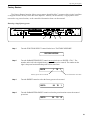
The PARAMETER SELECT control will allow you to access each of the following
EQ parameters:
EQ I/O
The EQ I/O parameter determines whether the EQ circuit is active or
bypassed for the current preset.
BASS LVL
The BASS LEVEL parameter allows you to cut or boost the low
frequencies by up to 15dB.
BASS FREQ
The BASS FREQUENCY parameter allows you to select a center
frequency between 63Hz and 500Hz to be cut or boosted by the BASS
LEVEL parameter.
BASS BW
The BASS BANDWIDTH parameter determines (in octaves) the width
of the selected bass band.
MID LVL
The MID LEVEL parameter allows you to cut or boost the mid band
frequencies by up to 15dB.
MID FREQ
The MID FREQUENCY parameter determines a mid band center
frequency between 250Hz and 2KHz to be cut or boosted via the MID
LEVEL parameter.
MID BW
The MID BANDWIDTH parameter determines (in octaves) the width
of the selected mid band.
TREBLE LVL
The TREBLE LEVEL parameter allows you to cut or boost the high
band frequencies by up to 15dB.
TREBL FRQ
The TREBLE FREQUENCY parameter determines a high band center
frequency between 1KHz and 8KHz to be cut or boosted via the
TREBLE LEVEL parameter.
TREBLE BW
The TREBLE BANDWIDTH parameter determines (in octaves) the
width of the selected high band.
PRESENCE LVL
The PRESENCE LEVEL parameter allows you to cut or boost an
additional high band frequency by up to 15dB.
PRES FREQ
The PRESENCE FREQUENCY parameter allows you to select a high
band center frequency between 2KHz and 8KHz to be cut or boosted
via thePRESENCE LEVEL parameter.
PRES BW
The PRESENCE BANDWIDTH parameter determines (in octaves) the
width of the selected high band.
19