1
Note: AltiSupervisor can only set an agent to Unstaffed, but cannot
change an unstaffed agent back to Staffed or Logon. “Change to
Unstaffed” feature is not supported at the IP phone agent.
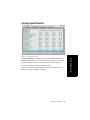
Viewing the Queues
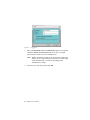
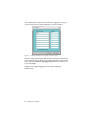
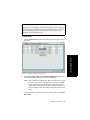
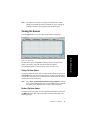
Click the Queue tab to view the queue for the selected workgroup.
For each call in queue, the Queue tab displays the ID, the queue time,
priority queue time, Caller ID, and Caller Name if available.
The maximum number of calls in queue, at any one time, is 34.
Pickup Call from Queue
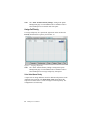
To pick up a call from queue, click on a queued call from the list, then click
the Pickup button. This will ring the supervisor extension when the phone
is in idle state. If the supervisor is in idle state, the current call is put on hold
and the queued call is connected.
Note: The “Allow Agent Pickup Call from Workgroup Queue” setting
in the Agent Configuration page of ACM Admin must be enabled
in order to allow AltiSupervisor to transfer calls from queue.
Redirect Call from Queue
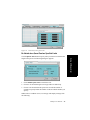
To redirect a call from queue, click on a queued call from the list, then click
the Redirect button. This follows the target extension’s RNA/busy call
handling settings.
AltiSupervisor Manual
23
Using AltiSupervisor
Figure 8. Queue tab