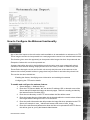
1
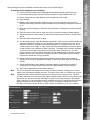
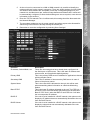
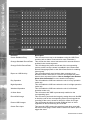
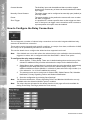
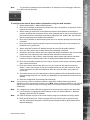
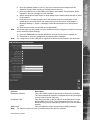
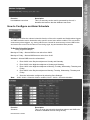
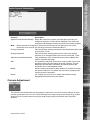
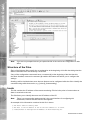
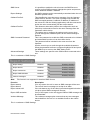
11. The zone AND input allows you to configure a situation where an alarm must be
received on both the zone alarm input and the zone AND input to force the Digital Sprite
2 to go into alarm mode, select the appropriate option from the drop down list.
12. The zone NOT input allows you to configure a situation where if an alarm is received
on the zone alarm input then an alarm must not be received on the zone NOT input
to force the Digital Sprite 2 into alarm mode which will initiate the alarm actions
configured, select the appropriate option from the drop down list.
13. Remember to save the configuration by selecting Save Settings!
DS2 Network Guide
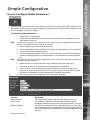
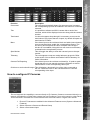
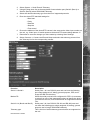
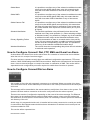
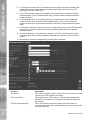
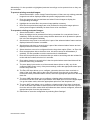
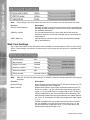
10. The Zone OR input allows you to configure a situation where an alarm received on
either of the zone alarm input or the zone OR input will force the Digital Sprite 2 go into
alarm mode and initiate pre-defined alarm actions, select the appropriate option from
the drop down list.
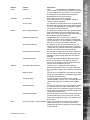
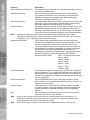
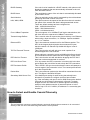
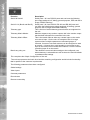
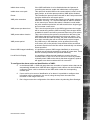
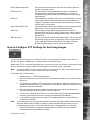
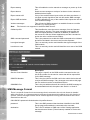
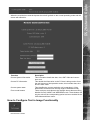
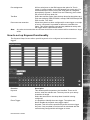
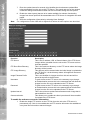
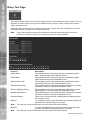
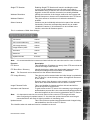
Function
Alarm image protect period
Description
This is the time period in days that the alarm images will be
protected from being overwritten, when this time period elapses
the images will be automatically overwritten.
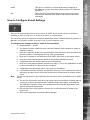
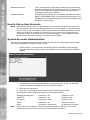
Note: When protecting an image it is important to remember that the unit saves files in 50
Megabyte blocks, the whole block that contains the image will be protected. If the image
overlaps into another block the all associated blocks will be protected this can start to
reduce the hard disk capacity available for storing images. To unprotect images refer to
System -> Protect/Unprotect Images.
Protect alarm images indefinitely Protecting the alarm images indefinitely will ensure the alarm
images are never overwritten .
Note: This section must be used in conjunction with System -> Protect/Unprotect Images.
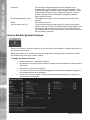
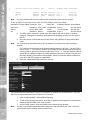
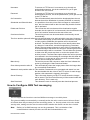
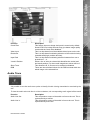
Enable Alarm Spot Monitor
Spot Monitor Display
Alarm entry timer
Alarm exit timer
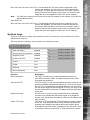
Select Alarm Zone
Dedicated Micros ©2006
This will display alarms on the Spot Monitor.
Select whether the most recent (Last), or all active alarms
(Sequence) are displayed.
This is the number of seconds set for the user to disable the
alarms. If the alarm is not disabled within this period then the
alarm will be triggered
This is the number of seconds from the alarm being set to allow
the user to exit the set zones. If the user is still within the set
zones after this time period the alarm will be triggered
An alarm zone logically groups alarms and initiates actions when
an alarm is activated, there are 32 zones that can be configured.
39