1
Home Page
Table of Contents
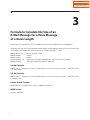
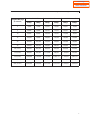
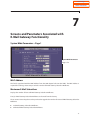
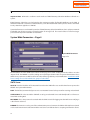
Screens and Parameters Associated with the E-Mail Gateway Functionality
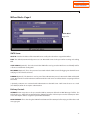
Message Retention Controls
ADJUST MESSAGE RETENTION 'N' is the default setting. This means the SVMi will leave the original Voice
Message as New. The Subscriber can than go in and Delete or Save the Voice Message via the telephone interface at any time up to the number of days specified in the Message Retention timer set on page one of the
MCLass. 'Y' means the SVMi will follow the "Message Retention to use:" value set below in place of the Message
Retention set on page one.
MESSAGE RETENTION TO USE Sets the number of days to retain the Voice Message as New after it sends it to
the Mail server. A value of '0' means delete the original voice message immediately after it is packed up and sent
to the Mail Server. "Adjust Message Retention:" must be set to 'Y' for this parameter to take effect. The selected
range is from 0 to 999.
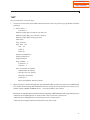
Port Activity Command
“MAC”
From Port Activity you can type "mac" to have the system's MAC Address temporarily displayed on the screen.
The MAC Address is also always displayed on Page one of System Wide Parameters.
The MAC Address is required for ordering a License Key to unlock a number of E-Mail Gateway Subscriber
Mailboxes.
18