1
MITEL
5304
IP Phone User Guide
5304 IP Phone Quick Reference Guide
This guide provides information for frequently used features. For more information about these and other features,
refer to the user guide. For voice mail information, refer to the voice mail user guide for your system.
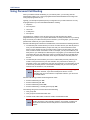
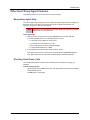
Programmable Buttons
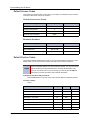
Commonly Used Feature Codes
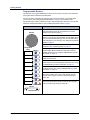
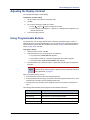
The 5304 IP phone has nine programmable buttons.
When you first receive your phone, the buttons are preprogrammed as indicated in the table below. You may
be able to reprogram the buttons for quick access to
features or frequently called phone numbers.
Most of the feature codes work when your IP phone is
idle or “on hook.” If you are on an active call or if you are
off-hook, you may need to press the Special button
before you enter the feature code to activate the feature.
Button 1 is located just below the external speaker, and
button 9 is located just above the volume buttons.
Button
Action
1
Special: Activates features while on a
call or off-hook.
2
DND: Enables/disables the DND
feature for your phone. When enabled,
internal calling parties see your
selected DND message.
3
Forward: Forwards all incoming calls
to a specified destination.
4
Message: Connects to your voice
mailbox. Toggles between Alpha Mode
and Numeric Mode when entering
dialpad characters.
5
6
7
Redial: Calls the last external number
dialed. You cannot redial internal
numbers.
Transfer: Transfers the current call.
Also functions as a forward space
when entering dialpad characters.
Feature
Code
ACD Agent – Log In/Out
328
Background Music – On/Off
313
Call Forward – All Calls
355
Call Logging
333
Conference
5
Default Station
394
Directory
307
Display Time And Date
300
Do-Not-Disturb – On/Off
372
Hold – Individual
336
Hold – System
335
Message – Cancel Left Message
366
Message – Delete Message
368
Message – Leave Message
367
Message – View Messages Menu
365
Microphone Mute – On/Off
314
Page Receive – On/Off
325
Personal Call Routing On/Off
364
Hold: Places the current call on hold.
Also functions as a backspace button.
Personal Call Routing – Handoff
388
Program Buttons
397
8
Intercom (IC): Provides a call line for
internal (intercom) calls.
Program Station Password
392
9
Call: Provides a call line for external
calls.
Programmable Buttons – Default
395
Queue (Callback) Request
Up
Down
Volume: Provide volume control for
the ringer, handset and speaker. Also
provides the ability to scroll through
display options.
Mitel® 5304 IP Phone User Guide – Issue 1, September 2009
Record-A-Call
Reverse Transfer (Call Pick-Up)
Ring Tone Selection
6
385
4
398
Station Speed Dial
382
Station Speed Dial – Programming
383
Switch Keymap
399
System Forward – On/Off
354
System Speed Dial
381
View Button Assignments
396
Answering Calls
Lift the handset to answer a call.
Placing Emergency Calls
Dial the emergency number (911 U.S. or
999/112 Europe). The system immediately places
the emergency call as soon as you dial the
number, even if you do not select an outside line.
Placing Internal (Intercom) Calls
Lift the handset and dial the extension number. If
you enter incorrect digits, you can press the Hold
button to move the cursor backward, deleting the
last digit entered.
Placing External Calls
Lift the handset, press the unlit Call button, and
then dial the number.
Redialing External Numbers
Lift the handset and press the Redial button. The
system automatically selects a line and dials the
number.
Transferring Calls to Other Extensions
1. While on the call, press the Transfer button, and
then enter the extension number.
Placing Conference Calls
1. While on the first call, press the Special button
and then dial 5 to place the call on hold. CALL
NEXT PARTY TO CNF appears.
2. Place a call to the next conference party. For
external calls, dial the Outgoing Call access code
(8 is the default code), and then dial the number.
3. After the party answers, announce the
conference, and then press Special – 5 to place
the call on hold. If necessary, repeat this step to
add the remaining conference party.
4. Press Special – 5 again to start the conference.
CNF IN PROGRESS appears.
Viewing Messages
With the handset on-hook, press the Message
button. Messages are displayed as first in/first
out. If there is more than one message, you can
repeatedly press the Message button to scroll
through the messages.
Responding to Messages
When the desired message is displayed, lift the
handset, and then press # to respond. (If your
handset is off-hook and you press the Message
button, you automatically place a call to the party
who left the message or the message center.)
2. Do one of the following:
• Wait for an answer, announce the call, and
then hang up. If the extension is
unavailable, press the flashing IC or Call
button to return to the caller.
• Hang up to transfer the call and disconnect
the call from your IP phone.
Forwarding Calls
1. Press the Forward button, and then enter the
feature code, if applicable. ENTER FORWARD
DEST appears.
Using Do-Not-Disturb
1. With the handset on-hook, press the DND
button, and then do one of the following:
• Press
(Up) or
(Down) to scroll
through the messages.
• Enter the two-digit number for the DND
message.
2. After selecting the message, enter the additional
text for the DND description, if applicable.
3. Lift and replace the handset.
2. Do one of the following:
• Enter the extension number.
• Dial the Outgoing Call access code (8 is the
default code), and then dial the telephone
number.
Placing a Page Announcement
1. Lift the handset, and dial 7.
2. Enter the page-zone number (0 to 9).
3. After the tone, make your announcement, and
then hang up.
Mitel® 5304 IP Phone User Guide – Issue 1, September 2009
Notice
This guide is released by Mitel Networks Corporation and provides information necessary to use the 5304 IP phone.
The guide contents, which reflect current Mitel standards, are subject to revision or change without notice.
Some features or applications mentioned may require a future release and are not available in the initial release.
Future product features and applications are subject to availability and cost. Some features or applications may
require additional hardware, software, or system administrator assistance.
For sales, service, or technical support, contact your local authorized provider:
Enter provider information above.
If you do not know the contact information for your local provider, use the “Partners” link at the top of the Mitel home
page (www.mitel.com) to find a location near you.
If you have any questions or comments regarding this user guide or other technical documentation, contact the
Technical Publications Department (USA) at:
[email protected]
Mitel® is a registered trademark of Mitel Networks Corporation.
All other trademarks mentioned in this document are the property of their respective owners, including Mitel Networks
Corporation. All rights reserved.
© 2009 Mitel Networks Corporation
Personal use of this material is permitted. However, permission to reprint/republish this material for advertising or
promotional purposes or for creating new collective works for resale or redistribution to servers or lists, or to reuse
any copyrighted component of this work in other works must be obtained from Mitel.
Page i
Important Safety Instructions and Precautions
Remember the following safety guidelines when using the IP phone.
Programming Emergency Numbers
Make sure to do the following when programming emergency numbers and/or making test calls to emergency
numbers:
• Remain on the line and briefly explain to the dispatcher the reason for the call.
• Perform tests during off-peak hours such as early morning or late evenings.
Safety Notices
The following notices may appear on the product or in the technical documentation.
Notice
Description
Caution indicates a potentially hazardous situation which, if not avoided, may result in minor
or moderate injury and/or damage to the equipment or property.
Warning indicates a potentially hazardous situation which, if not avoided, could result in
death or serious injury.
Danger indicates an imminently hazardous situation which, if not avoided, will result in death
or serious injury.
The exclamation point within an equilateral triangle indicates that important operating and
maintenance (servicing) instructions are included in the literature accompanying the
product.
Maintenance and Repair
There are no user serviceable parts inside the IP phone. For repairs, return the IP phone to an authorized Mitel
provider.
NOTE
Page ii
Changes or modifications not expressly approved by Mitel may void the user’s right to operate the
equipment.
Power Requirements
CAUTION
IP Phone Damage Hazard. To avoid damaging the IP phone, make sure the IP phone is connected to the proper
power supply before powering on. Contact your system administrator for more information.
The IP phone requires any one of the following power supplies:
• Mitel 48-volt DC Ethernet power adaptor 100-240 volt AC 50-60Hz (ES) -part number 50005301
• An industry-standard IEEE 802.3af Power over Ethernet (PoE) power supply unit
If your IP phone uses a centralized PoE power supply unit, do not use the 48-volt DC Ethernet power adaptor. If
necessary, contact your system administrator for assistance before connecting your IP phone to the centralized power
source.
Make sure the IP phone is plugged into an uninterruptible power supply (UPS). If your IP phone is plugged into the
UPS and the power fails, it should remain powered on for about 10 minutes. If the IP phone is not plugged into a UPS
and the power fails, the current call is dropped and you will not be able to use the IP phone until the power is
restored.
Software Updates
CAUTION
IP Phone Damage Hazard. Do not use your IP phone or disconnect it from the power supply while it is updating
software.
The IP phone may require occasional software updates when new versions are available. The IP phone is configured
to download the updates automatically. Contact your system administrator for more information.
Product Disposal Instructions
This symbol indicates that the product is classified as electrical or electronic equipment and should not be disposed of with
other commercial or household waste at the end of its working life. For appropriate disposal and recycling instructions,
contact your local Mitel provider.
The Waste of Electrical and Electronic Equipment (WEEE) Directive (2002/96/EC) was established by the European Union to
minimize negative impact on the environment, control hazardous substances, and curtail landfill expansion by using the best
available recovery and recycling techniques.
Page iii
IP Phone Usage
This equipment is not for connection to the telephone network or public coin phone service. It is only for use when
connected to Mitel systems.
WARNING
When using your IP phone equipment, basic safety precautions should always be followed to reduce the risk
of fire, electric shock and injury to persons, including the following:
• Do not use this product near water, for example, near a bath tub, wash bowl, kitchen sink or laundry
tub, in a wet basement, or near a swimming pool.
• Avoid using an IP phone (other than a cordless type) during an electrical storm. There may be a remote
risk of electric shock from lightning.
• Do not use the IP phone to report a gas leak in the vicinity of a leak.
• Do not connect directly to the Public Switched Telephone Network (PSTN). Any connection of this IP
phone to an off premise application, an out of plant application, any other exposed plant application, or
to any equipment other than the intended application may result in a safety hazard, and/or defective
operation, and/or equipment damage. “Exposed plant” means where any portion of the circuit is subject
to accidental contact with electric lighting or power conductors operating at a voltage exceeding 300
volts between conductors or is subject to lightning strikes.
• The socket outlet, if used, shall be located near the equipment and shall be easily located by the user.
• Use only Mitel approved power adaptors.See “Power Requirements” on page iii.
• The handset supplied with the IP phone is not certified for use with any other phone. Use of the
handset with any other phone may have the potential to cause hearing loss in the event of a lighting
strike on the outside plant wiring.
Page iv
Notice to Canadian Customers
The Class B digital apparatus complies with Canadian ICES-003.
Notice to U.S. Customers
This equipment has been tested and found to comply with the limits for a Class B digital device, pursuant to Part 15 of
the FCC Rules. These limits are designed to provide reasonable protection against harmful interference in a
residential installation. This equipment generates, uses, and can radiate radio frequency energy and, if not installed
and used in accordance with the instructions, may cause harmful interference to radio communications. However,
there is no guarantee that interference will not occur in a particular installation. If this equipment does cause harmful
interference to radio or television reception, which can be determined by turning the equipment off and on, the user is
encouraged to try to correct the interference by one or more of the following measures:
• Reorient or relocate the receiving antenna.
• Increase the separation between the equipment and receiver.
• Connect the equipment into an outlet on a circuit different from that to which the receiver is connected.
• Consult the dealer or an experienced radio/TV technician for help.
Notice to European Customers
We, Mitel Networks LTD.
Of, Mitel Castlegate Business Park
Portskewett
Caldicot
NP26 5YR
UK
Declare that for the hereinafter mentioned product the presumption of
conformity with the applicable essential requirements of
DIRECTIVE 1999/5/EC OF THE EUROPEAN
PARLIAMENT (RTTE DIRECTIVE) AND OF THE COUNCIL is given.
Mitel IP Phone: 5304
Any unauthorized modification of the product voids this Declaration.
For a copy of the original signed Declaration of Conformity (in full conformance with EN45014), please contact the Regulatory
Approvals Manager at the above address.
Page v
Contents
Contents
Getting Started
1
Welcome . . . . . . . . . . . . . . . . . . . . . . . . . . . . . . . . . . . . . . . . . . . . . . . . . . . . . . . . . . . . . . . . . . . . . . . 1
About Your IP Phone . . . . . . . . . . . . . . . . . . . . . . . . . . . . . . . . . . . . . . . . . . . . . . . . . . . . . . . . . . . . . 1
5304 Features . . . . . . . . . . . . . . . . . . . . . . . . . . . . . . . . . . . . . . . . . . . . . . . . . . . . . . . . . . . . . . . 2
IP Phone Feature Descriptions . . . . . . . . . . . . . . . . . . . . . . . . . . . . . . . . . . . . . . . . . . . . . . . . . . 3
IP Phone Signals . . . . . . . . . . . . . . . . . . . . . . . . . . . . . . . . . . . . . . . . . . . . . . . . . . . . . . . . . . . . . . . . 5
Comfort and Safety Tips . . . . . . . . . . . . . . . . . . . . . . . . . . . . . . . . . . . . . . . . . . . . . . . . . . . . . . . . . . 5
Headset Instructions . . . . . . . . . . . . . . . . . . . . . . . . . . . . . . . . . . . . . . . . . . . . . . . . . . . . . . . . . . . . . 6
Personalizing Your IP Phone
7
Installing Designation Cards . . . . . . . . . . . . . . . . . . . . . . . . . . . . . . . . . . . . . . . . . . . . . . . . . . . . . . 7
Changing Volume Levels . . . . . . . . . . . . . . . . . . . . . . . . . . . . . . . . . . . . . . . . . . . . . . . . . . . . . . . . . 7
Changing the Ring Tone . . . . . . . . . . . . . . . . . . . . . . . . . . . . . . . . . . . . . . . . . . . . . . . . . . . . . . . . . . 8
Listening to Background Music . . . . . . . . . . . . . . . . . . . . . . . . . . . . . . . . . . . . . . . . . . . . . . . . . . . . 8
Changing the Language . . . . . . . . . . . . . . . . . . . . . . . . . . . . . . . . . . . . . . . . . . . . . . . . . . . . . . . . . . 8
Adjusting the Display Contrast . . . . . . . . . . . . . . . . . . . . . . . . . . . . . . . . . . . . . . . . . . . . . . . . . . . . 9
Using Programmable Buttons . . . . . . . . . . . . . . . . . . . . . . . . . . . . . . . . . . . . . . . . . . . . . . . . . . . . . 9
Default Access Codes . . . . . . . . . . . . . . . . . . . . . . . . . . . . . . . . . . . . . . . . . . . . . . . . . . . . . . . . 10
Default Feature Codes . . . . . . . . . . . . . . . . . . . . . . . . . . . . . . . . . . . . . . . . . . . . . . . . . . . . . . . . 10
Viewing Button Assignments . . . . . . . . . . . . . . . . . . . . . . . . . . . . . . . . . . . . . . . . . . . . . . . . . . . . . 13
Resetting Programmable Buttons . . . . . . . . . . . . . . . . . . . . . . . . . . . . . . . . . . . . . . . . . . . . . . . . . 13
Resetting the IP Phone to the Default Settings. . . . . . . . . . . . . . . . . . . . . . . . . . . . . . . . . . . . . . . 13
Switching Keymaps . . . . . . . . . . . . . . . . . . . . . . . . . . . . . . . . . . . . . . . . . . . . . . . . . . . . . . . . . . . . . 13
Answering and Placing Calls
15
Answering Calls . . . . . . . . . . . . . . . . . . . . . . . . . . . . . . . . . . . . . . . . . . . . . . . . . . . . . . . . . . . . . . . . 15
Enabling and Disabling Automatic Call Access . . . . . . . . . . . . . . . . . . . . . . . . . . . . . . . . . . . . . 15
Answering Waiting Calls . . . . . . . . . . . . . . . . . . . . . . . . . . . . . . . . . . . . . . . . . . . . . . . . . . . . . . 15
Redirecting Calls . . . . . . . . . . . . . . . . . . . . . . . . . . . . . . . . . . . . . . . . . . . . . . . . . . . . . . . . . . . . 15
Using Automatic Trunk Answer . . . . . . . . . . . . . . . . . . . . . . . . . . . . . . . . . . . . . . . . . . . . . . . . . . . 16
Placing Calls . . . . . . . . . . . . . . . . . . . . . . . . . . . . . . . . . . . . . . . . . . . . . . . . . . . . . . . . . . . . . . . . . . 16
Placing Emergency Calls . . . . . . . . . . . . . . . . . . . . . . . . . . . . . . . . . . . . . . . . . . . . . . . . . . . . . . 16
Placing Internal Calls . . . . . . . . . . . . . . . . . . . . . . . . . . . . . . . . . . . . . . . . . . . . . . . . . . . . . . . . . 17
Placing External Calls . . . . . . . . . . . . . . . . . . . . . . . . . . . . . . . . . . . . . . . . . . . . . . . . . . . . . . . . 18
Redialing a Number . . . . . . . . . . . . . . . . . . . . . . . . . . . . . . . . . . . . . . . . . . . . . . . . . . . . . . . . . . 18
Mitel® 5304 IP Phone User Guide – Issue 1, September 2009
Page vii
Contents
Using Speed Dial . . . . . . . . . . . . . . . . . . . . . . . . . . . . . . . . . . . . . . . . . . . . . . . . . . . . . . . . . . . . . . . 18
Using System Speed Dial . . . . . . . . . . . . . . . . . . . . . . . . . . . . . . . . . . . . . . . . . . . . . . . . . . . . . 18
Using Station Speed Dial . . . . . . . . . . . . . . . . . . . . . . . . . . . . . . . . . . . . . . . . . . . . . . . . . . . . . . 19
Using the Directory . . . . . . . . . . . . . . . . . . . . . . . . . . . . . . . . . . . . . . . . . . . . . . . . . . . . . . . . . . . . . 22
Using Account Codes . . . . . . . . . . . . . . . . . . . . . . . . . . . . . . . . . . . . . . . . . . . . . . . . . . . . . . . . . . . 23
Call Features
25
Using Ring Intercom Always . . . . . . . . . . . . . . . . . . . . . . . . . . . . . . . . . . . . . . . . . . . . . . . . . . . . . 25
Using Mute . . . . . . . . . . . . . . . . . . . . . . . . . . . . . . . . . . . . . . . . . . . . . . . . . . . . . . . . . . . . . . . . . . . . 25
Placing Calls On Hold . . . . . . . . . . . . . . . . . . . . . . . . . . . . . . . . . . . . . . . . . . . . . . . . . . . . . . . . . . . 26
Entering a Hookflash. . . . . . . . . . . . . . . . . . . . . . . . . . . . . . . . . . . . . . . . . . . . . . . . . . . . . . . . . . . . 26
Transferring Calls . . . . . . . . . . . . . . . . . . . . . . . . . . . . . . . . . . . . . . . . . . . . . . . . . . . . . . . . . . . . . . 27
Using Reverse Transfer. . . . . . . . . . . . . . . . . . . . . . . . . . . . . . . . . . . . . . . . . . . . . . . . . . . . . . . . . . 27
Viewing Your System Information . . . . . . . . . . . . . . . . . . . . . . . . . . . . . . . . . . . . . . . . . . . . . . . . . 28
Viewing Caller ID Information . . . . . . . . . . . . . . . . . . . . . . . . . . . . . . . . . . . . . . . . . . . . . . . . . . . . . 28
Forwarding Calls . . . . . . . . . . . . . . . . . . . . . . . . . . . . . . . . . . . . . . . . . . . . . . . . . . . . . . . . . . . . . . . 29
Manual Call Forwarding . . . . . . . . . . . . . . . . . . . . . . . . . . . . . . . . . . . . . . . . . . . . . . . . . . . . . . . 29
System Forwarding . . . . . . . . . . . . . . . . . . . . . . . . . . . . . . . . . . . . . . . . . . . . . . . . . . . . . . . . . . 29
Using Personal Call Routing . . . . . . . . . . . . . . . . . . . . . . . . . . . . . . . . . . . . . . . . . . . . . . . . . . . . . 30
Placing Conference Calls . . . . . . . . . . . . . . . . . . . . . . . . . . . . . . . . . . . . . . . . . . . . . . . . . . . . . . . . 32
Adding a Conference Party . . . . . . . . . . . . . . . . . . . . . . . . . . . . . . . . . . . . . . . . . . . . . . . . . . . . 32
Transferring a Conference . . . . . . . . . . . . . . . . . . . . . . . . . . . . . . . . . . . . . . . . . . . . . . . . . . . . . 32
Dropping Out of a Conference . . . . . . . . . . . . . . . . . . . . . . . . . . . . . . . . . . . . . . . . . . . . . . . . . . 32
Ending a Conference and Placing all Parties on Hold . . . . . . . . . . . . . . . . . . . . . . . . . . . . . . . . 33
Using Record-A-Call . . . . . . . . . . . . . . . . . . . . . . . . . . . . . . . . . . . . . . . . . . . . . . . . . . . . . . . . . . . . 33
Using Group Listen . . . . . . . . . . . . . . . . . . . . . . . . . . . . . . . . . . . . . . . . . . . . . . . . . . . . . . . . . . . . . 34
Using Call Logging . . . . . . . . . . . . . . . . . . . . . . . . . . . . . . . . . . . . . . . . . . . . . . . . . . . . . . . . . . . . . 34
Using Secondary Extension Buttons. . . . . . . . . . . . . . . . . . . . . . . . . . . . . . . . . . . . . . . . . . . . . . . 35
Remote Programming . . . . . . . . . . . . . . . . . . . . . . . . . . . . . . . . . . . . . . . . . . . . . . . . . . . . . . . . . . . 36
Changing Your Remote Programming Password . . . . . . . . . . . . . . . . . . . . . . . . . . . . . . . . . . . 36
Using Remote Programming to Change DND Settings . . . . . . . . . . . . . . . . . . . . . . . . . . . . . . . 37
Using Remote Programming to Forward Calls . . . . . . . . . . . . . . . . . . . . . . . . . . . . . . . . . . . . . 37
Using Remote Programming for Personal Call Routing. . . . . . . . . . . . . . . . . . . . . . . . . . . . . . . 38
Page viii
Mitel® 5304 IP Phone User Guide – Issue 1, September 2009
Contents
Messages
39
Leaving Messages at Other Extensions . . . . . . . . . . . . . . . . . . . . . . . . . . . . . . . . . . . . . . . . . . . . 39
Viewing and Responding to Messages . . . . . . . . . . . . . . . . . . . . . . . . . . . . . . . . . . . . . . . . . . . . . 40
Canceling Messages Left at Other Extensions . . . . . . . . . . . . . . . . . . . . . . . . . . . . . . . . . . . . . 40
Deleting Waiting Inter-Station Messages . . . . . . . . . . . . . . . . . . . . . . . . . . . . . . . . . . . . . . . . . . 40
Using Do-Not-Disturb (DND) . . . . . . . . . . . . . . . . . . . . . . . . . . . . . . . . . . . . . . . . . . . . . . . . . . . . . . 41
Using Reminder Messages . . . . . . . . . . . . . . . . . . . . . . . . . . . . . . . . . . . . . . . . . . . . . . . . . . . . . . . 42
Paging Other System Users . . . . . . . . . . . . . . . . . . . . . . . . . . . . . . . . . . . . . . . . . . . . . . . . . . . . . . 43
Hunt Groups
45
ACD Hunt Group Features . . . . . . . . . . . . . . . . . . . . . . . . . . . . . . . . . . . . . . . . . . . . . . . . . . . . . . . 45
Logging in to ACD Hunt Groups. . . . . . . . . . . . . . . . . . . . . . . . . . . . . . . . . . . . . . . . . . . . . . . . . 45
Logging out of ACD Hunt Groups . . . . . . . . . . . . . . . . . . . . . . . . . . . . . . . . . . . . . . . . . . . . . . . 46
Stopping the ACD Hunt Group Wrap-up Timer . . . . . . . . . . . . . . . . . . . . . . . . . . . . . . . . . . . . . 46
Other Hunt Group Agent Features . . . . . . . . . . . . . . . . . . . . . . . . . . . . . . . . . . . . . . . . . . . . . . . . . 47
Requesting Agent Help . . . . . . . . . . . . . . . . . . . . . . . . . . . . . . . . . . . . . . . . . . . . . . . . . . . . . . . 47
Diverting Hunt Group Calls . . . . . . . . . . . . . . . . . . . . . . . . . . . . . . . . . . . . . . . . . . . . . . . . . . . . 47
Hunt Group Supervisor Features . . . . . . . . . . . . . . . . . . . . . . . . . . . . . . . . . . . . . . . . . . . . . . . . . . 48
Accepting or Rejecting Agent Help Calls . . . . . . . . . . . . . . . . . . . . . . . . . . . . . . . . . . . . . . . . . . 48
Monitoring Calls . . . . . . . . . . . . . . . . . . . . . . . . . . . . . . . . . . . . . . . . . . . . . . . . . . . . . . . . . . . . . 48
Using Barge-in . . . . . . . . . . . . . . . . . . . . . . . . . . . . . . . . . . . . . . . . . . . . . . . . . . . . . . . . . . . . . . 48
Stealing Hunt Group Calls . . . . . . . . . . . . . . . . . . . . . . . . . . . . . . . . . . . . . . . . . . . . . . . . . . . . . 48
Troubleshooting
49
Contact Information. . . . . . . . . . . . . . . . . . . . . . . . . . . . . . . . . . . . . . . . . . . . . . . . . . . . . . . . . . . . . 49
Error Messages . . . . . . . . . . . . . . . . . . . . . . . . . . . . . . . . . . . . . . . . . . . . . . . . . . . . . . . . . . . . . . . . 49
Troubleshooting Tips . . . . . . . . . . . . . . . . . . . . . . . . . . . . . . . . . . . . . . . . . . . . . . . . . . . . . . . . . . . 50
Index
Mitel® 5304 IP Phone User Guide – Issue 1, September 2009
53
Page ix
Getting Started
Getting Started
Welcome
The instructions in this guide are for using the Mitel® 5304 Internet Protocol (IP) phone on the
Mitel 5000 Communications Platform (CP). The 5304 IP Phone Quick Reference Guide located
at the beginning of this guide is an overview of frequently used features.
Your IP phone should be powered on and ready to use. If the display is blank, or if the display
name, extension number, or time or date are incorrect, contact your system administrator for
assistance.
Because a variety of voice mail products work with the Mitel 5000 system, this guide does not
include voice mail instructions. For voice mail instructions, refer to the voice mail user guide for
your system. For example, refer to the Enterprise Messaging, Basic Voice Mail, and Embedded
Voice Mail Card User Guide, part number 835.3205, or the Mitel NuPoint Unified Messaging
User Guide on the Mitel Web site (http://edocs.mitel.com). Contact your system administrator
for more information about your voice mail system.
NOTE
Because many IP phone features can be programmed to perform various tasks,
some features may work differently than the descriptions in this guide. Contact
your system administrator for more information.
About Your IP Phone
The Mitel 5304 IP phone is a compact, feature-rich phone that provides voice communication
over an IP network. The 5304 has a back-lit liquid crystal display (LCD), display-assisted feature
access, and a Ring/Message Indicator. In addition, for one-touch feature access, the 5304 has
nine programmable buttons.
Mitel® 5304 IP Phone User Guide – Issue 1, September 2009
Page 1
Getting Started
5304 Features
The 5304 is shown here. See “IP Phone Feature Descriptions” on page 3 for more information
about the IP phone features.
1
3
2
4
8
6
5
7
Page 2
1 – Liquid Crystal Display (LCD)
5 – Programmable buttons
2 – Ring/Message Indicator
6 – Volume buttons
3 – External speaker
7 – Dialpad buttons
4 – Handset
8 – Hookswitch
Mitel® 5304 IP Phone User Guide – Issue 1, September 2009
Getting Started
IP Phone Feature Descriptions
The following sections describe default configurations. Your IP phone may be programmed
differently. Contact your system administrator for more information. See “5304 Features” on
page 2 for IP phone feature locations.
Display
The display provides a two-line, 20-character viewing area for using features and identifying
callers. When idle, the display shows your user extension, name, and the time and date.
Ring/Message Indicator
The Ring/Message Indicator flashes or stays lit to indicate call, message, and feature activity.
For more information about messaging features, see “Messages” on page 39. Ring/Message
Indicator signals are described in the following table.
Indicator Signals
Description
Rapidly flashing
You have an incoming call.
Slowly flashing
You have a waiting message or callback message.
On
You are on a call or using a feature.
Off
Your IP phone is idle.
Speaker
The 5304 speaker provides incoming audio. You can use the speaker to listen to calls or
background music. See “Viewing Button Assignments” on page 13 for more information about
background music.
The 5304 does not have an external microphone. Therefore, if you want to respond to a caller,
you must use the handset.
Handset and Hookswitch
The handset provided with this equipment is hearing aid compatible (HAC). One end of the
handset cord plugs into the handset and the other end plugs into the handset jack on the
phone. The hookswitch is located under the handset. When the handset is in the cradle, the
hookswitch is engaged and the phone is “on hook.” When you lift the handset, the hookswitch is
disengaged and the phone is “off hook.”
Most of the feature codes work when your IP phone is idle or “on hook.” Because the dialpad
buttons are located under the handset, you may find it easier to lift the handset, press the
hookswitch down, and then dial the feature code.
If you are on an active call or if you are off hook, you may need to press the Special button
before you enter the feature code to activate the feature.
Mitel® 5304 IP Phone User Guide – Issue 1, September 2009
Page 3
Getting Started
Programmable Buttons
The 5304 has nine programmable buttons. When you first receive your phone, the buttons are
pre-programmed as indicated in the table below.
You may be able to reprogram the buttons for quick access to features or frequently called
phone numbers. See “Using Programmable Buttons” on page 9 for instructions. After
reprogramming the buttons, replace the phone’s original designation card with a new card that
reflects the reprogrammed buttons. See “Installing Designation Cards” on page 7.
Location
Button and Default Feature/Function
1 – Special: Activates features while on a call or off-hook.
The Special button does not cancel features. To cancel
features, press the star button (*).
Speaker
2 – Do-Not-Disturb (DND): Enables/disables the DND
feature for your phone. When enabled, internal calling parties
see your selected DND message. You can use DND to stop
calls and pages to your extension. See “Using Do-Not-Disturb
(DND)” on page 41.
3 – Forward: Forwards all incoming calls to a specified
destination. See “Forwarding Calls” on page 29.
Designation
Label
Buttons
1
2
3
4
5
6
7
8
9
4 – Message: Connects to your voice mailbox. Toggles
between Alpha Mode and Numeric Mode when entering
dialpad characters. See “Using the Dialpad Buttons to Enter
Characters” on page 19.
5 – Redial: Calls the last external number dialed. You cannot
redial internal numbers.
6 – Transfer: Transfers the current call. Also functions as a
forward space when entering dialpad characters. See “Using
the Dialpad Buttons to Enter Characters” on page 19.
7 – Hold: Places the current call on hold. Also functions as a
backspace button. See “Using the Dialpad Buttons to Enter
Characters” on page 19.
8 – Intercom: Provides a call line for internal (intercom) calls.
The Intercom button has a lamp, which flashes when an
internal call is ringing in, and is lit continuously during an
active call.
9 – Call: Provides a call line for external calls. The Call button
has a lamp which flashes when an external call is ringing in,
and is lit continuously during an active call.
Volume
Page 4
Mitel® 5304 IP Phone User Guide – Issue 1, September 2009
Getting Started
Volume Buttons
Directly below the programmable buttons, the 5304 has two volume buttons,
(Up) and
(Down), that provide volume control for the ringer, handset and speaker. Volume levels are
automatically saved when you press the volume buttons.
In addition, these buttons allow you to scroll through display menus.
Dialpad Buttons
Use the dialpad buttons to dial phone numbers, enter feature codes, and to enter characters
when using features that require text input.
IP Phone Signals
The 5304 has several audio and visual signals to indicate feature activity. The following are a
few helpful tips:
• Lit or blinking buttons indicate call or feature activity.
• All IP phone button lamps illuminate at the same time for a few seconds when the IP
phone is reset or powered on.
• The following actions may cause an error tone:
o
Pressing an invalid button combination.
o
Selecting a restricted feature.
o
Dialing a restricted or invalid number.
o
Dialing too slowly between digits.
o
Waiting too long before performing the next step.
To correct an error tone, hang up and try again.
• Many features “time-out” if you wait too long before performing the next step. If this
happens, you must start over.
Comfort and Safety Tips
Observe the following comfort and safety tips when using the IP phone:
• Do not cradle the handset: Prolonged use of the handset can lead to neck, shoulder, or
back discomfort, especially if you cradle the handset between your neck and shoulder.
• Adjust the display: You can adjust the 5304 display to seven different positions to suit
your viewing needs. To adjust the display, grasp the display on the side and gently raise or
lower it into position.
• Protect your hearing: Because prolonged exposure to loud sounds can contribute to
hearing loss, keep the volume at a moderate level. You can adjust the volume levels of the
handset receiver or headset. See “Changing Volume Levels” on page 7.
Mitel® 5304 IP Phone User Guide – Issue 1, September 2009
Page 5
Getting Started
Headset Instructions
Although the 5304 does not have a dedicated headset jack, you can still use a headset on the
phone if your system administrator has reprogrammed one of your phone’s buttons as a
Speaker button. You must use a Speaker button to connect to and disconnect from calls while
your phone is in headset mode. Contact your system administrator if you want to use a headset
with the 5304 IP phone.
The headset must be hearing aid compatible (HAC).
NOTES
If your headset has a power-saver mode, make sure the system administrator has
enabled the “Headset Connect Tone” feature. If this is not enabled, you may miss
the first few seconds of an incoming call.
To connect and activate the headset:
1.
Remove the handset jack from the handset port located on the back of the phone.
2.
Insert the headset jack into the handset port.
3.
Dial 317 (Headset On/Off). HEADSET MODE ON appears.
To answer calls when using a headset:
While headset mode is enabled, press the Speaker button to connect to and disconnect from
calls.
To disable Headset mode and activate the handset:
1.
Page 6
Remove the headset jack from the handset port located on the back of the phone.
2.
Insert the handset jack into the handset port.
3.
Lift the handset and press the hookswitch down.
4.
Dial 317 (Headset On/Off). HEADSET MODE OFF appears.
Mitel® 5304 IP Phone User Guide – Issue 1, September 2009
Personalizing Your IP Phone
Personalizing Your IP Phone
This chapter describes features you can use to personalize your IP phone.
Installing Designation Cards
If you program buttons on your 5304 (see page 9), you can install a new paper designation card
with the revised button labels. A plastic cover holds the designation card in place. Designation
cards are provided by your system administrator.
To replace the default designation card:
1.
Remove the plastic cover over the original designation card.
2.
Discard the original designation card.
3.
Place the new designation card next to the buttons on the phone.
4.
Replace the plastic cover on the new designation card.
Changing Volume Levels
You can change the following volume levels:
• Ringer (alerting tone)
• Handset
• Headset
• Background music
• External speaker
NOTE
Turning the external speaker volume down to the lowest levels may prevent you
from hearing the feature “warning tones” that notify you when errors occur (for
example, when you enter an incorrect feature code).
You must be using the feature to change the volume level. For example, if you want to change
handset volume level, you must be using the handset. However, you can adjust the ringer
(alerting tone) volume level when the IP phone is idle.
To change a volume level:
While using the feature, press
(Up) to increase the volume or press
decrease the volume. The volume level is automatically saved.
Mitel® 5304 IP Phone User Guide – Issue 1, September 2009
(Down) to
Page 7
Personalizing Your IP Phone
Changing the Ring Tone
You can select one of nine different ring tones.
To change the ring tone:
1.
Lift the handset and press the hookswitch down.
2.
Dial 398.
3.
Do one of the following to listen to and select a ring tone:
• Press
(Up) or
(Down).
• Press 1 to 9.
4.
To save the ring tone, press #.
If you do not want to use a ring tone, you can turn the phone ringer off.
To turn the ringer off:
1.
Lift the handset and press the hookswitch down.
2.
Dial 398.
3.
Press 0 to turn the ringer off.
4.
To save the setting, press #.
Listening to Background Music
If your system is equipped with a music source, you can listen to background music or system
audio (for example, organizational conference calls) through the external speaker.
To turn on or turn off background music:
Lift the handset and dial 313 (on/off). BACKGROUND MUSIC ON (or OFF) appears.
Changing the Language
Your system administrator can select two of the following languages as the primary and
secondary languages to display text.1
• American English
• British English
• Spanish
For example, if your system administrator programmed your IP phone with American English as
the primary language, American English is used for display text. You can change the language
by selecting the secondary language. Contact your system administrator for more information.
To change the language:
Lift the handset, and dial 301 to select either the primary or secondary language. The
display shows text in the selected language.
1.
Page 8
This feature may or may not be enabled for your system.
Mitel® 5304 IP Phone User Guide – Issue 1, September 2009
Personalizing Your IP Phone
Adjusting the Display Contrast
You can adjust the display contrast setting.
To adjust the Contrast setting:
1.
Lift the handset, and press the hookswitch down.
2.
Dial 303.
3.
Do one of the following to adjust the contrast:
• Press
(Up) or
(Down) to adjust the contrast.
• Press a number on the dialpad (1 = lightest, 10 = darkest) that corresponds to your
desired contrast level.
4.
To save the setting, press #.
Using Programmable Buttons
For quick access, you can assign feature codes, extensions, speed-dial numbers, trunks, or
other resources to your programmable buttons. You can then press the programmed buttons to
activate features or place calls. See “Default Access Codes” on page 10 and “Default Feature
Codes” on page 10 for code lists.
To program a button:
1.
With the handset on-hook, dial 397.
2.
Press the button that you want to program. If the button is:
• not programmed, UNDEFINED KEY appears.
• programmed, the feature or extension programmed for the button appears.
• not programmable, NON-PROGRAMMABLE KEY appears.
3.
Enter the feature code, extension number, or speed-dial code (0 to 9) to be assigned to
the button.
NOTE
Before assigning a speed-dial number to a programmable button, the
number must be stored with either a Station or System speed-dial code. See
“Using Speed Dial” on page 18.
After you program a button, you can:
• Press the button to place a call to the assigned extension.
• Press the button and then hang up to transfer a call to the assigned extension. If the call is
transferred to voice mail you hear repeating double tones.
• Visually monitor the call activity of the assigned extension if the button you assign has a
lamp.
The following table describes the lamp signals and the indicated call activity:
Lamp Signals
Description
Continuously Lit
The extension is busy or off-hook.
Slowly flashing
The extension is in Do-Not-Disturb (DND).
Quickly flashing
The extension has a call ringing in.
Continuously flashing
The extension is causing a “Station Off-Hook” system alarm.
Mitel® 5304 IP Phone User Guide – Issue 1, September 2009
Page 9
Personalizing Your IP Phone
Default Access Codes
The following are default system access codes. If your system uses different codes, record the
codes in the “New Code” column for reference.
Outside Line Access Codes
Code Type
Emergency Call
Code
New Code
911 (999/112 Europe)
Outgoing Call (Default)
8
Select Line Group 1 to 208
92001 to 92208
Automatic Route Selection
92000
Extension Numbers
Code Type
Code
Attendant
New Code
0
Phone Extensions
1000 to 1999
Hunt Groups
2000 to 2299
Default Feature Codes
The following table lists default feature codes. If your system administrator changes any of the
default codes, you can record the new codes in the “New Code” column for reference.
NOTES
Most of the Mitel feature codes work when your IP phone is idle or “on hook.”
Because the dialpad buttons are located under the handset, you may find it easier
to lift the handset, press the hookswitch down, and then dial the feature code.
If you are on an active call or if you are off-hook, you need to press the Special
button before you enter the feature code to activate the feature.
To delete the characters that you entered:
Press the Hold button to move the cursor to the left and delete the characters entered.
To cancel a feature:
Press *.
Feature
Page 10
Page
Code
Account Code – Follow Calls
23
391
Account Code – Optional
23
390
ACD Agent – Log In
45
326
ACD Agent – Log In/Out
45
328
ACD Agent – Log Out
45
327
ACD Agent – Wrap-up Terminate
46
329
Agent Help – Reject
47
376
Agent Help – Request
47
375
New Code
Mitel® 5304 IP Phone User Guide – Issue 1, September 2009
Personalizing Your IP Phone
Feature
Page
Code
Answer Ringing Call
15
351
Automatic Call Access – On/Off
15
361
Automatic Trunk Call Access – On/Off
15
360
Automatic Trunk Answer
15
350
Background Music – On/Off
8
313
Barge-in
48
386
Call Forward – All Calls
29
355
Call Forward – If Busy
29
357
Call Forward – If No Answer
29
356
Call Forward – No Answer/Busy
29
358
Call Logging
34
333
Change Language
8
301
Conference
32
5
Default Station
13
394
Directory
22
307
Display Time And Date
28
300
Do-Not-Disturb
41
370
Do-Not-Disturb – Cancel
41
371
Do-Not-Disturb – On/Off
41
372
Do-Not-Disturb – Override
41
373
Group Listen
34
312
Headset – Off
6
316
Headset – On
6
315
Headset – On/Off
6
317
Hold – Individual
26
336
Hold – System
26
335
Hookflash (Recall in Europe)
26
330
Hunt Group – Remove
47
322
Hunt Group – Remove/Replace
47
324
Hunt Group – Replace
47
323
LCD Contrast Control
9
303
Message – Cancel Left Message
40
366
Message – Delete Message
40
368
Message – Leave Station Message
39
367
Message – View Messages
40
365
Microphone Mute – On/Off
25
314
Page
43
7
Mitel® 5304 IP Phone User Guide – Issue 1, September 2009
New Code
Page 11
Personalizing Your IP Phone
Feature
Page 12
Page
Code
Page Receive – On/Off
43
325
Personal Call Routing – On
30
363
Personal Call Routing – Off
30
362
Personal Call Routing – On/Off
30
364
Personal Call Routing – Handoff
30
388
Program Buttons
13
397
Program Station Password
36
392
Programmable Buttons – Return to Default
7
395
Queue (Callback) Request
17
6
Record-A-Call
33
385
Redial
18
380
Redirect Call
15
331
Reminder Message
42
305
Reminder Message – Cancel
42
306
Remote Programming
36
359
Reverse Transfer (Call Pick-Up)
27
4
Ring Intercom Always – On/Off
25
377
Ring Tone Selection
8
398
Station Monitor
48
321
Station Speed Dial
19
382
Station Speed Dial – Programming
19
383
Steal Call
48
387
System Forward – Off
29
353
System Forward – On
29
352
System Forward – On/Off
29
354
System Speed Dial
20
381
Switch Keymap
13
399
Transfer To Hold
27
346
Transfer To Ring
27
345
View Programmable Button Assignments
7
396
New Code
Mitel® 5304 IP Phone User Guide – Issue 1, September 2009
Personalizing Your IP Phone
Viewing Button Assignments
You can view programmable button (key) feature assignments.
To view button assignments:
1.
Lift the handset and dial 396. PRESS THE KEY TO REVIEW appears.
2.
Press any of the programmable buttons to display the assignment.
3.
Press # to exit.
Resetting Programmable Buttons
You can reset all buttons (keys) that you have programmed to the default assignments.
Resetting the programmable buttons does not reset button assignments programmed by the
system administrator.
To reset the feature buttons to the default values:
Lift the handset and dial 395. FEATURE KEYS DEFAULTED appears.
Resetting the IP Phone to the Default Settings
Resetting the IP phone to the default settings does the following:
• Returns all volume settings to the default levels. See “Changing Volume Levels” on
page 7.
• Cancels Background Music. See “Listening to Background Music” on page 8.
• Cancels Callback (queue) requests. See “Requesting a Callback (Queuing the Phone)” on
page 17.
• Cancels Manual Call Forwarding. See “Manual Call Forwarding” on page 29.
• Cancels System Forwarding. See “System Forwarding” on page 29.
• Cancels Do-Not-Disturb (DND). See “Using Do-Not-Disturb (DND)” on page 41.
• Restores Page settings. See “Paging Other System Users” on page 43.
• Resets hunt group calls. See “Hunt Groups” on page 45.
To reset your IP phone to the default settings:
Lift the handset and dial 394. STATION DEFAULTED appears.
Switching Keymaps
Keymaps are the default button assignments on your IP phone. Your system may have
programmed an alternate keymap, allowing you to switch between keymap assignments.
Contact your system administrator for more information.
To switch between keymaps when your IP phone is idle:
Lift the handset and dial 399. The display shows either ALTERNATE (or) STANDARD
KEYMAP IS ACTIVE.
To switch between keymaps during a call:
Press the Special button, and then dial 399.
Mitel® 5304 IP Phone User Guide – Issue 1, September 2009
Page 13
Answering and Placing Calls
Answering and Placing Calls
The following instructions describe how to answer and place internal and external calls and how
to use related features.
NOTE
By default, internal (intercom) calls are assigned to the IC button, and external calls
are assigned to the Call button.
Answering Calls
Incoming calls are accompanied by a ring tone signal and a rapidly flashing ring indicator lamp.
When you receive an incoming call, how you answer it depends on how you configure the
Automatic Call Access feature.
Enabling and Disabling Automatic Call Access
When you enable Automatic Call Access, if a call rings in and you pick up the handset, you are
automatically connected to the call. When you disable this feature, if a call rings in, you must
press the flashing IC or Call button to answer the call. You can enable and disable Automatic
Call Access for both internal and external calls.
To enable and disable Automatic Call Access for internal (IC) calls:
Lift the handset and dial 361. AUTO IC ACCESS ON (or OFF) appears.
To enable and disable Automatic Call Access for external (trunk) calls:
Lift the handset and dial 360. AUTO TRNK ACCESS ON (or OFF) appears.
To answer a call, do one of the following:
Lift the handset and respond to the caller (Automatic Call Access enabled).
Lift the handset, press the flashing IC or Call button, and then respond to the caller
(Automatic Call Access disabled).
Answering Waiting Calls
If you receive a call while you are on another call, you hear a “call waiting” tone, the IC or Call
button flashes, and the display shows the Caller ID information (if available).
To answer a waiting call:
Press the flashing IC or Call button. This places the first call on hold and connects you to
the waiting call. You can also place the first call on hold before you answer the waiting
call. See “Placing Calls On Hold” on page 26.
Redirecting Calls
If you do not want to answer an incoming call, you can redirect the call to another extension or
external number.
To redirect calls:
1. While the call is ringing in, dial 331.
2. Enter the extension number or dial the Outgoing Call access code (8), and then enter
the external number. The call is redirected to the number entered.
Mitel® 5304 IP Phone User Guide – Issue 1, September 2009
Page 15
Answering and Placing Calls
Using Automatic Trunk Answer
You can use Automatic Trunk Answer to answer incoming external calls for other internal parties
who are members of an “Answer Access” list. Your system administrator creates Answer
Access lists. Contact your system administrator for Answer Access list extensions.1
Automatic Trunk Answer answers calls in the order they are received (that is, the first call
received by any extension in the Answer Access list is the first one answered).
To use Automatic Trunk Answer:
1. While an incoming external call is ringing at another Answer Access list extension, lift the
handset.
2. Dial 350 or press the flashing Trunk <number> button.
Placing Calls
The following instructions describe how to place calls and use related features.
Placing Emergency Calls
WARNING
Contact your system administrator and your local Mitel provider for important information about
dialing emergency services before using your IP phone.
When dialing an emergency number (911 U.S. or 999/112 Europe), you do not have to dial the
Outgoing Call access code (8 is the default code). The system automatically places emergency
calls immediately after you dial the number, even if you do not select an outside line.
1.
Page 16
This feature may or may not be enabled for your system.
Mitel® 5304 IP Phone User Guide – Issue 1, September 2009
Answering and Placing Calls
Placing Internal Calls
Internal calls are calls placed to other extensions in the system. Internal calls are assigned to
the Intercom (IC) button on your IP phone. Contact your system administrator for a list of
extension numbers.
To place an internal call:
Lift the handset and dial the extension number. If you enter incorrect digits, press the
Hold button to move the cursor backward, deleting the last digits entered.
If there is no answer or if the extension is busy, you can do the following:
• Request a callback (queue). See “Requesting a Callback (Queuing the Phone)” below.
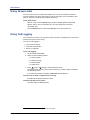
• Camp-on to the busy extension. See “Using Camp-on” below.
• Leave a message. See “Leaving Messages at Other Extensions” on page 39.
Requesting a Callback (Queuing the Phone)
When you request a callback (queue the phone), the system calls you when the extension is
available and then places a call to the phone.
To request a callback:
If there is no answer or if the extension is busy, press the Special button dial 6, and then
hang up. QUEUE REGISTERED FOR <name> appears. When the extension becomes
available, your extension rings.
To cancel the callback request:
Lift the handset and dial 6. QUEUE REQUEST CANCELED appears.
Using Camp-on
When you use the Camp-on feature, you remain connected to the called extension until it
becomes available. You cannot use Camp-on if the called extension is in DND, or if the call is
forwarded to voice mail. See “Using Do-Not-Disturb (DND)” on page 41.
To use Camp-on:
If there is no answer or if the extension is busy, remain on the line and wait for the
extension to become available. Do not hang up. If Camp-on is enabled, you hear Musicon-Hold while you are waiting.
Mitel® 5304 IP Phone User Guide – Issue 1, September 2009
Page 17
Answering and Placing Calls
Placing External Calls
The following sections describe how to place an external call and the features you can use
when placing external calls.
To place an external call:
1. Lift the handset.
2. Press the Call button, or dial the Outgoing Call access code (8 is the default code).
3. Dial the number.
NOTES
If you cannot place an external call because all outgoing lines are busy, you
can request a callback, which prompts the system to contact you when a
line becomes available. See “Requesting a Callback (Queuing the Phone)”
on page 17.
If you are prompted for an account code (indicated by a single beep), you
must enter an account code before you can place your call. See “Using
Account Codes” on page 23.
Depending on system configuration, you may also be able to use one of the following methods
to select an outgoing line:
• Enter the Select Line Group feature code. The default codes are 92001 to 92208.
• Enter the Automatic Route Selection (ARS) feature code. The default code is 92000.
Contact your system administrator for more information about using Select Line Group or ARS
access codes.
Redialing a Number
You can quickly redial the last external number dialed. You cannot redial extension numbers.
To use Redial:
Lift the handset and press the Redial button. The system automatically selects a line and
dials the number.
Using Speed Dial
You can use speed dial to quickly dial stored phone numbers. Speed-dial numbers are either
stored in the system (System Speed Dial), or in your IP phone (Station Speed Dial).
Using System Speed Dial
Your system administrator assigns Speed-Dial location numbers, which are available to anyone
in the system. Contact your system administrator for additional information.
To view or dial System Speed-Dial numbers:
1. Lift the handset and dial 381. REVIEW SYS SPEED # <code range> appears.
2. Do one of the following:
• Press
(Up) or
(Down) to scroll through the speed-dial locations.
• Enter the speed-dial location (000 to 999 or 0000 to 4999).
3. Press # to dial the number.
Page 18
Mitel® 5304 IP Phone User Guide – Issue 1, September 2009
Answering and Placing Calls
Using Station Speed Dial
You can use Station Speed Dial to store phone numbers for your personal use. Other system
users do not have access to your Station Speed-Dial numbers.
Storing Station Speed-Dial Numbers
You can store up to 10 Station Speed-Dial numbers.
To store a Station Speed-Dial number:
1. Lift the handset and dial 383. PROGRAM STN SPD (0-9) OR SCROLL appears.
2. Do one of the following:
• Press
(Up) or
(Down) to scroll through the speed-dial locations.
• Enter the speed-dial location (0 to 9).
Press # to select the location.
3. Enter the name of the speed-dial contact (up to 16 characters). See the table on page 20
for details.
4. Press # to save the name.
5. Enter the extension number or external number. If you are storing an external number,
dial the Outgoing Call access code (default code is 8) before you enter the number. Do
not use hyphens or colons in stored speed-dial numbers.
6. Press # to save the location. STN SPD BIN # <number> UPDATED appears.
Using the Dialpad Buttons to Enter Characters
You can use the dialpad buttons to enter text or numbers for features such as
Do-Not-Disturb (see page 41) and Station Speed Dial (see page 19).
The following are guidelines when entering dialpad characters:
• Press the Message button to switch from Alpha Mode to Numeric Mode.
• Press the Hold button to move the cursor to the left and delete characters.
• Press the Transfer button to move the cursor to the right.
• In Numeric Mode, press # for a hyphen (-).
• In Numeric Mode, press * for a colon (:).
• Press # in Alpha Mode, or lift and replace the handset to save entries.
Mitel® 5304 IP Phone User Guide – Issue 1, September 2009
Page 19
Answering and Placing Calls
To use the dialpad to enter characters:
Press the dialpad buttons as shown in the following table.
Button
Characters Represented (in Alpha Mode)
0
@:.,0
1
-&()1
2
ABC‘2
3
DEF!3
4
GHI*4
5
JKL#5
6
MNOñ6
7
PQRS7
8
TUV?8
9
WXYZ9
For example, to enter May 31, you would use the following sequence:
1. In Alpha Mode, press 6 once to enter an “M.”
2. Press 2 once to enter an “A.”
3. Press 9 three times to enter a “Y.”
4. Press the Message button to switch to Numeric Mode.
5. Press the Transfer button to enter a space.
6. Press 3.
7. Press 1.
8. Press # or lift the handset to save the entry.
Dialing Station Speed-Dial Numbers
If you have assigned a speed dial entry to one of your programmable buttons, you can press
the button for one touch dialing (see page 21). If you do not have a speed-dial button, you can
access the speed-dial feature using the 382 feature code.
To dial a Station Speed-Dial number:
Lift the handset and do one of the following:
• Press the button you have assigned to the speed-dial number.
• Dial 382, and then enter the Station Speed-Dial location number (0 to 9).
• Dial 382, press
(Up) or
(Down) to scroll through the speed-dial locations,
and then press # to select the location.
The system dials the number.
Page 20
Mitel® 5304 IP Phone User Guide – Issue 1, September 2009
Answering and Placing Calls
Deleting Speed-Dial Entries
If you no longer need a speed-dial entry, you can delete it.
To delete a Station Speed-Dial entry:
1. Lift the handset and dial 383. PROGRAM STN SPD (0-9) OR SCROLL appears.
2. Do one of the following:
• Enter the speed-dial location (0 to 9).
• Press
(Up) or
(Down) to scroll through the speed-dial locations.
3. Press # to select the location.
4. Hold down the Hold button until the name is erased, and then press # to continue.
5. Hold down the Hold button until the number is erased, and then press #. STN SPD BIN
# <number> UPDATED appears.
Assigning Speed-Dial Entries to Programmable Buttons
You can assign Station or System Speed-Dial numbers to your programmable buttons.
NOTE
Before assigning the speed-dial number to a programmable button, make sure the
number has either a Station (see page 19) or System (see page 18) Speed-Dial
code assigned to it.
To program a System/Station Speed-Dial button:
1. Lift the handset, and dial 397.
2. Press the button that you want to program. If the button is:
• not programmed, UNDEFINED KEY appears.
• programmed, the feature or extension programmed for the button appears.
• not programmable, NON-PROGRAMMABLE KEY appears.
3. Dial 382 (Station Speed Dial) or 381 (System Speed Dial).
4. Do one of the following:
• Press
(Up) or
(Down) to scroll through the speed-dial locations.
• Enter the speed-dial location (0 to 9 for Station Speed-Dial or 000 to 999 or 0000 to
4999 for System Speed Dial).
Mitel® 5304 IP Phone User Guide – Issue 1, September 2009
Page 21
Answering and Placing Calls
Using the Directory
You can use the Directory to find internal or external contacts or find and activate system
features. The directory uses Intelligent Directory Search (IDS), which is similar to the “text on 9
keys” (T9) predictive search feature used for mobile phones. The Directory has the following
three subdirectories:
• Intercom: Find and dial internal numbers.
• Outside: Find and dial external numbers listed in the company directory.
• Feature: Find and activate system features.
When searching the directory, dialpad buttons can represent several characters, as shown in
the following table. As you enter characters, the entries that best match the characters entered
appear. The system connects the character sequence to possible directory matches. For
example, to find the name “Jones,” dial 56637.
Button
Characters Represented
0
0
1
1
2
2ABCabcÇâäàåçÄÅá
3
3DEFdeféêëèÉ
4
4GHIghiïîìí
5
5JKLjkl
6
6MNOmnoôöòÖóñÑ
7
7QPRSqprs
8
8TUVtuvüûùÜú
9
9WXYZwxyzÿ
(Up)
Scroll to next entry
(Down)
Scroll to previous entry
*
Cancel search
#
Activate selection
Hold
Move the cursor to the left, deleting existing characters
To search for a directory name or feature:
1. Lift the handset and dial 307.
2. Press one of the following:
• 1 for the IC directory.
• 2 for the Outside directory.
• 3 for the Feature directory.
3. Press the dialpad buttons to enter (up to 20) characters (see table above).
4. Press
NOTE
(Up) or
(Down) to scroll through the possible matches.
The IC directory may display two similar possible matches, one without an
asterisk and one with an asterisk. The entry without an asterisk is the
primary extension—the entry with an asterisk is a secondary extension.
5. Press # to dial the number displayed or activate the feature code displayed.
Page 22
Mitel® 5304 IP Phone User Guide – Issue 1, September 2009
Answering and Placing Calls
Using Account Codes
Account codes record information for telephone record reports. You may be required to enter
account codes when placing calls.
There are three types of account codes:
• Standard account codes: Automatically entered into the telephone record report
whenever you place a call.
• Forced account codes: Entered before you can place an outside call.
• Optional account codes: Entered at any time during a call.
Contact your system administrator for more information about using account codes.
To set an account code for all calls placed from your IP phone:
1. Lift the handset and dial 391.
2. Dial the account code.
3. Press # to save the setting. This code is used for all calls made from your IP phone until
it is disabled.
To disable the code:
1. Lift the handset and dial 391.
2. Press #. ACCOUNT CODE CLEARED appears.
To enter an optional account code:
1. Lift the handset.
2. Press the Special button and dial 390.
3. Dial the optional account code, and then press #.
Mitel® 5304 IP Phone User Guide – Issue 1, September 2009
Page 23
Call Features
Call Features
The following sections describe call-related features.
Using Ring Intercom Always
Handsfree Mode is a system feature that functions on phones with external microphones. When
Handsfree Mode is enabled, incoming calls are automatically answered and audio is routed
through the phone’s speaker. To respond to the caller, the user must have a phone that includes
an external microphone (speakerphone).
Because the 5304 does not have an external microphone, Handsfree Mode is not supported on
the phone. However, if another extension has Handsfree Mode enabled for incoming internal
calls you can use the Ring Intercom Always feature to override Handsfree Mode on the
extension. When you use the Ring Intercom Always feature, the called party is required to pick
up the handset to answer your call.
To use Ring Intercom Always to always send non-handsfree calls:
Lift the handset and dial 377. RING IC ALWAYS ON appears.
Dial 377 again to turn Ring Intercom Always off.
To override Handsfree Mode for the current call you are making:
1. Lift the handset.
2. Before you enter the extension number, press #. RING EXTENSION NUMBER appears.
3. Dial the extension number.
Using Mute
You can use Mute to temporarily turn off your handset microphone, preventing the other party
on the call from hearing you.
To mute or unmute the handset microphone:
While on a call, press the Special button, and then dial 314. MICROPHONE MUTE ON
appears.
To unmute the microphone, press the Special button, and then dial 314.
Mitel® 5304 IP Phone User Guide – Issue 1, September 2009
Page 25
Call Features
Placing Calls On Hold
You can place calls on Individual Hold or System Hold:
• Individual Hold: Places an internal or external call on hold at your IP phone.
• System Hold: Places an external call on hold in the system. You can then pick up the call
from any phone that indicates a flashing Call button for the call, including the phone that
placed it on hold.
To place a call on Individual Hold:
1. While on a call, press the Hold button. ENTER EXTENSION NUMBER appears.
2. Hang up or place another call.
To place an outside call on System Hold:
1. While on a call, press the Special button, and then dial 335. ENTER EXTENSION
NUMBER appears.
2. Hang up or place another call.
To return to a call that is on hold:
Press the Hold button, and then lift the handset. <Caller> WAS HOLDING appears.
Entering a Hookflash
Some telephone companies require you to enter a hookflash (a quick hang up and release) for
feature access.
To enter a hookflash:
Lift the handset, press the Special button, and then dial 330.
Page 26
Mitel® 5304 IP Phone User Guide – Issue 1, September 2009
Call Features
Transferring Calls
You can transfer calls to other extensions or external numbers. You can also transfer
conference calls. See “Transferring a Conference” on page 32 for more information.
To transfer a call to another extension:
1. While on the call, press the Transfer button.
2. Enter the extension number.
3. Do one of the following:
• Wait for an answer, announce the call, and then hang up. If the extension is
unavailable, press the flashing IC or Call button to return to the caller.
• Hang up to transfer the call and disconnect the call from your IP phone.
NOTE
If your system administrator has enabled Transfer-on-Connect for your
IP phone, you are automatically connected to calls transferred to your
extension after the transferring party hangs up. If this option is turned
off, you must press the IC or Call button to answer calls transferred to
your extension.
To transfer a call to an external number:
1. While on the call, press the Transfer button.
2. Dial the Outgoing Call access code (the default code is 8) to select an outside line.
3. Dial the phone number.
4. Do one of the following:
• Wait for an answer, announce the call, and then hang up. If the number is
unavailable, press the flashing IC or Call button to return to the caller.
• Hang up to transfer the call and disconnect the call from your IP phone.
Using Reverse Transfer
You can use Reverse Transfer (Call Pick Up) to answer calls that are ringing or holding at other
extensions. For example, if you receive a call while you are away from your desk, you can pick
up the call from another extension.
To use Reverse Transfer:
1. Lift the handset, and then dial 4. ENTER EXTENSION NUMBER appears.
2. Dial the extension or hunt group number where the call is ringing or holding. The call is
transferred to the phone you are using and you are connected to the caller. See “Hunt
Groups” on page 45 for more information about using hunt groups.
Mitel® 5304 IP Phone User Guide – Issue 1, September 2009
Page 27
Call Features
Viewing Your System Information
If you are on a call, you can temporarily view your user information (your user name and your
extension number) and the date and time.
To display your user information and the date and time:
Press the Special button, and then dial 300.
Viewing Caller ID Information
If you are currently connected to an external caller with Caller ID, you can toggle between the
caller’s name and number. If the name is unavailable, CANNOT ACCESS FEATURE appears.
To show the outside party’s name/number:
Press the Special button, and then dial 379.
Page 28
Mitel® 5304 IP Phone User Guide – Issue 1, September 2009
Call Features
Forwarding Calls
You can use Manual Call Forwarding or System Forwarding to forward calls.
Manual Call Forwarding
The following table describes Manual Call Forwarding options.
Call Forward Feature
Description
Code
Call Forward All Calls
All incoming calls are forwarded to a specified
destination.
355
Call Forward if No
Answer
All incoming calls are forwarded to a specified
destination if they are not answered in a predetermined time frame. (The timer is set by the
system administrator.)
356
Call Forward If Busy
When your IP phone is busy, all incoming calls
are forwarded without ringing.
357
Call Forward If No
Answer/Busy
All incoming calls are forwarded if your IP phone
is busy, or if you do not answer.
358
To use Manual Call Forwarding:
1. Lift the handset and dial one of the forwarding codes above. ENTER FORWARD DEST
appears.
2. Do one of the following:
• Enter the extension number.
• Dial the Outgoing Call access code (the default code is 8) to select an outside line,
and then dial the telephone number.
FWD ALL CALLS TO <number> appears.
To cancel a Manual Call Forwarding request:
Press the Forward button, and then lift and replace the handset. ANY CALL FORWARD
CANCELED appears.
System Forwarding
You can use System Forwarding to route calls based on the type of call and the idle or busy
status of your IP phone. You cannot program the System Forward destination. You can only turn
it on or off. Contact your system administrator for more information.
To turn on or turn off System Forwarding:
Lift the handset and dial 354 to turn System Forwarding on. SYSTEM FORWARD ON
appears.
Dial 354 again to turn System Forwarding off.
Mitel® 5304 IP Phone User Guide – Issue 1, September 2009
Page 29
Call Features
Using Personal Call Routing
When you enable Personal Call Routing on your 5304 IP phone, your incoming calls are
automatically routed to one or more preprogrammed associated destinations according to the
routing steps programmed for you.
Typically, your desk phone (5304 IP phone) is configured to be your main extension. You may
be programmed for up to five associated destinations including:
• softphone
• home IP phone
• voice mail
• mobile phone
• home phone
Your desk phone, softphone, home IP phone and voice mail extensions are already
programmed in the system, so your system administrator can easily include them in your routing
steps. To include your mobile and home phone numbers in your routing steps, you will need to
provide these numbers to your system administrator.
Personal Call Routing also includes the Handoff feature, which includes the following functions:
• The Handoff “push” function allows you to move an active call from your 5304 IP phone to
all of your associated destinations (except voice mail). You can then determine which
device to use to answer the call. The push function is useful if you are leaving your work
area, but want to remain connected to a call. For example, you can push a call from your
desk phone to your mobile phone. While the push is in progress, you can still hear and talk
to the other party from your desk phone. When you answer the call at your mobile phone,
there may be a brief break in the audio, which may be noticeable to the other parties on
the call.
• The Handoff “pull” function allows you to move a call that was previously routed to your
mobile or home phone back to your main extension. The pull function is useful if you
answered a call on your mobile phone, but have since returned to your desk. After you pull
a call back to your desk phone it is connected immediately and you can access system
features such as conference, hold, and transfer.
NOTE
The Handoff feature is only supported on your main extension, typically your
desk phone. However, if you share a desk phone with one or more
coworkers and your main extension is a phantom extension, you cannot use
the Handoff feature.
Personal Call Routing includes the following feature codes:
• Personal Call Routing On: 363
• Personal Call Routing Off: 362
• Personal Call Routing On/Off: 364
• Personal Call Routing – Handoff (push and pull): 388
The following call types do not follow Personal Call Routing:
• Hunt group calls
• Hunt group announcement/overflow calls
• Transfer recalls, Hold recalls, Conference recalls, and Attendant recalls
NOTE
Page 30
A recall occurs when a feature cannot be completed or the feature times out,
and the call returns to the originating extension. For example, a holding call
will recall the extension where it was placed on hold when the hold timer
expires.
Mitel® 5304 IP Phone User Guide – Issue 1, September 2009
Call Features
When you enable Personal Call Routing, your incoming calls are routed as specified by the
routing type programmed for you by your system administrator. The table below provides
descriptions for the default routing types.
Routing Type
Description
Mobile Twinning
Calls simultaneously ring your desk phone and mobile phone, before
going to voice mail.
Delayed Mobile
Twinning
Calls ring your desk phone first, and then ring both your desk phone and
mobile phone, before going to voice mail.
Check with your system administrator to see which routing type has been programmed for you.
Your administrator can modify these routing types by adding or removing routing steps, adding
or removing destinations, and changing the ring timers, if required.
To ensure that calls are routed correctly to your mobile and home phones, inform your system
administrator if either of these phone numbers change.
To enable Personal Call Routing:
Dial 363 or 364. PERSONAL ROUTING ON appears on the display.
To disable Personal Call Routing:
Dial 362 or 364. PERSONAL ROUTING OFF appears on the display.
To answer a call that was routed to your mobile or home phone:
1. Answer the call when it rings your phone. After you speak, the Personal Call Routing
prompt is played.
2. Do one of the following:
• Press # to accept the call.
NOTE
You do not need to wait for the prompt to accept the call. You can
accept the call immediately by pressing the # button.
• Press * to send the call to the voice mailbox associated with your main extension
(not your mobile phone or home phone voice mailbox). If you do not have a voice
mailbox, the “Press *...” prompt is not played and the call is routed to your main
extension.
If you hang up, the call continues to follow your programmed routing steps.
To use the Personal Call Routing – Handoff “push” feature:
1. While on an active call at your 5304 IP phone, press the Special button, and then dial
388. HANDOFF IN PROGRESS appears on the display and the call rings all of your
associated destinations (except voice mail).
2. Answer the call at one of your associated destinations. For mobile and home phones,
press # to accept the call.
To use the Personal Call Routing – Handoff “pull” feature:
While on an active call on your mobile or home phone, lift the 5304 IP phone handset and
dial 388. A confirmation tone is played and the call is pulled back to your 5304 IP phone.
NOTE
If you enter the handoff feature code (388) and the display shows NO CALL TO
HANDOFF, the call cannot be handed off (see page 51).
To cancel the Personal Call Routing – Handoff feature:
While the handoff is in-progress, press the Special button, and then dial 388. HANDOFF
CANCELLED appears on the display for your main extension.
Mitel® 5304 IP Phone User Guide – Issue 1, September 2009
Page 31
Call Features
Placing Conference Calls
You can place a conference call with up to three internal or external parties (for a total of four
parties, including yourself).
To place a conference call:
1. While on the first call, press the Special button, and then dial 5 to place the call on hold.
CALL NEXT PARTY TO CNF appears.
2. Place a call to the next conference party. For external calls, dial the Outgoing Call
access code (8 is the default code), and then dial the number.
3. After the party answers, announce the conference, press the Special button, and then
dial 5 to place the call on hold. If necessary, repeat this step to add the remaining
conference party.
4. Press the Special button, and then dial 5 a final time to start the conference. CNF IN
PROGRESS appears.
Adding a Conference Party
You can add a conference party during the conference.
To add a conference party:
1. Press the Special button, and then dial 5. This leaves the conference parties connected
and on hold.
2. Place a call to the party to be added to the conference, and then announce the
conference. Press the Special button, and then dial 5 (twice) to add the party and rejoin
the conference.
Transferring a Conference
You can transfer an existing conference to another extension.
To transfer a conference:
1. During the conference, press the Transfer button, and then dial the extension number.
2. Announce the conference (if desired), and then hang up. CONFERENCE TFR from
<name> appears on the called party’s display. The party must then press the flashing IC
button to connect to the conference.
Dropping Out of a Conference
You can drop out of a conference and return to the conference later.
To drop out of a conference:
Press the Hold button, and then hang up. ENTER EXTENSION NUMBER appears. This
removes you from the conference but leaves the other parties connected.
To return to the conference:
Press the flashing IC or Call button. CONFERENCE WAS HOLDING appears, and you
are reconnected to the conference.
Page 32
Mitel® 5304 IP Phone User Guide – Issue 1, September 2009
Call Features
Ending a Conference and Placing all Parties on Hold
You can end a conference and place all conference parties on Individual Hold, allowing you to
toggle between the held parties and speak to one party at a time.
To end a conference and place all parties on Individual Hold:
1. Press the Special button, and then dial 5.
2. Press the Hold button. CONFERENCE PARTIES ON HOLD appears.
To toggle between the held callers:
Press the Hold button twice for internal parties or the applicable Call button for external
parties.
Using Record-A-Call
.
NOTE
This feature is not supported for peer-to-peer (P2P) calls. Contact your system
administrator for more information.
You can use Record-A-Call to record an ongoing call as a mailbox message.1 You can then
retrieve the message from your voice mailbox. The Record-A-Call feature stays active after the
other party hangs up, so you can add your own message to the recorded call.
To use Record-A-Call:
1. While on a call, press the Special button, and then dial 385. REQUESTING RECORDA-CALL appears.
2. Enter the voice mailbox number where you want the recording to be saved.
RECORD-A-CALL IN PROGRESS appears, and both you and the calling party hear a
confirmation tone (if enabled).
NOTE
Your system administrator can assign the Record-a-Call voice mailbox
destination. If so, you do not need to enter the voice mailbox number.
To stop Record-A-Call:
Do one of the following:
• Press the Special button, and then dial 385.
• Hang up.
1.
This feature may or may not be enabled for your system.
Mitel® 5304 IP Phone User Guide – Issue 1, September 2009
Page 33
Call Features
Using Group Listen
You can use Group Listen to activate the speaker while you use the handset or headset to
continue speaking. This allows other people to hear the other party on the call while the other
party can only hear you (through the handset microphone).
To use Group Listen:
While on a call, press the Special button, and then dial 312. GROUP LISTEN ON
appears, and you hear a confirmation tone. The other party does not hear the
confirmation tone.
Press the Special button, and then dial 312 again to turn Group Listen off.
Using Call Logging
Your call logs are records of your most recent missed, received, and dialed calls. A maximum of
20 entries are stored in each call log.2
You can use Call Logging to:
• View recent call activity.
• View caller ID information.
• Return or redial calls.
To use Call Logging:
1. Lift the handset and dial 333.
2. Select one of the following options:
• Press 1 (missed).
• Press 2 (received).
• Press 3 (dialed).
• Press 4 (clear).
3. Press
(Up) or
(Down) to scroll through the entries.
The display shows the party’s name and the extension or outside number (if available)
and the date and time.
If no Caller ID information is available, UNKNOWN CALLER appears.
To return a call or redial a number listed in a call log:
Press # while the display shows the number.
To delete individual call log entries:
Press 0 to delete the displayed entry.
2.
Page 34
This feature may or may not be enabled for your system.
Mitel® 5304 IP Phone User Guide – Issue 1, September 2009
Call Features
Using Secondary Extension Buttons
Secondary Extension buttons must be programmed by your system administrator. You can use
programmable buttons as “secondary extensions.” Secondary Extensions are assigned to other
extensions in the system (primary extensions) Because Secondary Extension buttons are
programmed by the system administrator, you cannot change the buttons (for example, assign
features to the buttons).
When programmed, you can use Secondary Extension buttons to:
• Place an internal call to the primary extension.
• View the call activity at the primary extension (if the button has a lamp).
• Transfer calls to the primary extension.
• Answer a call that is ringing or holding on any Call button at the primary extension.
The system administrator must set up the Call buttons for internal calls or you
cannot use Secondary Extensions at the primary extension.
NOTES
You can use Secondary Extension buttons to notify you when a given number
of calls are waiting at the primary extension.
If a Secondary Extension button is flashing (the primary extension has an
incoming call), you can press # before you press the flashing Secondary
Extension button to call the primary extension and not answer the incoming
call.
Mitel® 5304 IP Phone User Guide – Issue 1, September 2009
Page 35
Call Features
Remote Programming
You can use Remote Programming to access the DND, Call Forwarding, and Personal Call
Routing features from another system phone or an external phone.3 For security reasons,
remote programming requires a password.
NOTE
A Direct Inward System Access (DISA) number is required to use Remote
Programming from an external phone. Contact your system administrator for more
information.
Changing Your Remote Programming Password
Your default Remote Programming password is your extension number. Before using Remote
Programming, you should change your default password.
To change your Remote Programming password from your phone:
1. Lift the handset and dial 392. ENTER PASSWORD appears.
2. Enter your current password (the default password is your extension number), followed
by #. CHANGE PASSWORD TO appears.
3. Enter the new password followed by #. VERIFY PASSWORD appears.
4. Enter the new password again followed by #. DATABASE UPDATED appears.
You can also change your Remote Programming password from another phone.
To change your Remote Programming password from another phone:
1. Do one of the following:
• Call your DISA number (provided by your system administrator). If necessary, enter
your (DISA) password.
• Use any phone on the system.
2. Dial 359.
3. Enter your extension number.
4. Enter your password followed by #.
5. Dial 392.
6. Enter the new password followed by #.
7. Enter the new password again followed by #.
3.
Page 36
This feature may or may not be enabled for your system.
Mitel® 5304 IP Phone User Guide – Issue 1, September 2009
Call Features
Using Remote Programming to Change DND Settings
See “Using Do-Not-Disturb (DND)” on page 41 for more information about using DND.
To use Remote Programming to turn on DND:
1. Do one of the following:
• Call your DISA number (provided by your system administrator). If necessary, enter
your (DISA) password.
• Use any phone on the system.
2. Dial 359.
3. Enter your extension number.
4. Enter your password followed by #.
5. Dial 370.
6. Enter the DND message number (01 to 20), and then enter the second-line message
text (if applicable).
To use Remote Programming to turn off DND:
Follow steps 1 - 4 above, dial 371, and then hang up.
Using Remote Programming to Forward Calls
See “Manual Call Forwarding” on page 29 for more information about Manual Call Forwarding.
To use Remote Programming to turn on Manual Call Forwarding:
1. Do one of the following:
• Call your DISA number (provided by your system administrator). If necessary, enter
your (DISA) password.
• Use any phone on the system.
2. Dial 359.
3. Enter your extension number.
4. Enter your password followed by #.
5. Dial one of the following Call Forwarding feature codes:
• 355 (All)
• 356 (No answer)
• 357 (Busy)
• 358 (No Answer/Busy)
6. Do one of the following to specify a forwarding number:
• Enter an extension number.
• Dial the Outgoing Call access code (8 is the default code), and then dial the
number.
To turn off Call Forwarding:
Follow steps 1 - 4 above, dial 355, and then hang up.
Mitel® 5304 IP Phone User Guide – Issue 1, September 2009
Page 37
Call Features
Using Remote Programming for Personal Call Routing
See “Using Personal Call Routing” on page 30 for more information about Personal Call
Routing.
To use Remote Programming to enable Personal Call Routing:
1. Do one of the following:
•
Call your DISA number (provided by the system administrator). If necessary, enter
your DISA password.
•
Use any phone on the system.
2. Dial 359.
3. Enter your extension number.
4. Enter your password followed by #.
5. Dial 363 (Personal Call Routing On).
To use Remote Programming to disable Personal Call Routing:
Follow steps 1 - 4 above, dial 362 (Personal Call Routing Off), and then hang up.
Page 38
Mitel® 5304 IP Phone User Guide – Issue 1, September 2009
Messages
Messages
This section describes the following system messaging features:
• Inter-station messages: Inter-station messages are alerts sent to your IP phone by other
internal parties, notifying you to contact the party who left the message. When you receive
an inter-station message, the Message/Ring Indicator flashes to notify you of the new
message. You can either delete the message or reply to the message, which automatically
places a call to the party who left the message.
• Do-Not-Disturb (DND) messages: Messages that other internal parties see when your IP
phone is in DND. See “Using Do-Not-Disturb (DND)” on page 41.
• Reminder Messages: Messages that you can use to notify yourself of upcoming
appointments, meetings, and so on. See “Using Reminder Messages” on page 42.
• Pages: Announcements sent over IP phone speakers or external speakers. See “Paging
Other System Users” on page 43.
• Voice messages: System voice mail messages. The Message/Ring Indicator flashes to
notify you about new messages and the display indicates how many messages you have.
NOTE
Because a variety of voice mail products work with the Mitel 5000 system,
this guide does not include voice mail instructions. For voice mail
instructions, refer to the voice mail user guide for your system. For example,
refer to the Enterprise Messaging, Basic Voice Mail, and Embedded Voice
Mail Card User Guide, part number 835.3205, or the Mitel NuPoint Unified
Messaging User Guide on the Mitel Web site (http://edocs.mitel.com).
Contact your system administrator for more information about your voice
mail system.
Leaving Messages at Other Extensions
You can leave inter-station or voice messages for other internal parties.
To leave an inter-station or voice message for a busy IC extension:
1. While on the call, press the Message button. HANG UP OR WAIT FOR MSG CENTER
appears.
2. Do one of the following:
• Hang up to leave an inter-station message. MESSAGE LEFT FOR <name>
appears.
• Stay on the line to connect to the message center (usually voice mail).
To leave an inter-station message without placing an internal call:
1. Lift the handset and dial 367 (Leave Message). LEAVE MESSAGE ON EXTENSION
appears.
2. Enter the extension number and hang up. MESSAGE LEFT FOR <name> appears.
Mitel® 5304 IP Phone User Guide – Issue 1, September 2009
Page 39
Messages
Viewing and Responding to Messages
When you have waiting messages, the Message/Ring Indicator flashes and the display shows
the number of waiting messages.
NOTE
If you lift your handset before viewing an inter-station message, you automatically
call the party who left the message.
The display shows new messages as follows:
• Inter-station messages: The other party’s programmed user name appears on the
display.
• Voice messages: FROM MBOX <your extension number> appears on the display.
To view or respond to messages:
1. Press the Message button. Messages are displayed as first in/first out. If there is more
than one message, you can repeatedly press the Message button to scroll through the
messages.
2. When the desired message is displayed, press # to respond.
Canceling Messages Left at Other Extensions
You can cancel messages left at other extensions.
To cancel a message left at another extension:
1. Lift the handset and dial 366. CANCEL MESSAGE ON EXT # appears.
2. Enter the extension number where you left the message. MESSAGE CANCELED FOR
<name> appears.
Deleting Waiting Inter-Station Messages
You can delete waiting inter-station messages on your phone.
NOTE
To delete waiting voice messages, you must connect to your voice mailbox.
To delete waiting inter-station messages:
1. Press the Message button. MSG <message information> appears.
2. Press * to delete the displayed message.
Page 40
Mitel® 5304 IP Phone User Guide – Issue 1, September 2009
Messages
Using Do-Not-Disturb (DND)
You can use DND to stop calls and pages to your extension. When activated, internal calling
parties see your selected DND message. DND does not block queue callbacks, recalls, and
incoming external calls. The following table shows the 20 default DND messages. If your
system administrator changes your DND messages, you can record the new messages in the
“New Message” column for reference.
Code
Default Message
New Message
Code
Default Message
01
Do-Not-Disturb
11
Out of Town ‘Til
02
Leave a Message
12
Out of Office
03
In Meeting Until
13
Out Until
04
In Meeting
14
With a Client
05
On Vacation/
Holiday ’Til
15
With a Guest
06
On Vacation/
Holiday
16
Unavailable
07
Call Me At
17
In Conference
08
At the Doctor
18
Away from Desk
09
On a Trip
19
Gone Home
10
On Break
20
Out to Lunch
New Message
You can enter a second line of text (up to 20 characters) for DND messages. For example, if
you select IN MEETING UNTIL, you can enter “3:30” on the second line. When other internal
parties try to call you, their displays show “IN MEETING UNTIL 3:30.”
To turn on DND:
1. Press the DND button. SELECT DND MSG # (01-20) appears.
2. Do one of the following:
• Press
(Up) or
(Down) to scroll through the messages.
• Enter the two-digit number for the DND message from the preceding table.
3. After selecting the message, enter the additional text for the DND description, if
applicable. See “Using the Dialpad Buttons to Enter Characters” on page 19 for dialpad
character descriptions.
4. Lift and replace the handset.
To turn off DND:
Press the DND button. DO-NOT-DISTURB OFF appears.
Mitel® 5304 IP Phone User Guide – Issue 1, September 2009
Page 41
Messages
Using Reminder Messages
You can use Reminder Messages to alert you at a selected time, up to 24 hours in advance. At
the selected time, the Reminder Message signals you with eight short tones and your display
shows the message, even if you are on a call.
The following table shows the 20 default Reminder Messages. If your system administrator
changes your Reminder Messages, you can record the new messages in the “New Message”
column for reference.
Code
Default Message
New Message
Code
Default Message
01
Meeting
11
Call Engineering
02
Staff Meeting
12
Call Marketing
03
Sales Meeting
13
Call Accounting
04
Cancel Meeting
14
Cancel DND
05
Appointment
15
Cancel Call Fwd
06
Place Call
16
Take Medication
07
Call Client
17
Make Reservation
08
Call Customer
18
Review Schedule
09
Call Home
19
Lunch
10
Call Corporate
20
Reminder
New Message
To set a Reminder Message:
1. Lift the handset and dial 305. SELECT REMINDER MESSAGE # (01-20) appears.
2. Do one of the following:
• Press
(Up) or
(Down) to scroll through the messages.
• Enter the two-digit number for the message from the table above.
3. Press # to select the message.
4. Enter the time you wish to receive the message in hours and minutes (for example, 0900
or 900 for 9:00). Then press #. The display shows the Reminder Message state.
If your system is set for 24-hour format, you must enter the applicable time
(1400 = 2:00 P.M.).
If your system is set for 12-hour display format, press 1 for A.M. or 2 for P.M.
To cancel all Reminder Message requests:
Lift the handset and dial 306. REMINDER MSGS CANCELED appears.
To clear a received Reminder Message:
With the handset on-hook, press *.
Page 42
Mitel® 5304 IP Phone User Guide – Issue 1, September 2009
Messages
Paging Other System Users
You can place page announcements through IP phone speakers or external speakers (if
applicable). Your system may use page zones to prevent announcements from transmitting
through every phone in the system. Each page zone contains a different combination of
extensions and external paging equipment.
Contact your system administrator for page zone information. You can use the following table to
save the page zone information for future reference.
Page Zone Name
Number
Description
You can enable or disable the Page feature for your extension. If your extension is assigned to
more than one page zone, the Page on/off feature code enables or disables your extension for
all pages zone (you cannot select individual zones).
To enable or disable paging for your IP phone:
Lift the handset and dial 325. PAGE RECEIVE ON appears.
Dial 325 again to disable paging.
To place a page announcement:
1. Lift the handset and dial 7.
2. Enter the page-zone number (0 to 9).
3. Wait for the tone, make your announcement, and then hang up.
Mitel® 5304 IP Phone User Guide – Issue 1, September 2009
Page 43
Hunt Groups
Hunt Groups
Hunt groups are groups of internal parties (agents) who share a common (hunt group)
extension number. Calls can either be placed to the hunt group (using the hunt group extension
number) or to a specific agent (using the agent’s extension number). Hunt groups are
programmed by the system administrator.
Hunt groups types are either “UCD” or “ACD.”
• UCD Hunt Groups: Uniform Call Distribution (UCD) agents do not log in to the hunt group
to receive calls.
• ACD Hunt Groups: Automatic Call Distribution (ACD) agents log in to the ACD hunt group
to receive calls. Calls are distributed by either Agent IDs or extensions:
o
Agent IDs: Each agent is assigned an Agent ID number for logging in to the hunt group
(see the next section). Hunt group calls are distributed to logged-in agents according to
their Agent ID number instead of their extension number. Agents can log in to any ACD
hunt group phone.
o
Extensions: Hunt group members do not use Agent IDs, and calls are distributed to
phones where the agents are logged in.
ACD Hunt Group Features
The following are ACD hunt group features.
Logging in to ACD Hunt Groups
You must log in to an ACD hunt group to receive hunt group calls. To stop calls, you can either
log out of the ACD hunt group or divert calls. See “Diverting Hunt Group Calls” on page 47.
NOTE
Only one agent can be logged in to a phone.
To log in to or out of all ACD hunt groups in which you are a member:
Lift the handset and dial 328 (followed by your Agent ID, if necessary) to log into an ACD
hunt group. AGENT LOGGED INTO ALL ACDS appears.
Dial 328 again to log out of an ACD hunt group.
To log in to one or more ACD hunt groups:
1. Lift the handset and dial 326. The display shows AGENT LOGIN ACD HG #.
2. Do one of the following:
• Enter the ACD hunt group number.
• Press # to log in to all of your ACD hunt groups.
The display shows AGENT LOGIN AGENT ID.
3. Enter your Agent ID (if applicable), or press # if you do not have an agent ID. The
display shows the log in status for one or all hunt groups.
Mitel® 5304 IP Phone User Guide – Issue 1, September 2009
Page 45
Hunt Groups
Logging out of ACD Hunt Groups
You can log out of all ACD hunt groups at once or log out of each hunt group one at a time.
To log out of one or more ACD hunt group:
Lift the handset, and do one of the following:
• Dial 328 to log out of all of your ACD hunt groups. The display shows AGENT
LOGGED OUT OF ALL ACDS.
• Dial 327 to log out of one hunt group at a time.
If you were logged in to only one hunt group, the display shows AGENT LOGGED
OUT OF HUNT GROUP <number>.
If you were logged in to more than one hunt group, the display shows AGENT
LOGOUT HG #. Enter the extension number of the ACD hunt group.
Stopping the ACD Hunt Group Wrap-up Timer
Each time you end an ACD hunt group call, a wrap-up timer starts. The default wrap-up time is
15 seconds. Your system administrator can change the wrap-up timer settings.
Until this timer expires, you will not receive another hunt group call; however, you can stop the
wrap-up timer to allow calls to your extension.
To stop the wrap-up timer:
Lift the handset and dial 329. The display shows ACD WRAP-UP TERMINATED.
Page 46
Mitel® 5304 IP Phone User Guide – Issue 1, September 2009
Hunt Groups
Other Hunt Group Agent Features
The following features can be used by ACD or UCD hunt groups.
Requesting Agent Help
You can use Agent Help to request help from a designated “Agent Help Extension” (usually your
supervisor) during a call. When your request call rings at the Agent Help Extension, the
supervisor can join the call or reject the request.
NOTE
Agent Help is not supported on peer-to-peer (P2P) calls. Contact your system
administrator for more information.
To use Agent Help:
1. While you are on a hunt group call, press the Special button, and then dial 375.
If you hear repeating tones, one of the following has occurred:
• The feature is not available at your IP phone.
• You already have four parties in your call.
• Not enough system circuits are currently available.
• The Agent Help Extension is in DND.
2. If not preprogrammed, dial the Agent Help extension number.
If the Agent Help Extension accepts the call, AGENT HELP IN PROGRESS appears.
If the Agent Help Extension rejects the call, AGENT HELP REJECTED appears.
Diverting Hunt Group Calls
You can temporarily divert hunt group calls, preventing hunt group calls from ringing your
extension.
To divert hunt group calls:
Lift the handset and dial 324 to divert calls. The display shows the feature state DIVERT
HUNT GROUP CALLS.
Dial 324 again to accept calls.
Mitel® 5304 IP Phone User Guide – Issue 1, September 2009
Page 47
Hunt Groups
Hunt Group Supervisor Features
The following features can be used by hunt group supervisors only.
Accepting or Rejecting Agent Help Calls
Supervisors can accept or reject Agent Help calls.
To accept an Agent Help request:
Answer as usual. Your microphone is automatically muted.
To reject an Agent Help request:
Lift the handset and dial 376. AGENT HELP REJECTED appears.
Monitoring Calls
You can use Station Monitor to connect to a hunt-group call and hear both parties, but you
cannot be heard by either one. Station Monitor stops if the hunt group member terminates or
transfers the call.
You can also barge-in or “steal” monitored calls, as described in the following sections. In
addition, you can record the call. See “Using Record-A-Call” on page 33 for more information
about recording calls.
To use Station Monitor:
1. Lift the handset and dial 321.
2. Enter the extension number. MONITORING EXT <number> appears. Monitored hunt
group members may hear an “activation tone” when the feature is activated.
Using Barge-in
While monitoring a hunt group call, you can use Barge-in to join the call.
To barge-in to a hunt-group call:
While monitoring a call, dial 386. BARGE-IN PROGRESS appears.
Stealing Hunt Group Calls
While monitoring a hunt group call, you can “steal” the call from the hunt group member, which
disconnects the call from the agent and transfers the call to your extension.
To steal a hunt group call:
While monitoring a call, dial 387. CALL STOLEN FROM EXT <number> appears.
Page 48
Mitel® 5304 IP Phone User Guide – Issue 1, September 2009
Troubleshooting
Troubleshooting
The following sections can help you solve problems that you may be experiencing with your IP
phone. Troubleshooting topics include:
• Contact Information: Information about system administrator contacts.
• Error Messages: Error messages and descriptions.
• Troubleshooting Tips: Possible problems and methods to solve them.
Contact Information
Your system administrator can help you with items such as changing your settings or modifying
IP phone features. System administrator duties include:
• Adding new user accounts.
• Setting the system date and time.
• Programming System Speed-Dial numbers.
• Making database changes, such as changing user names and extension numbers.
Contact your system administrator with questions that are not covered in this user guide. If you
need further assistance, you can find provider information on the Mitel Web site
(www.mitel.com). All sales, service, and support are coordinated at the local level.
Error Messages
The following error messages may appear when using your IP phone.
Message
Reason
CANNOT ACCESS FEATURE
The feature is enabled but other feature-related
conditions were not met. Make sure that all featurerelated conditions are met and retry.
CANNOT ACCESS RESERVED
FEATURE
Your system does not support the feature. Contact your
system administrator for more information.
INVALID FEATURE CODE
The feature code entered does not exist. Retry using
the correct feature code (see page 10).
INVALID EXTENSION NUMBER
The extension number entered does not exist. Retry
using a valid extension number.
NO UPDATE PERFORMED
The feature was not completed or one or more feature
conditions were not met.
Mitel® 5304 IP Phone User Guide – Issue 1, September 2009
Page 49
Troubleshooting
Troubleshooting Tips
The following table includes troubleshooting tips for IP phone and system features.
NOTE
You can often correct problems that you may be experiencing by resetting the IP
phone to the default settings. See “Resetting the IP Phone to the Default Settings”
on page 13.
Problem
Possible Solution
The IP phone is not working properly. Contact your system administrator.
Page 50
I cannot use one or more of the
features described in this guide.
The feature may not be enabled. Contact your system
administrator for more information.
I cannot program System Speed-Dial
numbers.
Your system administrator programs System Speed
Dial numbers (see page 18).
I cannot change the time and date on
the IP phone display.
Your system administrator programs the time and date.
Contact your system administrator if you notice that the
date and time are incorrect.
I am experiencing audio problems on
my IP phone such as echo, distorted
sound, or choppiness.
Contact your system administrator if you are having
audio problems.
The name or extension on the
display is incorrect.
Your system administrator assigns display names and
extension numbers. Contact your system administrator
if you notice that the name or extension are incorrect.
I cannot use the local telephone
company star codes (for example,
*82, *69) when I press the Outgoing
button or use the Outgoing Call
access code (8 is the default code)
when calling an external number.
Rather than pressing the Outgoing button or 8 to
access an outside line, you must dial a Select Line
Group number (see page 10) before you can use the
star codes. For example, if your system is using the
default Select Line Group numbers, dial 92001 to
access that line. After you have dial tone, you can dial
the star code and the number.
I cannot use the Agent Help or
Record-a-Call features.
If your system uses Peer-to-Peer (P2P) audio, you
cannot use these features when you are on a P2P call.
Contact your system administrator for more
information.
I cannot program a Station SpeedDial number to the button I want.
Before assigning the speed-dial number to a
programmable button, store the number with either a
Station or System Speed-Dial code (see page 19).
Mitel® 5304 IP Phone User Guide – Issue 1, September 2009
Troubleshooting
Problem
Possible Solution
When I try to use the Personal Call
Routing – Handoff feature (388), the
display shows NO CALL TO
HANDOFF.
The NO CALL TO HANDOFF display indicates that the
call cannot be handed off because one of the following
may have occurred:
• You tried to use the Handoff feature on a call that
has not been routed by Personal Call Routing.
• You tried to use the Handoff feature on a call that
the system has not yet recognized as a valid call.
• You tried to use the Handoff feature on an
unsupported extension. The Handoff feature is
supported on your main extension only.
• You tried to use the Handoff feature on a
phantom extension. The Handoff feature is not
supported on phantom extensions.
• You entered the handoff feature code at the exact
time the other party on the call disconnected.
• The call was terminated for some reason.
Mitel® 5304 IP Phone User Guide – Issue 1, September 2009
Page 51
Index
Index
A
Calls
camping-on to phone 17
conference, placing 32
Account codes, using 23
emergency, placing 16
Agent Help
external, placing 18
accepting or rejecting 48
forwarding 29
requesting 47
intercom 4
Agent, ACD hunt group 45
logs, using 34
Audio problems 50
muting the microphone 25
Automatic
outside 4
Access, disabling 15
picking up (reverse transferring) 27
Access, enabling 15
placing internal (IC) 17
Trunk Answer, using 16
recording 33
redirecting incoming 15
B
transferring 27
waiting 15
Background music 8
Camp-on, using 17
Barge-in, using 48
Canceling features 4
Buttons
Changing
call 4
keymaps 13
dialpad 2, 5
ring tone 8
DND 4
the language 8
forward 4
volume levels 7
hold 4
Characters, entering dialpad 19
IC 4
Codes
intercom 4
account 23
labels 7
default system access 10
message 4
feature, default 10
programmable 2, 4
Outgoing Call access 16, 18
redial 4
Comfort and safety tips 5
special 4
Conference calls
transfer 4
adding a party to 32
volume 2, 5
dropping out of 32
ending 33
C
placing 32
transferring 32
Call button 4
Contacts, information 49
Call Forward
Contrast, changing 9
Manual 29
System 29
D
using 29
Call logs, using 34
Default
Callback, requesting 17
programmable buttons, resetting to 13
Caller ID information, displaying 28
settings, returning the IP phone to 13
system access codes 10
Designation card 7
Dialpad
buttons 2, 5
characters, entering 19
Page 53
Mitel® 5304 IP Phone User Guide – Issue 1, September 2009
Index
Display 2, 3
Hunt groups
contrast, changing 9
accepting or rejecting Agent Help 48
name, changing 50
Agent Help, requesting 47
Diverting hunt group calls 47
agent IDs 45
Do-Not-Disturb button 4
Automatic Call Distribution (ACD) 45
Do-Not-Disturb, using 41
Barge-in, using 48
calls
diverting 47
monitoring 48
stealing 48
E
Emergency calls 16
logging out of 46
Emergency calls, placing 16
types 45
Error
Uniform Call Distribution (UCD) 45
messages 49
wrap-up timer 46
tones 5
Extension numbers 10
I
External calls, placing 18
External speaker 2
IC 4
Individual Hold, using 26
F
Intercom 4
Intercom button 4
Feature
canceling 4
Internal calls, placing 17
IP phone
codes, using 10
5304 2
Forward button 4
blank display 1
changing volume levels 7
G
comfort and safety 5
default settings, returning to 13
error tones 5
Group Listen, using 34
features
dialpad buttons 5
Ring/Message Indicator 3
H
ring tone, selecting 8
Handset 2, 3
ringer 8
Handsfree Mode
signals 5
overriding 25
speaker 3
Headset
using 6
K
Headset On/Off 6
Hold
Keymaps, changing 13
Individual 26
System 26
L
Hold button 4
Hookflash, entering 26
Hookswitch 2, 3
Language, changing 8
LCD
contrast, changing 9
Logs, call 34
Page 54
Mitel® 5304 IP Phone User Guide – Issue 1, September 2009
Index
M
Q
Members, hunt group 45
Queuing the phone 17
Message button 4
Quick Reference Guide i
Messages
canceling 40
R
deleting 40
Do-Not-Disturb 41
error 49
leaving 39
pages 43
Reminder 42
replying to 40
viewing 40
Record-A-Call, using 33
Redial button 4
Redialing external numbers 18
Redirecting incoming calls 15
Reminder Messages, using 42
Remote Programming
DND 37
voice, listening to 40
forward calls 37
Microphone, muting 25
password 36
Music, background 8
Personal Call Routing 38
Mute, using 25
using 36
Reverse Transfer (Call Pickup), using 27
N
Ring Intercom Always, using 25
Ring Message Indicator 3
Numbers, redialing external 18
O
Ring/Message Indicator 1, 2
S
Off hook 3
On hook 3
Outgoing Call access code 16, 18
Outside call 4
Selecting a ring tone 8
Settings, returning to default 13
Signals
audio 5
visual 5
P
Signals, IP phone 5
Speaker, external 3
Paging
enabling or disabling 43
using 43
Password, Remote Programming
changing 36
Personal Call Routing
enabling and disabling 31
handoff 31
using 30
Placing calls
Speakerphone
description 3
Group Listen, using 34
Special button 4
Speed dial
Station, using 19
System, using 18
using 18
Star codes, telephone company 50
Station messages
conference 32
canceling 40
external 18
deleting 40
internal 17
leaving 39
Programmable Buttons
using 9
Programmable buttons 2, 4
replying to 40
viewing 40
Station Monitor, using 48
resetting to default values 13
viewing button assignments 13
Mitel® 5304 IP Phone User Guide – Issue 1, September 2009
Page 55
Index
Station Speed Dial
numbers
deleting 21
dialing 20
storing 19
V
Voice mail user guides 39
Voice messages
deleting 40
using 19
leaving 39
Stealing calls 48
listening to 40
System
forwarding 29
Volume Buttons 5
Hold 26
Volume buttons 2
information, displaying 28
Volume levels 7
speed dial 19
time and date, setting 50
T
W
Waiting calls, answering 15
Wrap-up timer, stopping 46
Time and date, system 50
Tips
comfort and safety 5
troubleshooting 50
Transfer button 4
Transferring calls 27
Troubleshooting tips 50
Page 56
Mitel® 5304 IP Phone User Guide – Issue 1, September 2009
Part No. 550.8034
Issue 1, September 2009
A661/9145A