1
Performing adjustments on the plasma display operation panel
and remote control
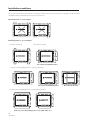
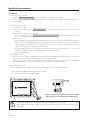
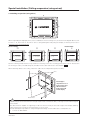
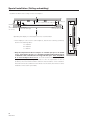
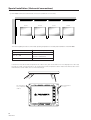
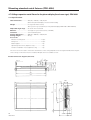
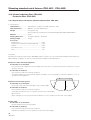
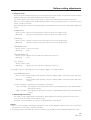
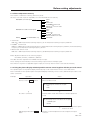
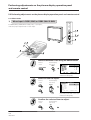
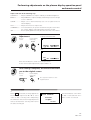
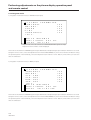
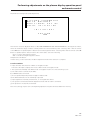
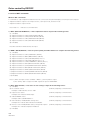
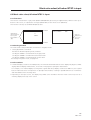
3) Quality and phase adjustment mode
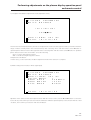
P I C T U R E
P A R A M E T E R
C O N T R A S T
1 2 8
Using the remote control, make adjustments with the 2 and 3 buttons. Using the operation panel, make adjustments
with using the +, – buttons. The range of possible adjustments is 000 - 255. Values set in this mode become the central
values to be adjusted in Menu mode.
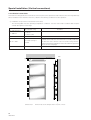
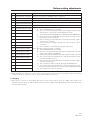
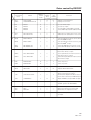
The following parameters can be adjusted in this item.
When VIDEO and Y/C are input : CONTRAST, BRIGHT., COLOR., TINT, SHARPNESS
When RGB1 and RGB2 are input : CONTRAST, BRIGHT., CLK.FRQ., CLK.PHS., HOR.POS., VER.POS.
* Adjustments cannot be carried out for PDP-V401E if PAL signals are input. Adjustment items will not also be displayed.
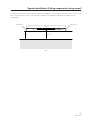
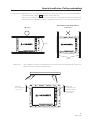
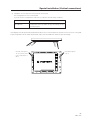
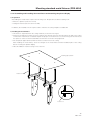
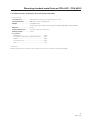
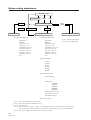
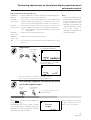
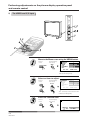
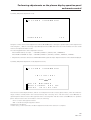
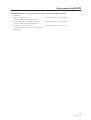
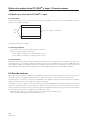
4) Quality and phase adjustment mode (adjustment reset)
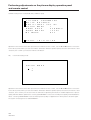
P I C T U R E
P A R A M E T E R
I N I T I A L I Z E ?
Y E S
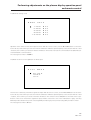
W H I T E
N O
B A L A N C E
A D D I T I O N A L
S E T
U P
I N I T I A L I Z E
T O T A L
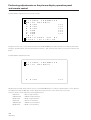
This function returns adjusted values, and are set in adjustment mode to factory-preset values, which are within the
range of values currently held in the selected memory area. Selecting “YES” with the remote control 2 button or
operation panel + button restores factory-preset values. Selecting “NO” with the remote control 3 button or operation
panel – button restores the current status. Select the following:
“YES” to restore factory-preset values
“NO” to avoid restoring factory-preset values
and press the SET button.
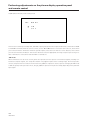
In either case, you are returned to the above adjustment mode when selection is complete.
119
<Ver. 2.1>