1
Contents
4.10 Infrared reduction filter: PDA-4001, protective filter: PDA-4002 .............................................................. 90
4.10.1 Specifications and features (infrared reduction filter: PDA-4001) ...................................................... 90
4.10.2 Specifications and features (protective filter: PDA-4002) .................................................................. 91
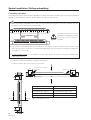
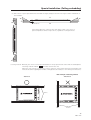
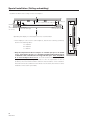
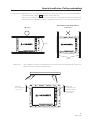
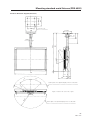
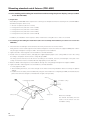
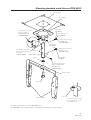
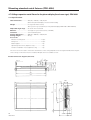
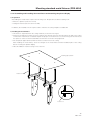
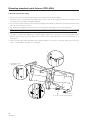
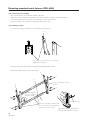
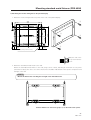
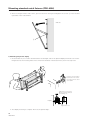
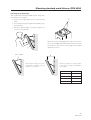
4.10.3 Assembling and installing the metal fixture and mounting the plasma display ................................. 92
4.10.4 White balance .................................................................................................................................... 95
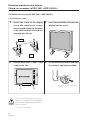
4.10.5 Mounting the PDP bracket: PDK-4005, with PDA-4001 and PDA-4002 mounted ............................. 95
4.11 Speaker system: PDP-S01-LR ................................................................................................................ 96
4.11.1 Before operation ................................................................................................................................ 96
4.11.2 Specifications ..................................................................................................................................... 96
4.11.3 Assembling and installing the metal fixture and mounting the plasma display ................................. 97
4.11.4 Precautions for mounting different metal fixtures after the optional speakers are attached
to the plasma display main body ..................................................................................................... 100
Adjustment .........................................................................................................................................................
5.1 Before making adjustments ...................................................................................................................
5.1.1 Operation mode ...............................................................................................................................
5.1.2 Picture quality and white-balance adjustment memory ...................................................................
5.1.3 Phase-adjustment memory ..............................................................................................................
5.1.4 Using the plasma display main body and the remote control together with the personal control .......
5.1.5 Last memory ....................................................................................................................................
5.1.6 Aging ................................................................................................................................................
5.2 Performing adjustments on the plasma display operation panel and remote control ............................
5.2.1 Menu mode .....................................................................................................................................
5.2.2 Integrator mode ...............................................................................................................................
5.2.3 Precautions ......................................................................................................................................
5.3 Outer control by RS232C ........................................................................................................................
5.3.1 Precautions ......................................................................................................................................
5.3.2 Interface ...........................................................................................................................................
5.3.3 RS232C commands table ................................................................................................................
5.3.4 List of GET commands ....................................................................................................................
106
106
106
110
111
111
112
113
114
114
118
125
126
126
127
128
130
Precautions for functions and operation .........................................................................................................
6.1 KEY LOCK/UNLOCK ...............................................................................................................................
6.1.1 Functions .........................................................................................................................................
6.1.2 Setting method ................................................................................................................................
6.2 Mask color select/off when NTSC is input .............................................................................................
6.2.1 Functions .........................................................................................................................................
6.2.2 Setting method ................................................................................................................................
6.2.3 Precautions ......................................................................................................................................
6.3 Mask color select when PC-9800® is input ............................................................................................
6.3.1 Functions .........................................................................................................................................
6.3.2 Setting method ................................................................................................................................
6.3.3 Precautions ......................................................................................................................................
6.4 Pseudo-contour ......................................................................................................................................
6.5 Precautions .............................................................................................................................................
132
132
132
132
133
133
133
133
134
134
134
134
134
135
Maintenance ...................................................................................................................................................... 136
Warning
• To prevent damage or injury, carefully read and follow this manual and all labels provided on the main display
body before undertaking assembly, installation, movement, or adjustment.
• To prevent fire and electric shock resulting from moisture infiltration, never use this system outdoors.
• To prevent injury, take care when handling the system's sharp edges.
• When installing the system at a height, create an off-limits zone to prevent injury or secondary damage in case of
falling equipment.
• To prevent fire and electric shock, never place foreign objects within or make modifications to the equipment.
• Always observe the following operating environmental conditions:
Temperature : 0 °C to 40 °C
Humidity
: Relative humidity 20% to 80%
• Make sure the site is well-ventilated, and take care to maintain adequate ventilation following installation.
3
<Ver. 2.1>