1
SNMP Traps Screen
5.17
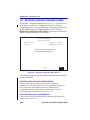
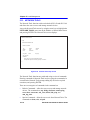
SNMP TRAPS SCREEN
Since the 6E123-50 and 6E133-49 are SNMP compliant devices, they can
send messages to multiple Network Management Stations to alert users of
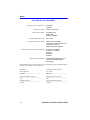
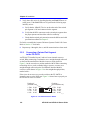
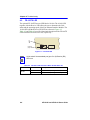
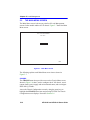
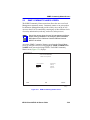
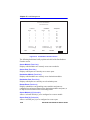
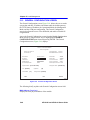
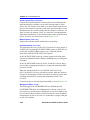
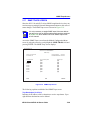
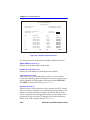
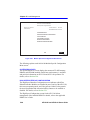
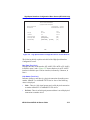
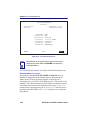
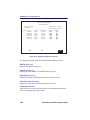
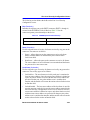
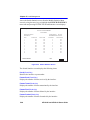
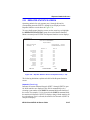
status changes. The SNMP Traps screen is shown in Figure 5-23.
It is only necessary to assign SNMP traps if the user desires
the traps to be sent to different addresses than those assigned
in Section 5.9, which details how to set SNMP Traps for the
6C105 chassis.
NOTE
Access the SNMP Traps screen from the Module Configuration Menu
screen by using the arrow keys to highlight the SNMP TRAPS field and
pressing ENTER. The SNMP Traps screen displays.
Event Message Line
6E123-50 LOCAL MANAGEMENT
SNMP Traps
Module Type: 6E123-50
Slot Number: X
Firmware Revision:
XX.XX.XX
BOOTPROM Revision: XX.XX.XX
Trap Destination
Trap Community Name
Enable Traps
0.0.0.0
public
[NO]
0.0.0.0
public
[NO]
0.0.0.0
public
[NO]
0.0.0.0
public
[NO]
0.0.0.0
public
[NO]
0.0.0.0
public
[NO]
0.0.0.0
public
[NO]
0.0.0.0
public
[NO]
EXIT
SAVE
RETURN
2269_17
Figure 5-23
SNMP Traps Screen
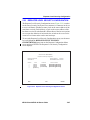
The following explains each field of the SNMP Traps screen.
Trap Destination (Modifiable)
Indicates the IP address of the workstation to receive trap alarms. Up to
eight different destinations can be defined.
6E123-50 and 6E133-49 User’s Guide
5-59