1
Relate SMS User Guide ~ Issue 2 ~ 2nd Edition ~ 20th August ’03 ~ 5538
At a glance
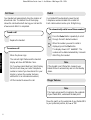
Calls light
Flashes when you have
unviewed calls in the
Calls list.
SMS light
Flashes when you have
unviewed SMS text messages
Calls button
Press to access the
Calls List.
Redial button
To redial a number from
the redial list.
or buttons
Use to scroll backwards
and forwards through the
menu options.
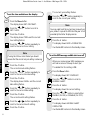
Handset park
When the phone is wall
mounted you can hang
the handset here if you
need to leave the phone
during a call.
Directory button
Press to access the
Directory.
Dial button
To dial a displayed
number.
BT Relate SMS
Calls SMS
Calls
Undo button
To return to the previous
display screen.
Press repeatedly to return
to standby.
Redial
Dial
Undo
F
JKL
MN
5
6
PQ
TU
WX
R
8
YZ
7
✔ Button
Press to confirm a setting.
O
1
GH
V
R button
For use with a
switchboard/PBX and
BT Calling features,
see page 39 and 22.
DE
3
4
RS
Secrecy button
Use to turn secrecy on/off.
2
Secrecy
I
X button
To delete an incorrect
digit/character.
To delete Directory
entries, Calls list entries
and SMS messages.
AB
C
1
Menu
Menu button
To access the menu
options.
9
M1- M5 buttons
Direct memory buttons.
Pause
0
SMS
Pause button
Press to enter a pause
in a stored number.
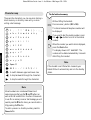
# button
To change from upper to
lower case when storing
names and writing SMS
text messages.
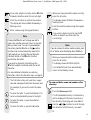
SMS button
Press to access the SMS
menu options.