1
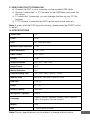
F. VIDEO AND PHOTO DOWNLOAD
a)Connect the DVR to your computer via the supplied USB cable.
b)Choose “mobile disk” or “PC camera” in the USB Menu and press the
OK button.
c)If “mobile disk” is selected, you can manage the files via your PC file
browser.
d)If “PC camera” is selected the DVR can be used as the webcam.
Note: If at any time the DVR stops functioning, please press the RESET button
to restart.
G. SPECIFICATIONS
Screen Size
2.4”
Pixels
3MP
Lens
90° Wide view angle
Minimum Light Operation
1 Lux
Video Resolution
720p / VGA
Video Format
AVI / MJPG
Frames
30fps
Image Resolution
3M / 2M / 1.3M / VGA
Image Format
JPG
Motion Detection
Yes
Loop Recording Time
Off / 1min / 3mins / 5mins / 10mins
Memory Card
Micro SD Card (max. Capacity 32GB)
USB Port
USB 2.0
Power
DC 12V
Battery Capacity
260mAH
Microphone / Speaker
Built-In
Language
English, Chinese, Japanese, Korean, French, German,
Italian, Portuguese, Russian, Spanish
Weight
45g
Size
77mm x 36mm x 52mm
Note: Product specifications may be subject to change without notice.
7