1
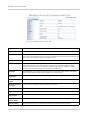
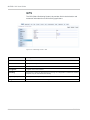
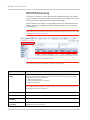
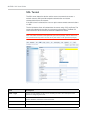
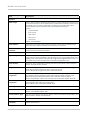
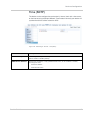
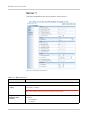
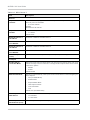
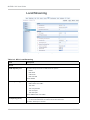
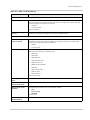
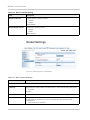
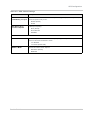
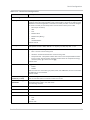
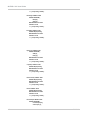
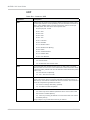
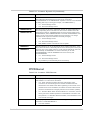
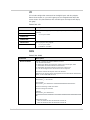
VPN Configuration
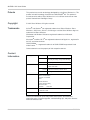
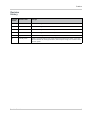
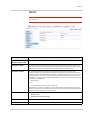
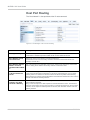
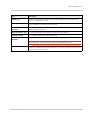
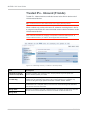
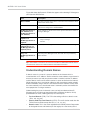
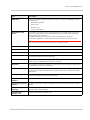
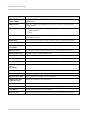
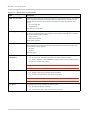
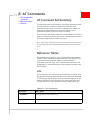
Field
Description
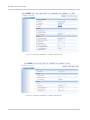
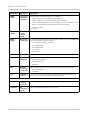
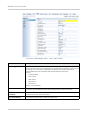
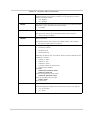
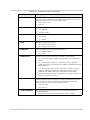
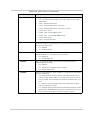
Remote Address
The IP address of the device behind the gateway.
Remote Address Netmask
Remote subnet mask information. 24-bit netmask.
Default: 255.255.255.0
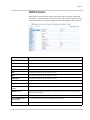
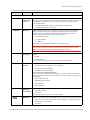
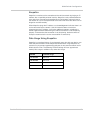
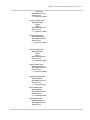
Perfect Forward
Secrecy
Provides additional security through a DH shared secret value. When this feature is
enabled, one key cannot be derived from another. This ensures previous and subsequent
encryption keys are secure even if one key is compromised. Options: Yes or No.
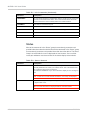
IPsec Encryption
Algorithm
Determines the type and length of encryption key used to encrypt/decrypt ESP
(Encapsulating Security Payload) packets. 3DES supports 168-bit encryption. AES
(Advanced Encryption Standard) supports both 128-bit and 256-bit encryption.
Options: None, DES, 3DES, AES-128, Blowfish, Cast 128, and AES-256.
Default: AES-128.
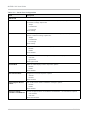
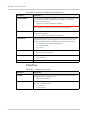
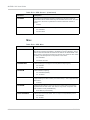
IPsec Authentication
Algorithm
Can be configured with MD5 or SHA1. MD5 is an algorithm that produces a 128-bit digest
for authentication. SHA1 is a more secure algorithm that produces a 160-bit digest.
Options: None, MD5, SHA1, and SHA 256. Default: SHA1.
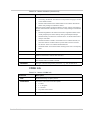
IPsec Key Group
Determines how the AirLink Device VPN creates an SA with the VPN server. The DH
(Diffie-Hellman) key exchange protocol establishes pre-shared keys during the phase 1
authentication. AirLink Device supports three prime key lengths, including Group 1
(768 bits), Group 2 (1,024 bits), and Group 5 (1,536 bits). Options: DH1, DH2, or DH5.
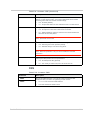
IPsec SA Life Time
Determines how long the VPN tunnel is active in seconds.
Options: 180 to 86400. Default: 7200.
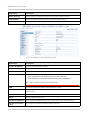
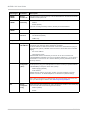
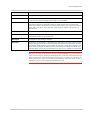
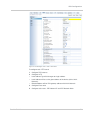
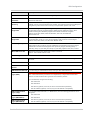
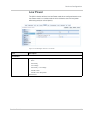
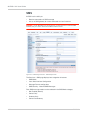
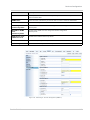
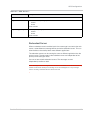
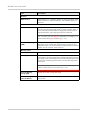
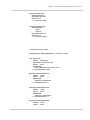
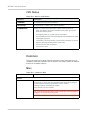
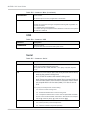
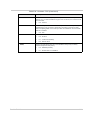
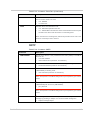
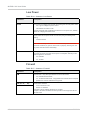
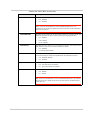
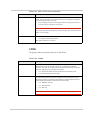
PPP configuration for L2TP
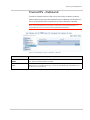
PPP User Name
Enter a PPP User Name. This user name needs to be entered as per the configuration on
the router.
PPP Password
Enter a PPP Password.
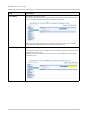
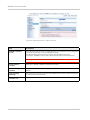
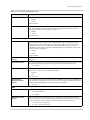
PPP Authentication
Server
By default no PPP Authentication server is used.
PPP Authentication IP If you are using an authentication server, enter your PPP authentication IP.
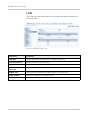
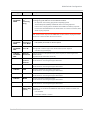
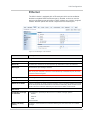
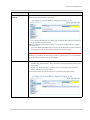
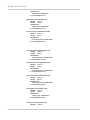
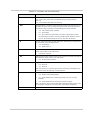
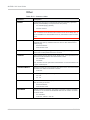
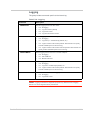
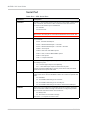
PPP authentication
type (PAP)
Note: PPP authentication parameters are independently configurable authentication
methods. All PPP authentication type fields are enabled by default.
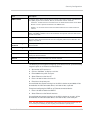
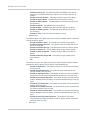
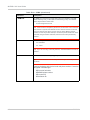
If you enable PAP, configure the following:
• PAP Username
PPP authentication
type (chap)
PPP authentication
type (MSCHAPv1)
PPP authentication
type (MSCHAPv2)
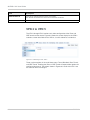
Rev 2.3 Feb.12
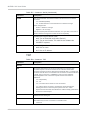
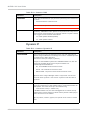
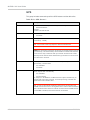
•
PAP Password
•
PAP Server (optional, if not set, the server uses the above password)
•
PAP IP Address (optional, if not set, any local IP address is acceptable)
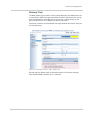
If you enable CHAP, MSCHAPv1, or MSCHAPv2, then the following parameters can be
configured:
• PAP Username
•
PAP Password
•
PAP Server (optional, if not set, the server uses the above password)
•
PAP IP Address (optional, if not set, any local IP address is acceptable)
81