1
VMware ThinApp
ThinApp Packaging Process
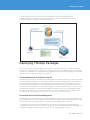
The process of virtualizing an application with VMware ThinApp begins with the setup capture process and
ends with the build of a read-only redistributable package that encapsulates all the necessary components of
the application along with the administrator supplied configuration settings necessary for implementation. The
setup capture process creates a project to store the application and configuration settings. The build process
compresses and embeds the project directories and configuration settings into the package. The project
directory is the source location where the administrator can return to make subsequent updates or changes to
the package configuration. The result of making a configuration change and rebuilding would be two separate
packages created from the same VMware ThinApp project but with different configuration settings. The
process of using setup capture, the project directories, and the build process is meant to be an iterative process,
often referred to as ‘Capture and Build.’
While there are distinct operations in these phases, it is helpful for the administrator to be mindful of the future
deployment model when using the setup capture process to package the application. Configuration settings
that describe the update method, specific application characteristics, and integration with the local operating
system are embedded into the package during the Capture and Build phases. Building the package is the
logical transition point between creating and deploying the application. The subsequent phases of Deploy
and Update utilize the package as a modular application container, which is then distributed and updated
accordingly. It is important to note that the packaging process can produce an MSI package in addition to the
default EXE based package.
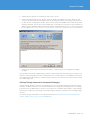
Product documentation for the Setup Capture process can be found here: http://pubs.vmware.com/thinapp4/
help/wwhelp/wwhimpl/common/html/wwhelp.htm?context=help&file=capturing_apps.html#1051933
Packaging an Application Using Setup Capture
Install the VMware ThinApp Software via the MSI onto a clean operating system or place files on a network
share accessible from the setup capture operating system instance.
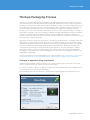
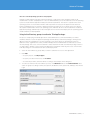
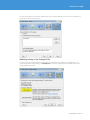
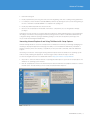
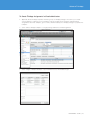
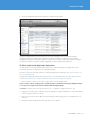
Go to Start > Programs > VMware > ThinApp Setup Capture or run the Setup Capture from a mapped network
location that houses all of the VMware ThinApp files.
Watch the Quick Start Video and utilize the contextual help for detailed guidance throughout the process.
REVIEWER’S GUIDE / 6