1
R-879_[EN].qxd
6/4/07
3:59 PM
Page 15
OTHER CONVENIENT FUNCTIONS
4. TO CHECK SETTINGS WHILE THE OVEN IS OPERATING
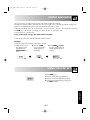
You can check the power level and the actual oven temperatures ie: when pre-heating.
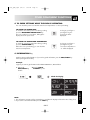
TO CHECK THE POWER LEVEL:
To check the microwave power level during cooking
press the MICROWAVE POWER LEVEL key.
The oven continues to count down, although the
display shows the power level.
As long as your finger is
pressing the key, the
power level will be
displayed.
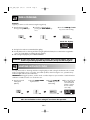
TO CHECK THE CONVECTION TEMPERATURE:
To check the convection temperature during cooking
press the CONVECTION key.
When the oven is pre-heating, you can check the
actual oven temperature.
As long as your finger is
pressing the key, the
convection temperature in
° C will be displayed.
4. INFORMATION key
Each key carries useful information. If you wish to get the information, press the INFO/CLOCK key
before pressing the desired key.
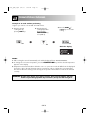
Example:
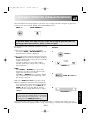
Suppose you want to get information about AUTO COOK menu, Roast Chicken:
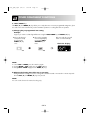
1. Choose the
INFO/CLOCK key
function.
2. Press the ROAST
CHICKEN key once.
Check the display.
x1
NOTE:
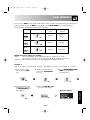
1. The information message will be repeated twice, and then the display will show the time of day, if set.
2. If you want to cancel the information press the STOP key.
GB-15
ENGLISH
x1