1
Getting Started
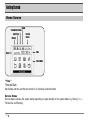
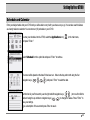
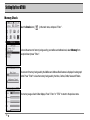
The Main Menu
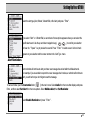
Thank you for choosing ATCOM Wireless ReFLEX Two Way Messaging Device, AT 100. The device is designed for
user’s convenience in sending or receiving a message through device or internet.
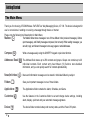
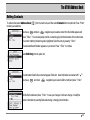
Please note the following brief description for Main Menu;
Mailbox ( )
The Mailbox folder stores messages in one of three folders: Inbox (received messages), Outbox
(sent messages), and Drafts (messages composed, but not sent). While reading messages, you
can edit, reply, and forward messages to two-way pagers or email addresses.
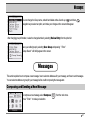
Compose (
)
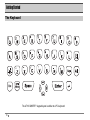
Write a message easily using the QWERTY keypad or quick text function.
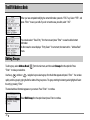
Addresses Book (
) The Address Book stores up to 250 contacts and groups. Groups can contain up to 20
individual contacts. Each contact entry has thirteen (13) fields to store detailed
information, and you can quickly search for contacts alphabetically.
News/Info Inbox (
Folders (
)
Save your important messages in one of three folders.
Applications (
Customize (
Device (
12
)
) News and information messages can be stored in individual folders by subject.
)
)
The Applications folder contains the Alarm, Schedule, and Game.
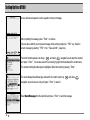
Use the features in the Customize folder to set and change device settings, including
alerts, display, quick text and your automatic message signature.
The device folder contains battery and memory status, and the Power Off option.