1
Installation and Setup
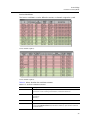
Alarms Worksheet
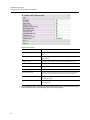
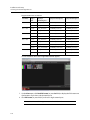
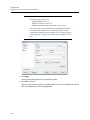
The Alarms worksheet defines which alarms will be monitored by your system.
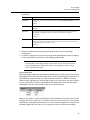
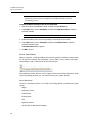
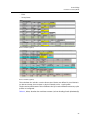
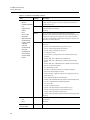
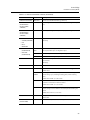
Table 3-6, below, describes the worksheet contents:
Table 3-6: Alarms worksheet contents
Column
Description
**
Two asterisks (**), with no spaces, are positioned in the first column to indicate rows to be ignored,
such as rows containing column headers, or intended for future use.1
DEVICE TYPE
The device type to which this alarm applies:
• DENSITE = Densité 3 Housing Frame
• AS = Application Server
• ACP1721 = ACP-1721 Digital Audio Control Probe
• VCP1021 = VCP-1021 Composite Control Probe
• DEC1002 = DEC-1002 10-Bit Composite to SDI Decoder
• DEC1003 = DEC-1003 10-Bit Composite to SDI Decoder with Probing Option
• DEC1023 = DEC-1023 12-Bit 3D Composite to SDI Decoder with Probing
• UAP1781 = UAP-1781 8-Channel Universal Audio Processor
• UAP1783 = UAP-1783 8-Channel Universal Audio Processor
• AAP1741 = AAP-1741 4-Channel Analog Audio Processor
• HCP1801 = HCP-1801 HD/SD Video Control Probe with Embedded Audio
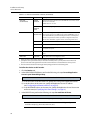
ALARM GROUP
The group to which this alarm belongs.
Will be displayed as a header in the alarm panel.
102
ALARM URI
The alarm’s Uniform Resource Identifier.
ALARM NAME
The name of the alarm that appears in the Detailed Signal Analysis views (see the Alarm Browser
section in the Web Monitoring chapter of the iControl Edge Operator’s Overview).