1
NETWORK IP CAMERA User’s Guide
C. Trouble Shooting
This appendix provides useful information to help you to resolve any difficulty you might have with
your Network IP Camera. Fault symptoms, possible causes and remedial actions are provided within a
quick reference table.
PINGing your IP Address
By sending a packet to the specified address and waiting for a reply, the PING (Packet Internet
Groper) can determine whether a specific IP address is accessible; it also provides a particularly useful
method for confirming addressing conflicts with your Network IP Camera on the network.
Having disconnected your Network IP Camera, follow the instructions below in association with
Symptoms, Possible Cause and Remedial Actions, on next page, and run the PING utility to
troubleshoot TCP/IP problems on your network.
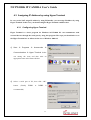
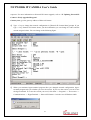
1. Start a DOS window
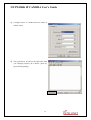
2. Type ping x.x.x.x, where is the IP address of Network IP Camera
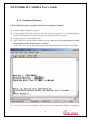
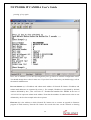
3. The subsequent replies will provide an explanation as to the case as to the cause of the problem.
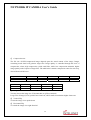
Replies can be interpreted as defined in the table below:
PING Reply
bytes = 32 time = 2 ms
Interpretation and recommendation
The IP address is already used and cannot be used again. Your
must obtain a new IP address
Destination host unreachable
Network IP Camera is not accessible within your subnet.
You must obtain a new IP address
Request timed out
This IP address is not used by anyone and is available for use
with your Network IP Camera
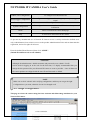
Symptoms, Possible Causes and Remedial Actions
Symptoms
Possible causes
Remedial actions
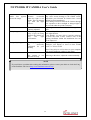
Network IP Camera The IP address is 1.Disconnect your Network IP Camera from the
cannot be accessed already used by another network
devices
2. Run the PING utility (as described in PINGing
from a Web browser
your IP Address below) and follow
52