1
NETWORK IP CAMERA User’s Guide
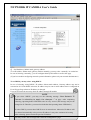
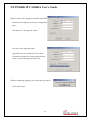
(4) PTZ control
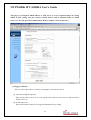
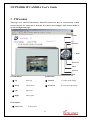
This is to configure PTZ control mechanism of Network IP Camera.
You may select PTZ control enable or disable. Only if PTZ devices are connected to Network IP
Camera, you may select “enable” mode, otherwise, the error message “PTZ is not attached to
Network IP Camera” appears.
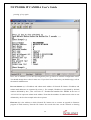
(5) System Information
This is to check system information for Network IP Camera. You may see the model name, serial
no., Mac no., and Bootrom & Firmware version. (Refer to the Chapter ‘ Appendix E. Updating
Network IP Camera’s newly upgraded Program.)
45