1
User’s Guide Rockhopper 3 Extreme
CHAPTER 7 : TROUBLESHOOTING
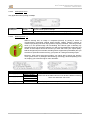
7.5 EMERGENCY CAPPING PROCEDURE
The procedure described below, is strongly recommended for the Mild Solvent series printers, to avoid print
heads drying out during a printer failure.
In some cases, it may happen that the printer gets blocked during the printing process because of:
Blocking of machine due to a media crash
Failure of electricity grid
A machine failure
In most cases:
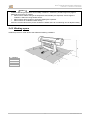
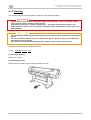
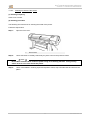
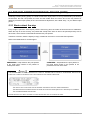
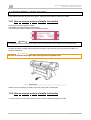
The carriage will still be away from the capping station, above the printing platform
The capping-station will be in the 'down' position.
It is important to immediately take action and reboot the machine. The machine will then automatically reinitialize and put the carriage back on the capping-station to protect the print heads.
In some situations, a support or a technical intervention is required to solve the problem e.g. when it is not
possible to boot the machine anymore. In these cases it's very important to protect the heads during the
down-time of the machine!
If this is not done, the print-heads might completely dry-out and will result in broken heads which will then
also need to be replaced.
To avoid that kind of situation, there is a simple procedure.
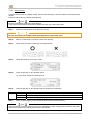
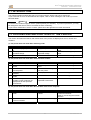
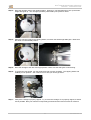
Step 1 : Never leave the printer in this situation during a down-time for a longer period (= a few hours up to
a few days). Print heads might completely dry out and can be damaged!
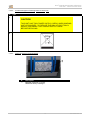
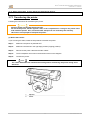
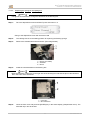
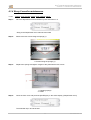
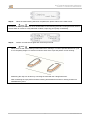
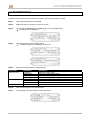
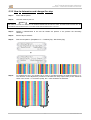
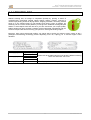
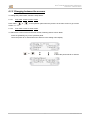
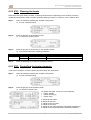
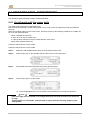
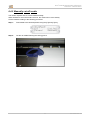
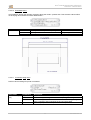
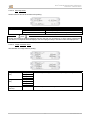
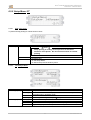
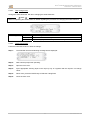
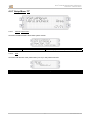
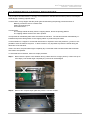
Step 2 : Remove the complete wiper plate assy with the 4 thumb-screws.
135
AP-75198– Rev. 1.2