1
Using the timed baking and masting features, ionsomemode sI
GEAppliances.com
If Four model has a door latch, do not lock the oven door with the latch during timed cooking. The latch is used for
self-cleaning only.
NOTE: Foods that spoil easily-such
as milk, eggs, fish, stuffings, poultry and pork-should
not be allowed to sit for
more than 1 hour before or after cooking. Room temperature promotes the growth of harmful bacteria. Be sure that
the oven light is off because heat from the bulb will speed harmful bacteria growth.
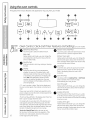
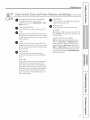
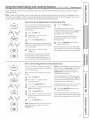
How to Set an Immediate
Start
and Automatic
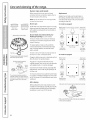
The oven wi!!turn on immediately and cook
for a selected length of time. At the end of the
cooking time, the oven wi!!turn off
automatically.
[_
Touch the Bake pad.
[_
Touch the + or - pads to set the
oven temperature.
[_
Touch the Cooking Time pad.
NOTE:If your recipe requires preheating, you
may need to add additional time to the length
of the cooking time.
[_l
Touch the + or - pads to set the
baking time.
[_
Stop
Touch the Start/On pad.
The displag shows either the oven
temperature that gou set or the cooking time
countdown. (Thedisplay starts with PREif
showing the oven temperature.)
The oven will continue to cook for the
programmed amount of time, then turn
off automatically.
[_
Touch the Clear/Offpad to clear the
displag if necessarg.
Removethe food from the oven. Remember,
even though the oven shuts off automatica!lg,
foods continue cooking after controls are off.
The cooking time that gou entered will be
displayed. (If you select Cooking Time first
and then adjust the Bake Temperature, the
oven temperature will be displayed instead).
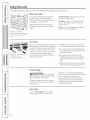
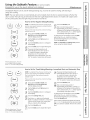
How to Set a Delayed
Start and Automatic
Stop
o
Temp
Recall
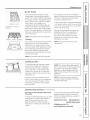
Theoven wi!! turn on at the time of day you
set, cook for a specific length of time and then
turn off automatica!ly.
Make sure the clock shows the correct time
of dag.
o
L_Tim)
[_
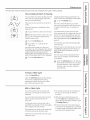
Touch the Bake pad.
[_
Touch the + or - pads to set the
oven temperature.
[_] Touch the Cooking Time pad.
[_
Touch the + or - pads to set the desired
length of cooking time.
0
tort7
L Tim )
_Start__
Loom
i cleo '-/
[]
Touch the Start Time pad.
[_
Touch the + or - pads to set the time of
dag gou want the oven to turn on and
start cooking.
[_
Touch the Start/On pad.
NOTE:If gou would liketo check the times gou
have set, touch the Start Time pad to check
the start time gou have set or touch the
Cooking Time pad to check the length of
cooking time gou have set.
When the oven turns on at the time of dag
gou have set, the displag will show PREuntil
it reaches the selected temperature, then it
will displag the oven temperature.
At the end of cooking time, the oven will turn
off and the end of cgcle tone will sound.
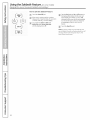
[_
Touch the Clear/Offpad to clear the
displag if necessarg.
Removethe food from the oven. Remember,
even though the oven shuts off.automatically,
foods continue cooking after controls are off.
NOTE:An attention tone wi!!sound if you are
using timed baking and do not touch the
Start/On pad.
L offj
19