1
Voice Signal
The phone may display one or more names on the
screen and prompts “Did you say?”
4. To confirm the name you spoke, wait for the beep and
then say “Yes” or choose the correct name from the
choice list using your navigation key.
Note: If the name that you pronounced has more than one associated
number, the phone displays the different locations (such as “home” or
“work”) and prompts you, “Which number?” In this case, pronounce the
location that you want to call. The phone dials the number.
5. The phone repeats what you said and then prompts,
“Connecting” and dials the number.
Digit Dialing
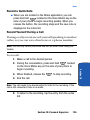
1. In standby mode, press and hold the
side of your phone.
key on the right
“Say a Command” appears in the display and is
pronounced through the speaker.
2. Say “Call.”
The phone prompts, “Say the name or number.”
3. Pronounce the number naturally and clearly.
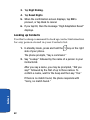
The phone may display one or more names on the
screen and prompts “Did you say?”
5. The phone dials the number.
Section 3: Call Functions
39
Section 3
4. To confirm the number you spoke, wait for the beep and
then say “Yes” or choose the correct name from the
choice list using your navigation key.