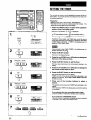
1
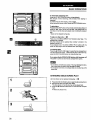
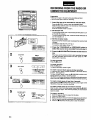
AI EDIT RECORDING
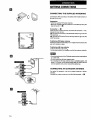
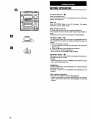
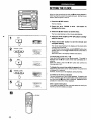
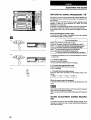
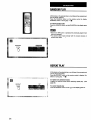
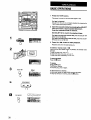
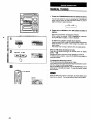
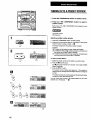
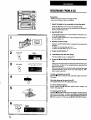
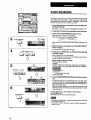
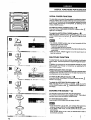
To clear the edit program
Beforerecording,pressthe• CLEARbuttontwicesothatEDIT inthe
displaygoesout, or pressthe _ OPEN/CLOSE button.
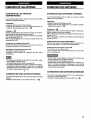
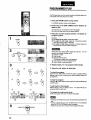
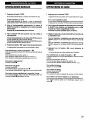
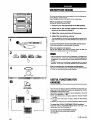
To check the edit program
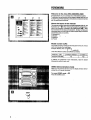
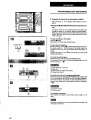
Before recording, press the CD EDIT/REMAIN button.
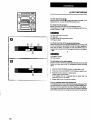
The program for one side of the tape is displayedeach time the
button is pressed. _ []
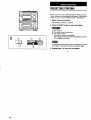
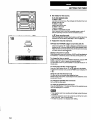
(_ Time remainingon the tape
Tape side
(_ Total number_ofprograr_med tracks
Q Program tracks
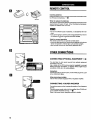
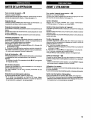
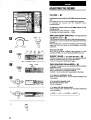
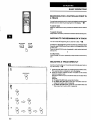
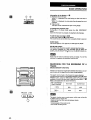
To check the order of the programmed tracks
Beforerecording,pressthe CD EDIT/REMAIN buttontoselectside
/_ or B, and pressthe .<,< DOWN or P._. UP button repeatedly.
Each time the button is pressed, the next track (l_lb button) or
previoustrack (<1<1button)'inthe programisshownin the display.
..,
!
O Program number
_) Track number
in
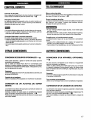
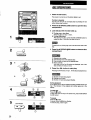
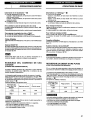
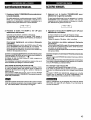
To add tracks to the edit program
If there is any time remainingon the tape after step5, youcan add
tracks from other discs in the CD compartment before recording
starts.
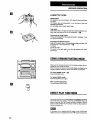
1 Press the CD EDIT/REMAIN buttonto select side A or B.
2
Press one of the DISCDIRECT PLAY buttonsto select a disc.
3
Press the numeric buttonsto select tracks.
PRGM flashes in the display.
If the playing time .of a selected track is longer than the
remainingtime, it is not added.
4
Repeat steps 2 and 3 to add more tracks.
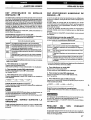
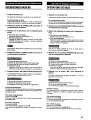
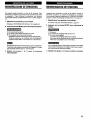
Time on cassette tapes and editing time
The total playingtime ofthe edited tracksmay bea littlelongerthan
the specifiedtape recordingtime, because cassette tapes generally have a bit more tape than the time indicated on their labels.
In thiscase, the excess time (withoutthe minusmark) is displayed
afterediting instead of the remainingtime (withthe minusmark).
56