1
Playing discs
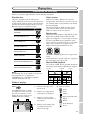
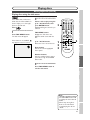
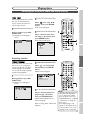
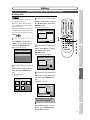
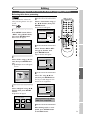
Zoom
REC/OTR
DVD-V
Video
VR
DVD-RW
DVD-RW
Video
DVD-R
DVD+RW
DVD+R
1
x1.2
01:23:45
x1.5
1
SKIP
SKIP
CM SKIP
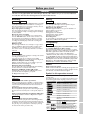
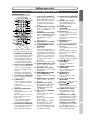
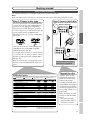
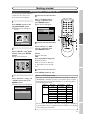
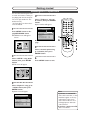
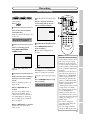
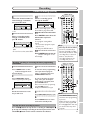
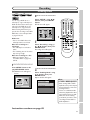
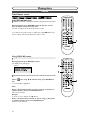
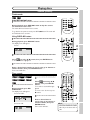
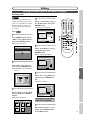
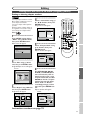
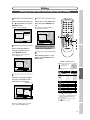
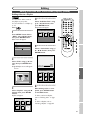
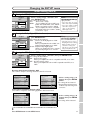
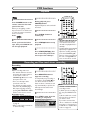
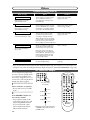
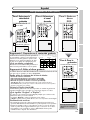
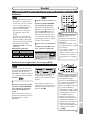
Select a desired zoom position
using K / L / { / B buttons, then
press ENTER button.
The zoom play will start.
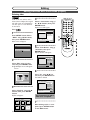
• When selecting a smaller factor
than the current one, the zoom
area will not be displayed.
• To remove the zoom menu, press
ZOOM button again at step 1.
• To cancel the zoom function,
select x1.0 using { / B buttons,
then press ENTER button.
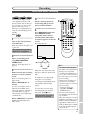
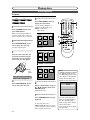
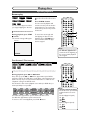
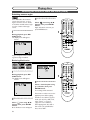
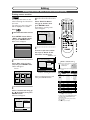
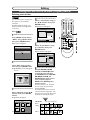
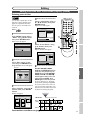
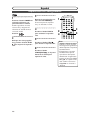
Marker Setup
VR
DVD-RW
DVD-RW
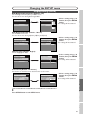
Screen for DVD:
Video
1
1
DVD-Video
01:23:45
DVD+R
REC MODE
REC SPEED
.@/:
1
ABC
2
3
GHI
JKL
MNO
4
5
6
TUV
WXYZ
8
9
PQRS
1
2
3
4
5
6
AUDIO
7
DEF
SPACE
CD
OPEN/CLOSE
Playing discs
POWER
Video
Recording
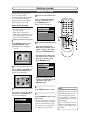
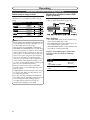
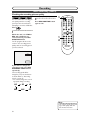
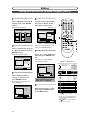
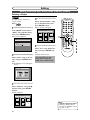
There are four options
(x1.0,x1.2,x1.5 and x2.0), these
are displayed excluding the current zoom rate.
DVD+RW
SEARCH
MODE
Note
x2.0
3
DVD-R
CLEAR/C.RESET ZOOM
2
3
DVD-Video
B
DVD-V
RETURN
Getting started
1
ENTER
MENU/LIST TOP MENU
Connections
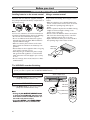
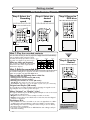
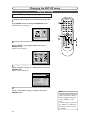
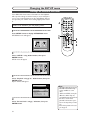
During playback, press
ZOOM button.
Zoom menu will appear.
Screen:
TIMER PROG.
REC MONITOR
2
Select a desired zoom factor
to zoom using { / B buttons,
then press ENTER button.
The zoom area will be displayed.
1
SETUP
Before you start
Special playback (cont’d)
CH
VIDEO/TV
SLOW
0
1
1
STOP
Screen for CD:
1
01:23:45
1
01:23:45
2
3
4
5
6
SEARCH
MODE
CM SKIP
RETURN
SKIP
SKIP
2
3
4
Note
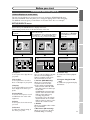
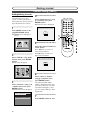
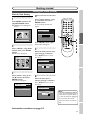
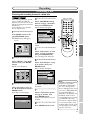
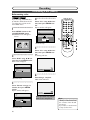
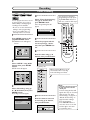
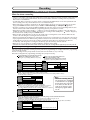
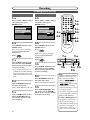
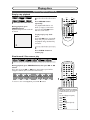
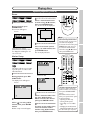
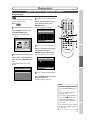
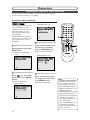
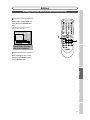
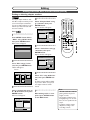
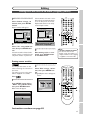
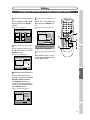
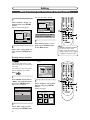
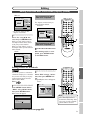
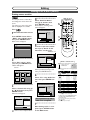
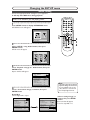
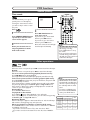
ber using { / B buttons.
When it reaches the desired
point, press ENTER button.
select the desired marker
number using { / B buttons,
then press ENTER button.
Others Español
4
To return to the marker later,
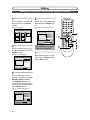
• To clear a marker, select the
marker number to be cleared,
then press CLEAR/C.RESET
button.
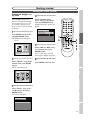
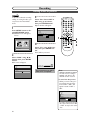
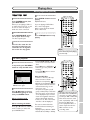
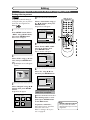
• All markers will be erased
when you operate these operations listed below.
– Opening the disc tray.
– Turning off the power.
– Recording to a recordable
disc.
– Changing the mode between
Original and Playlist.(VR mode)
•You can mark up to 6 points.
51
VCR functions
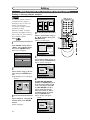
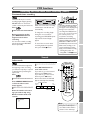
3
Select a desired marker numSelect
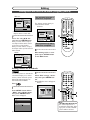
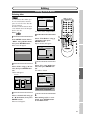
icon using { / B
buttons, then press ENTER
button.
Marker setup menu will appear.
MENU/LIST TOP MENU
Audio CD
CLEAR/C.RESET ZOOM
1
TIMER PROG.
ENTER
REC MONITOR
DVD-Video
2
SETUP
Changing the SETUP menu
1
PAUSE
PLAY
REC/OTR
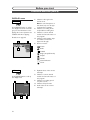
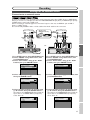
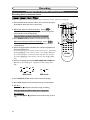
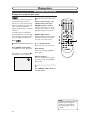
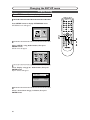
During playback, press DISPLAY button.
The display menu will appear.
Screen:
DVD
VCR
Editing
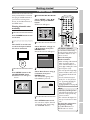
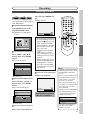
This feature allows you to assign
a specific point on a disc to be
called back later.
DISPLAY