1
Note. Itt is recomme
ended to leavve this setting
g on Automa
atic. If you ma
anually selecct a
c
channel
that is being used
d by anotherr StreamHD™
™ in the vicin
nity, the chan
nnel
b
bandwidth
will be shared by both deviices. To maxximize perforrmance, a se
eparate
c
channel
shou
uld be used fo
or each StreamHD™
Disable
e/Enable radio
r
communicatio
ons
To tempo
orarily disable the host ra
adio, do one of the following:
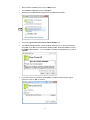
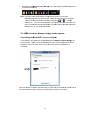
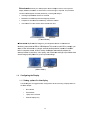
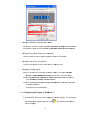
Click the Off button on the Comm
munications tab of the Wireless
W
USB
B Manager (in the
nication stattus area of the
t window).
Commun
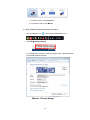
The radio
o is now in Airplane Mod
de and
the Strea
amHD Icon in
n the System
m Tray will no
ow turn Orang
ge:
able commun
nications, revverse the pro
ocedure.
To re-ena
8.3
Adjustiing video settings
8.3.1 Selecting Exttended mo
ode or Mirrror mode
e
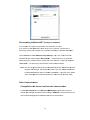
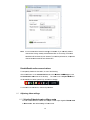
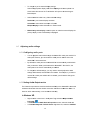
You ca
an choose to
o set the USB
B to VGA Ad
dapter’s video
o output sign
nal to Extend
d mode
or Mirror mode. The
T default se
etting is Exte
end mode.
14