1
1
2
Finding the MAIN Menu
Turn On Your Entire System
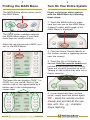
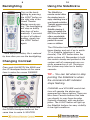
The MAIN Button always takes you to
the MAIN Menu.
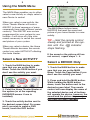
Power on/off your entire system
with the MAIN Menu by following
these steps:
1. Touch the MAIN button to make
sure that you are on the MAIN Menu.
It doesn’t matter which page of the
MAIN Menu is displayed.
The PAGE button switches between
two MAIN Menu pages IF you have
more than ten remote controls.
When the top title bar says MAIN, you
are on the MAIN Menu.
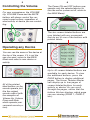
2. Point the Home Theater Master at
the system (usually a repeating sensor
near the screen).
PAGE 1
3. Touch the On or Off button as
desired. Hold the remote steady and
pointed at the system until all components are correctly powered on or off.
Turning on the system may take ten to
twenty seconds.
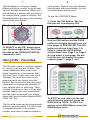
The lower title bar displays PAGE 1 or
PAGE 2 as you switch. Each of the
remote controls are represented by a
button next to the corresponding
screen label.
4. If one component does not turn
on/off, simply touch the button again.
TIP – Hold the remote control
steady and pointed at the system until the
indicator
stops flashing.