1
It’s Under Control®
Chapter 3 | operation
PROGRAMMING THE T3-V+
The T3-V+ is programmed using Integration Designer® software. RTI
dealers can download the software from:
www.rticorp.com/dealers
The required USB cable is included with the RTI IR-PRO dealer kit.
THE TOUCHSCREEN DISPLAY
The T3-V+ touchscreen display is organized into a series of pages.
Normally each page contains objects (buttons, text, graphics, etc.) that
are related in some way. For instance, they may all display information
necessary for controlling a particular DVD player.
By default, the T3-V+ has one Home page—all other pages are normally
accessed from links on the Home page. In addition, any page can contain
buttons with a link to any other page.
Normally the Home page is used to display the names of the A/V sources
and other devices being controlled. The T3-V+ will support 200 pages
including the Home page.
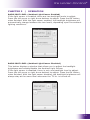
A representation of a programmed Home page is shown below:
21