1
Table of Contents
Overview
Contact Information............................................................................................................... 1
Standard Features ................................................................................................................ 1
CH6640E/CG6640E LAN Choices......................................................................................... 2
Wireless LAN.................................................................................................................. 2
Wired Ethernet LAN ........................................................................................................ 4
Front Panel ........................................................................................................................... 5
Rear Panel............................................................................................................................ 7
MAC Label............................................................................................................................ 8
Getting Started
Inside the Box ..................................................................................................................... 10
Before You Begin................................................................................................................ 11
System Requirements................................................................................................... 11
Connecting the CH6640E/CG6640E ................................................................................... 12
Wall Mounting the CH6640E/CG6640E ............................................................................... 14
Wall Mounting Template ............................................................................................... 16
Setting Up Internet Access.................................................................................................. 16
Configuring TCP/IP in Windows XP............................................................................... 17
Configuring TCP/IP in Windows Vista ........................................................................... 17
Verifying the IP Address in Windows XP ....................................................................... 17
Verifying the IP Address in Windows Vista .................................................................... 18
Renewing Your IP Address ........................................................................................... 18
Setting Up a Wi-Fi Network ................................................................................................. 18
Basic Configuration
Starting the CH6640E/CG6640E Configuration Manager (CMGR) ....................................... 19
CH6640E/CG6640E Menu Options Bar............................................................................... 20
CABLE MODEM Pages
CABLE MODEM Status Page ............................................................................................. 21
CABLE MODEM Signals Page ............................................................................................ 22
CABLE MODEM Logs Page................................................................................................ 23
CABLE MODEM Addresses Page ....................................................................................... 23
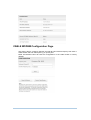
CABLE MODEM Configuration Page................................................................................... 24
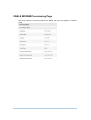
CABLE MODEM Provisioning Page .................................................................................... 25
GATEWAY Basic Pages
Basic Setup Page ............................................................................................................... 26
Basic DHCP Page............................................................................................................... 29
Basic LAN Users Page........................................................................................................ 30
GATEWAY Advanced Pages
Advanced Options Page...................................................................................................... 31
Advanced IP Filtering Page ................................................................................................. 32
Advanced MAC Filtering Page............................................................................................. 32
Setting a MAC Address Filter ........................................................................................ 33
ii