1
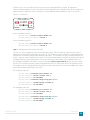
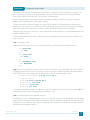
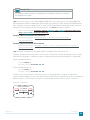
Reader Tip
The supported code used for this configuration and validation of all devices is listed in
the appendix of this guide.
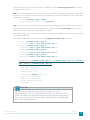
Step 2: If you are using a Cisco Catalyst 6800 or 6500 Series chassis with the Cisco Catalyst 6900 Series
40-Gigabit Ethernet Interface Module with FourX adapters to convert CFP ports into four 10-Gigabit Ethernet
ports, configure the switch to enable the line card to use 10-Gigabit Ethernet functionality for the associated
port-group. If you configure this after converting to VSS, the switch parameter is required.
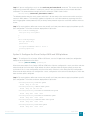
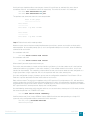
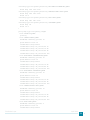
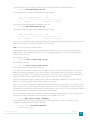
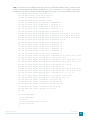
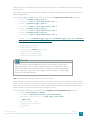
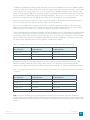
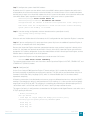
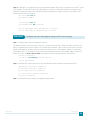
D6500-VSS(config)# hw-module switch [switch] slot [slot] operation-mode portgroup [port-group] TenGigabitEthernet
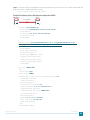
Example—command used before VSS conversion
D6500-VSS(config)#
TenGigabitEthernet
hw-module slot 1 operation-mode port-group 2
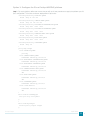
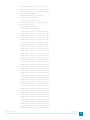
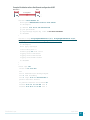
Example—command used after VSS conversion
D6500-VSS(config)#
TenGigabitEthernet
hw-module switch 1 slot 1 operation-mode port-group 2
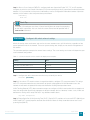
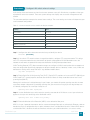
Step 3: Convert standalone Cisco Catalyst 6807-XL or 6500-E Series Switches to VSS.
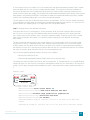
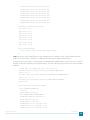
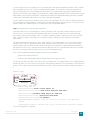
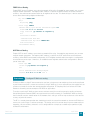
Configure a temporary hostname on each switch so you can keep track of your configuration steps. In a later
step after the conversion is complete, you apply a replacement hostname to the merged VSS configuration.
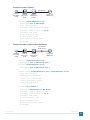
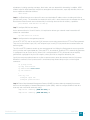
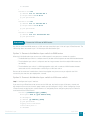
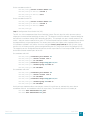
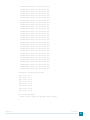
On the standalone switch #1:
Router#config t
Router#(config)#hostname VSS-Sw1
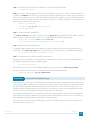
On the standalone switch #2:
Router#config t
Router#(config)#hostname VSS-Sw2
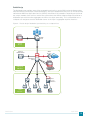
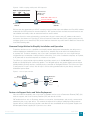
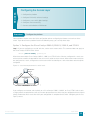
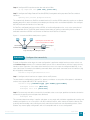
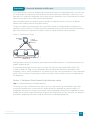
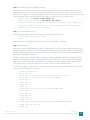
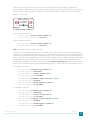
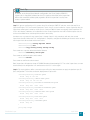
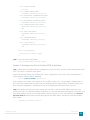
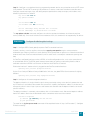
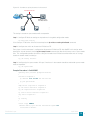
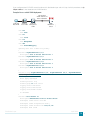
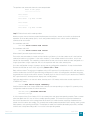
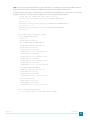
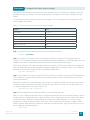
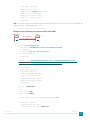
To form a VSS pair, each switch in the pair must have a matching domain ID assigned. To support the
interconnection of multiple VSS pairs, the domain ID selected for the pair should be unique. In this example, the
domain number is 1. Each switch is also given a unique identifier within the domain, switch 1 or switch 2.
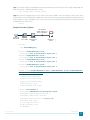
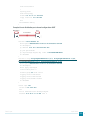
Figure 27 - VSS domain
Virtual Switch Domain
Switch #1
Core Layer
Switch #2
2107
VSL 10GbE
EtherChannel
April 2014
86