1
SKF @ptitude Analyst
Connectivity
Staying connected is easy with SKF @ptitude
Analyst
Today’s data collector systems must support a great variety of data
connection methods. SKF @ptitude Analyst supports data collector
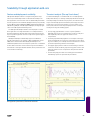
connections through the USB. For remote users in a Wide Area Network or users with low bandwidth connection, the Thin Client Transfer application may be used to provide a remote but direct access to
the database. In addition, this supporting application also permits
completely disconnected data collectors to transfer route and vibration data using an email file attachment.
On-line systems with USB, RS485 or Ethernet connections are
supported and can be routed through gateways and firewalls. Services dedicated to each monitoring device or monitoring chain
ensure data collection with a high throughput and thus quick live
updates.
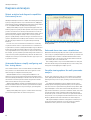
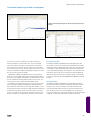
Stay informed 24/7 of your condition monitoring program progress and machine condition changes by using SKF @ptitude Analyst’s email and SMS support. You and your colleagues may receive
Remote
Monitoring
Process
Control
emails and/or SMS messages of events such as; an scheduled HTML
Upload Report with a PDF attachment or a SMS message with plain
text describing alarm condition changes.
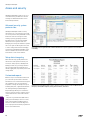
SKF @ptitude Analyst also supports OPC, or OLE for Process Control, the most widely-used plant data exchange format. With the
OPC client interface for SKF @ptitude Analyst, common machinery
information, such as load, speed, energy usage, and other important
process data, can be obtained and stored in the database for side by
side analysis.
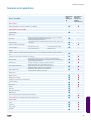
Export of Hierarchy nodes in CSV (comma-separated value) file
format is also supported in SKF @ptitude Analyst. The CSV output
includes full Hierarchy information, POINT setup settings, overall
and dynamic values and inspection messages.
XML (Extensible Markup Language), is an open data format supported by SKF @ptitude Analyst. Using this format, a flexible data
stream can be set up for automatic import or exports of selected
data types. XML data can be imported in Excel or other software
with little programming, hence making SKF @ptitude Analyst a truly
open system.
CMMS
Lubrication
Condition
Monitoring
Inspection
and Safety
45