1
|
KeyStudio User Guide
3
Introduction
1
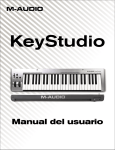
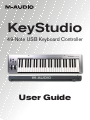
Congratulations on your purchase of M-Audio KeyStudio: a 49-key full-size, velocity sensitive USB keyboard designed for easy
integration with your Mac OS X computer. KeyStudio can be used with a multitude of music creation applications including
GarageBand, Logic Express, and Logic Pro.
Features
•
49-key velocity sensitive keyboard
•
Pitch Bend wheel
•
Modulation wheel; MIDI re-assignable
•
Volume slider; MIDI re-assignable
•
Octave up/down buttons; MIDI re-assignable
•
Edit Mode button for advanced functions and programming
•
Sustain foot pedal input
•
no driver installation needed – simply connect and power on
•
bus-powered through USB
2
What’s in the Box?
•
M-Audio KeyStudio USB keyboard
•
USB cable
•
Printed KeyStudio Quick Start Guide
3
If any of the above listed items are missing, please contact the retailer where you purchased the product.
About this Guide
4
This User Guide covers setup and features of KeyStudio. Even if you are experienced with MIDI and computer-based music
production, we still recommend reading this User Guide to help you get the most out of KeyStudio. This keyboard can be used with
many third-party music software applications. See your specific software’s documentation for more information on this.