1
2. The station that receives a Forwarded All call can transfer the call to the
forwarded station. This is useful when you are expecting an important call
but you do not wish to be disturbed by other calls.
3. When a station user places his/her keyset in Forward All mode and he/she
does not have a FORWARD ALL key, the TRSF key will light to indicate
Forward All has been set and calls to this station have been transferred
elsewhere.
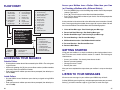
If you want a specific extension’s calls forwarded to your phone (Remote Call
Forward):
FORWARD BUSY
FORWARD TO AN EXTERNAL NUMBER
To forward calls to another station when you are on the phone:
To forward outside calls to a number outside of your business, you must have a
FWD EXTERNAL button on your keyset.
• Dial 602 plus the extension or group number.
• Receive confirmation tone and hang up.
NOTE: If the Hot Keypad feature has been turned off, you must first lift the
handset or press SPK before you begin dialing.
FORWARD NO ANSWER
To forward calls to another station when you do not answer:
• Dial 603 plus the extension or group number.
• Receive confirmation tone and hang up.
NOTE: If the Hot Keypad feature has been turned off, you must first lift the
handset or press SPK before you begin dialing.
FORWARD BUSY/NO ANSWER
If you have both a Forward on Busy destination and a Forward No Answer
destination programmed, you may set both of these at the same time:
• Dial 604.
• Receive confirmation tone and hang up.
NOTE: If the Hot Keypad feature has been turned off, you must first lift the
handset or press SPK before you begin dialing.
FORWARD FOLLOW ME
When you want all calls to your extension forwarded to the extension where
you are now:
• Dial 605 plus your extension number.
• Receive confirmation tone and hang up.
18
• Dial 605 plus the desired extension number.
• Receive confirmation tone and hang up.
NOTE: If the Hot Keypad feature has been turned off, you must first lift the
handset or press SPK before you begin dialing.
• While on-hook, press TRSF and then dial 102.
• Dial 6.
• Dial the trunk or trunk group access code followed by the telephone number that you want.
• Press TRSF to store.
• Press FWD EXTERNAL to turn the feature on and press it again to turn the
feature off.
NOTES:
1. External Call Forward will cancel all other call forwarding instructions.
2. If the Hot Keypad feature has been turned off, you must first lift the handset
or press SPK before you begin dialing.
FORWARD DND [RELEASE 2 ONLY]
To forward your phone when you activate DND.
• Dial 607 plus the extension number or group number.
• Receive confirmation tone and hang up.
NOTE:
1. If the Hot Keypad feature has been turned off you must first lift the handset
or press SPK before you begin dialing.
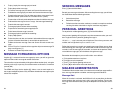
CALL FORWARD OPTIONS
A display keyset may review or change call forward options and destinations.
Call forward access can be done via the keypad or by accessing the keyset
display features. To review or change call forward options:
• Press TRSF 102.
• Dial 0-5 to select the forward type (e.g., 1)
OR
Press UP or DOWN to select the forward type
19