1
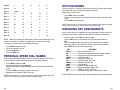
COUNT
1
2
3
4
5
STATION NAMES
DIAL 0
Q
Z
.
)
0
DIAL 1
space
?
,
!
1
DIAL 2
A
B
C
@
2
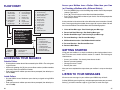
You can assign an 11 character name to your keyset. This allows other display
keyset users to call you using the directory dial feature.
To program a station name:
DIAL 3
D
E
F
#
3
DIAL 4
G
H
I
$
4
DIAL 5
J
K
L
%
5
DIAL 6
M
N
O
^
6
DIAL 7
P
R
S
&
7
DIAL 8
T
U
V
4
8
MANAGING KEY ASSIGNMENTS
DIAL 9
W
X
Y
(
9
You can view your key assignments and add extenders to some of your programmable keys for easy one touch operation of frequently used features.
DIAL 4
:
=
[
]
4
NOTE: When the character you want appears on the same dial pad key as the
previous character, press UP to move the cursor one space to the right.
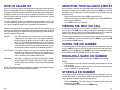
To cancel an individual alarm and reminder message:
•
•
•
•
Press TRSF and then dial 112.
Dial alarm number 1, 2 or 3.
Press the HOLD key.
Press the TRSF key.
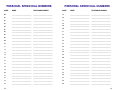
PERSONAL SPEED DIAL NAMES
Each personal speed dial number can have a name assigned to it. This name is
used to select the speed dial bin when you are dialing by directory.
• Press TRSF and then dial 106.
• Dial the speed dial bin number 00–49.
• Write your message using the procedure described in Alarm Reminder Messages.
• Press the TRSF key to store the speed dial name.
• Repeat for each speed dial bin if necessary.
NOTE: If the version is V1.x, you may assign a name ten characters long. If the
version is V2.x, you may assign a name 11 characters long.
38
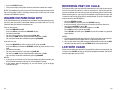
• Press TRSF and then dial 104.
• Enter the name using the procedure described in Alarm Reminder Messages.
• Press TRSF to store the name.
NOTE: If the version is V1.x, you may assign a name ten characters long. If the
version is V2.x, you may assign a name 11 characters long.
• While on-hook, press TRSF and then dial 107.
• Use the VOL keys to scroll through all of your programmable keys.
OR
Press the programmable key to which you want to add the extender.
• When you reach a key listed below, dial the corresponding extender.
• Press TRSF to store and exit programming.
KEY
EXTENDER
BOSS ................. Boss and Secretary (1–4)
DP ...................... Direct Pickup (extension or station group number)
DS ...................... Any extension or station group number
FWRD ................. Call Forward (0–7)
GPIK .................. Group Pick-Up (01–20)
IG ....................... In/Out of Group (501–529)
MMPG ................ Meet Me Page (0–9, 4)
PAGE ................. Page (0–9, 4)
SPD .................... Speed Dial (00–49, 500–999)
PSMG ................ Programmed Message (01–20)
DIR ..................... PERS (1), SYS (2) or STN (3)
VT ...................... Voice Mail Group (501–529) [RELEASE 2 ONLY]
NOTE: Confirm that the cursor is placed correctly before you enter the extender.
39