1
UIP1868P Administrator's Guide and Software Reference
Opening the UIP1868P's Configuration Utility
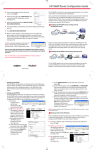
Your UIP1868P VoIP phone provides a browser-based configuration utility; you can
configure the phone using the same web browser you use to surf the Internet. To
open your phone's configuration utility, follow these instructions:
1. Connect a computer with a web browser directly to the LAN port of your
UIP1868P. (You may be able to connect to the UIP1868P through a router or
wireless access point, but if you have any difficulty connecting, try connecting
directly to UIP1868P’s LAN Ethernet port.)
2. Be sure that this computer is configured to dynamically get an IP address (e.g.,
has the DHCP client enabled).
3. Type the IP address of your UIP1868P’s into the address bar of your web
browser. The default IP address of your UIP1868P is 192.168.15.1.
#
Note: If you change the LAN IP address of your phone, be sure to make note of it.
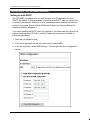
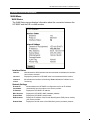
4. You should now see the your UIP1868P’s System Information Screen:
#
If you have any trouble opening the utility, first check the connection between your
computer and the UIP1868P. Then, reboot your computer while it is connected to
the UIP1868P.
© Uniden America Corp., 2005
Page 3 of 26