1
A. Oplysninger om kassering og genbrug for brugere (private
husholdninger)
1. Inden for EU
Obs: Hvis du ønsker at kassere dette apparat, bør du ikke komme det i din almindelige
skraldespand.
Brugt elektrisk og elektronisk udstyr skal behandles særskilt og i overensstemmelse med
loven om korrekt behandling og genbrug af brugt elektrisk og elektronisk udstyr.
Som følge af EU-medlemslandenes implementering af denne lov, har private husstande i EU
ret til gratis*, at aflevere deres brugte elektriske og elektroniske udstyr på angivne
genbrugspladser. I nogle lande* er det muligvis gratis, at indlevere det brugte produkt hos den
lokale forhandler, hvis du køber et tilsvarende nyt produkt.
*) Kontakt de lokale myndigheder hvis du ønsker yderligere oplysninger.
Hvis dit brugte elektriske eller elektroniske udstyr indeholder batterier eller akkumulatorer,
bedes du skille dig af med dem, i overensstemmelse med den lokale lovgivning, før du
indleverer udstyret.
Ved at kassere dette apparat korrekt, vil du være med til at sikre, at vores affald behandles og
genbruges rigtigt. Derved udsættes hverken miljøet eller vores helbred for overlast som følge af
uhensigtsmæssig affaldshåndtering.
2. I lande uden for EU
Hvis du ønsker at skille dig af med dette produkt, bedes du kontakte de lokale myndigheder og
spørge dem om, hvorledes produktet kasseres korrekt.
B. Oplysninger om kassering og genbrug for virksomheder.
1. Inden for EU
Hvis dette produkt bruges i forbindelse med virksomhedsdrift, og du ønsker at skille dig af med
det:
Du bedes kontakte din SHARP-forhandler, som vil fortælle dig hvordan produktet kan
indleveres. Du vil muligvis skulle betale for omkostningerne i forbindelse med indlevering og
genbrug. Små produkter (i små mængder) kan muligvis afleveres på den lokale
genbrugsplads.
2. I lande uden for EU
Hvis du ønsker at skille dig af med dette produkt, bedes du kontakte de lokale myndigheder og
spørge dem, hvordledes produktet kasseres korrekt.
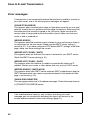
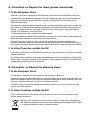
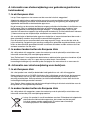
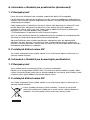
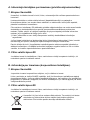
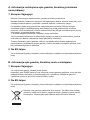
Obs: Produktet vil have dette symbol. Det betyder at der er tale om elektrisk
eller elektronisk udstyr som ikke bør blandes med det almindelige
husholdnings-affald. Der findes et særskilt genbrugssystem til sådanne
produkter.