1
Basic operation
Basic operation
4. Basic operation
If you have connected the product to TV,
all power lines have been plugged into
receptacles, and loaded the batteries
into remote control, so you can play the
player.
Turn on TV power
If you have connected amplifier, you
should also turn it on, and select proper
amplifier mode according to the type of
discs to be played.
playback, push [
play
] again to resume
Mute (available to analog audio output
Signal only)
Push [MUTE] to silence the sound of the
player, press it again to return to normal
state.
Play
Stop playing EJECT
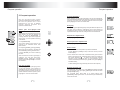
1. Push [POWER] in the player.
1. Push [EJECT]
Control TV remote control to shift TV
to proper video input mode (VIDEO IN).
unload the disc until the tray is
ejected. After stopping playing, unload
the disc until the tray is ejected.
2. Push open/close eject player or [
EJECT] buttons on the remote control
to the tray.
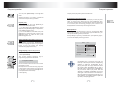
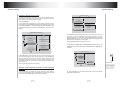
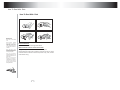
Load a disc in the tray, with label side
upward (see following figure), place
single disc in the tray,
3. Push [
2. Push [EJECT] to close the tray
Attention:
3. Press [POWER] to turn off the player.
Then turn off power of all connected
equipment.
] PLAY/PAUSE
The player will close the tray
automatically and begin to read it, It can
identify different disc format then
display it on the screen of DVD frontal
panel, afterwards if automatically plays
disc, If directory or menu picture disply
in the screen, you can push the
direction buttons [UP], [DOWN],[LEFT]
and [RIGHT] buttons in the remote
control to move lighting band to desired
track, You can directly push number
buttons to select track.
While playing push [
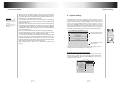
The use of REMOTE SENSOR
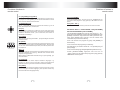
If you want to put the DVD player in
where you can not see, please insert
REMOTE SENSOR in the REMOTE
SENSOR INPUT, and put REMOTE
SENSOR on where you can see in
automobile, you can control the DVD
player so long as let REMOTE
CONTROL toward REMOTE SENSOR.
] to pause the
8
9
REMOTE
SENSOR
While playing if you find the
picture is not shown in full
screen or some part hidden or
black and white image
occur,you need to the system,
please select right TV system
(PAL or NTSC), Please refer
to instructions of [SYSTEM]
IN CHAPTER 6 or examples
in chapter 6.
When the
symbol
shows in TV screen, it
signifies invalid operation or
your operation is not
accepted by the player.