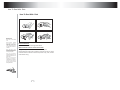
1
Frequent operation
Frequent operation
5. Frequent operation
Play fast backward
While playing you can push [FB] button to play fast backward.
Four speed are available to play forward, press it once the speed
grows by one shift, when the speed reaches maximum speed,
press [FB] again to return to normal state.
We will introduce some regular
operations of different types of function,
the user can perform one or more
operations as you like, In addition
chapter 7details purposes and
operations of all buttons
Select
menu
part
to be played
Slow play
with
MENU PBC
While playing push [SLOW] to play slowly at different speed. You
can play slow forward or backward, three shift speed are
available for either of them. Push [SLOW] once, press it once the
speed decreases by one shift, finally it returns to normal state.
If DVD disc to be played has menu, when
PBC. state is on you can display the
menu by pushing [MENU/PBC] or
[TITLE], whereon you select a popular
part to play. you can operate following
procedures
Skip to next chapter/track
1.Push [MENU/PBC]
Skip to previous chapter/track
The screen display menu picture, the
content to be selected varies with
different disc.
While playing push [PREV] button.
2.Push [UP], [DOWN], [LEFT], [RIGHT]
Select track
Move the lighting band to the desired
item or Made by pushing these buttons
There are more than one operation procedure available
3. Push [ENTER] to confirm selecting
the item
This moment the screen may display a
submenu. You can also push [UP],
[DOWN]. [LEFT], [RIGHT] to confirm
selecting the push [ENTER] to comfirm
the selection
While playing push [NEXT] button.
A.Push [NEXT] or [PREV] to skip to the next or the previous
track and play.
ENTER
! B.For those discs with track numbered directly push number
buttons to enter the No. of desired track to play. If the moment
the screen displays
, so there may be three possible
reasons:(1) the track in the disc is not numbered; (2) the
number entered beyond the scope; (3) PBC is on (push [PBC] to
shift PBC state);
C.Select among the song track list (refer to the next chapter).
Play fast forward
While playing you can push [FF] button
to play fast forward. Four speed are
available to play forward, press it once
the speed grows by one shift, when the
speed reaches maximum speed, press
[FF] again to return to normal state.
10
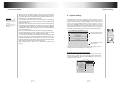
Display the track list
For DVD discs, when PBC is on, push [MENU] to display the tradk
list, the moment firstly push [UP], [DOWN] to select a track then
push [ENTER] to play,
For non-DVD discs, when PBC is on, while playing push
[RESUME] to display the track list, the moment you can directly
enter No.to select.
11