1
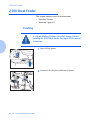
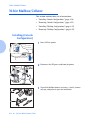
10-bin Mailbox/Collator
4
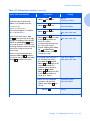
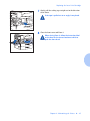
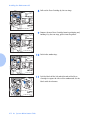
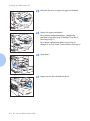
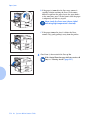
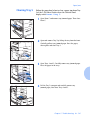
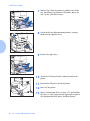
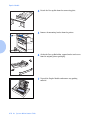
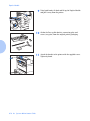
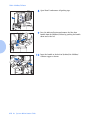
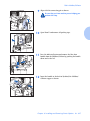
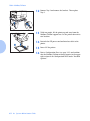
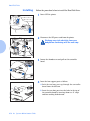
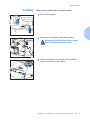
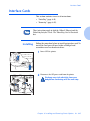
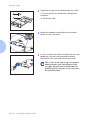
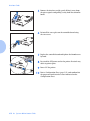
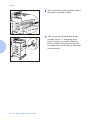
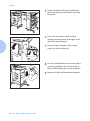
Attach the two lower stands to the printer and hand
tighten the supplied screws.
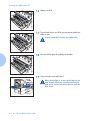
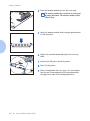
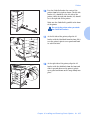
5
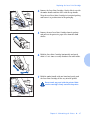
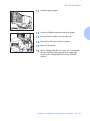
Insert the upper stand into the lower stands and snap into
place.
Be sure the upper stand is facing in the correct
direction.
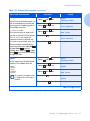
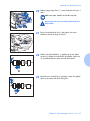
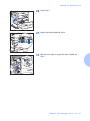
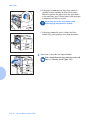
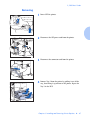
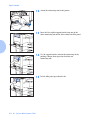
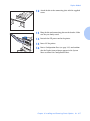
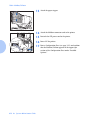
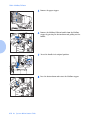
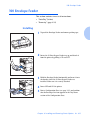
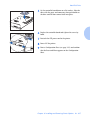
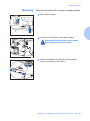
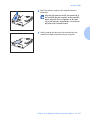
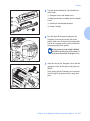
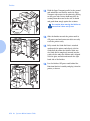
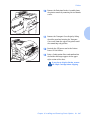
6
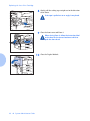
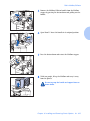
If the Face-up Bin is installed, remove it. Then, with two
people, lower the Mailbox/Collator onto the printer.
Be sure to grasp the handle and support brace as
shown above, and keep the connecting cord above
the printer.
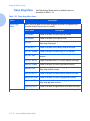
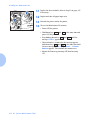
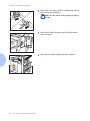
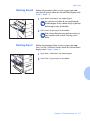
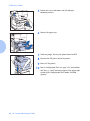
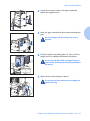
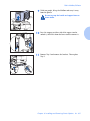
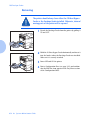
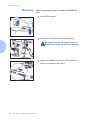
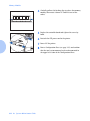
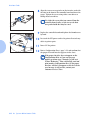
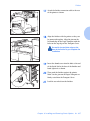
7
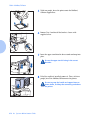
Align with the connecting pin as shown.
Be sure that you have another person helping you
perform this step.
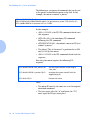
Chapter 6: Installing and Removing Printer Options
❖ 6-19