1
Table of Contents
1
Introduction.............................................................................................................3
1.1
Unpacking.........................................................................................................3
1.2
System View.....................................................................................................4
Front View.................................................................................................................4
Rear View .................................................................................................................5
2
3
4
Configuring the System .......................................................................................6
2.1
Using the LCD Front Panel Console.............................................................6
2.2
Setting the Media Network IP Address .........................................................7
2.3
Ethernet Port Configuration............................................................................9
2.4
Setting the Netmasks and Gateway Address.............................................10
Transmitting a Stream........................................................................................11
3.1
Creating a network transmit stream............................................................11
3.2
Starting a network transmit stream .............................................................12
3.3
Stopping a network transmit stream ...........................................................12
Receiving a Stream .............................................................................................13
4.1
Creating a network receive stream .............................................................13
4.2
Starting a network receive stream...............................................................14
4.3
Stopping a network receive stream.............................................................14
5
Troubleshooting ..................................................................................................15
6
Appendix ...............................................................................................................16
6.1
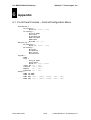
Front Panel Console – Control/Configuration Menu.................................16
6.2
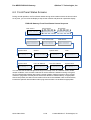
Front Panel Status Screens .........................................................................17
6.3
Electromagnetic Emissions and Safety Certifications ..............................18