1
Access Point Features
Configuring the Device
AP-800 User Guide
(EAP) as a standards-based authentication framework, and supports automatic key distribution for enhanced security.
The EAP-based authentication framework can easily be upgraded to keep pace with future EAP types.
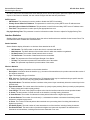
Popular EAP types include:
•
EAP-Message Digest 5 (MD5): Username/Password-based authentication; does not support automatic key
distribution
•
EAP-Transport Layer Security (TLS): Certificate-based authentication (a certificate is required on the server and each
client); supports automatic key distribution
•
EAP-Tunneled Transport Layer Security (TTLS): Certificate-based authentication (a certificate is required on the
server; a client’s username/password is tunneled to the server over a secure connection); supports automatic key
distribution
•
PEAP - Protected EAP with MS-CHAP: Secure username/password-based authentication; supports automatic key
distribution
Different servers support different EAP types and each EAP type provides different features. See the documentation that
came with your RADIUS server to determine which EAP types it supports.
NOTE: The AP supports the following EAP types when Security Mode is set to 802.1x, WPA, or 802.11i (WPA2):
EAP-TLS, PEAP, EAP-TTLS, EAP-MD5, and EAP-SIM.
Authentication Process
There are three main components in the authentication process. The standard refers to them as:
1. Supplicant (client PC)
2. Authenticator (Access Point)
3. Authentication server (RADIUS server)
When the Security Mode is set to 802.1x Station, WPA Station, or 802.11i Station you need to configure your RADIUS
server for authentication purposes.
Prior to successful authentication, an unauthenticated client PC cannot send any data traffic through the AP device to
other systems on the LAN. The AP inhibits all data traffic from a particular client PC until the client PC is authenticated.
Regardless of its authentication status, a client PC can always exchange 802.1x messages in the clear with the AP (the
client begins encrypting data after it has been authenticated).
The AP acts as a pass-through device to facilitate communications between the client PC and the RADIUS server. The
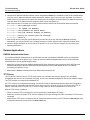
AP (2) and the client (1) exchange 802.1x messages using an EAPOL (EAP Over LAN) protocol (A). Messages sent from
the client station are encapsulated by the AP and transmitted to the RADIUS (3) server using EAP extensions (B).
Upon receiving a reply EAP packet from the RADIUS, the message is typically forwarded to the client, after translating it
back to the EAPOL format. Negotiations take place between the client and the RADIUS server. After the client has been
successfully authenticated, the client receives an Encryption Key from the AP (if the EAP type supports automatic key
distribution). The client uses this key to encrypt data after it has been authenticated.
For 802.11b/g clients that communicate with an AP, each client receives its own unique encryption key; this is known as
Per User Per Session Encryption Keys.
•
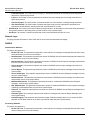
Wi-Fi Protected Access (WPA/802.11i [WPA2])
Wi-Fi Protected Access (WPA) is a security standard designed by the Wi-Fi Alliance in conjunction with the Institute of
Electrical and Electronics Engineers (IEEE). The AP supports 802.11i (WPA2), based on the IEEE 802.11i security
standard.
WPA is a replacement for Wired Equivalent Privacy (WEP), the encryption technique specified by the original 802.11
standard. WEP has several vulnerabilities that have been widely publicized. WPA addresses these weaknesses and
provides a stronger security system to protect wireless networks.
WPA provides the following new security measures not available with WEP:
37
















































![v .] jCg _ 1l(_ `o,C..NN EinCOR `1_11E1](http://vs1.manualzilla.com/store/data/005961751_1-73960e1521729271050e00b8575619b8-150x150.png)